ineseri
Friends of LSPDFR
-
Joined
Everything posted by ineseri
-
Here we go, here's mine:
-
Welcome and congratulations! :D
-
@Sharp, your name will always be Sharp. And yeah, there are some names that you can't change. I had an internet persona waaaaay back in the day before ineseri that was oblmartem (Oblivion Martin Emil). Oh yeah.
-
Can't just go around and changing ones name. I stick to both ineseri and Martin in the TeamSpeak though. But yeah, I have no plans of changing.
-
It does mean Luke Dense :(
-
I made a topic about this a long time ago, it's time for a new one :) I get bashed for it a lot, especially from Sam and Ben, but my username is what the captcha was back when I created my internet persona (when I was in the Oblivion modding scene). Hadn't any idea what else to put in, so I went with it. That was about 6 years ago, stuck with it since.
-
Getting rid of some innocent Swede I'm guessing. I'll post my background when I get home.
-
Most likely car mods, yeah. LCPDFR is designed to be used with the default cars only.
-
MODERATOR NOTICE Moving to GTA IV Support Requests as this isnt relevant to the funcionality of the LCPDFR modification. I'd recommend using OpenIV.
-
MODERATOR NOTICE Not related to LCPDFR, more likely it is related to ELS, and as such it belongs in GTA IV Discussion. I think ELS does that, you need to actually activate the vanilla siren before cars moves.
-
MODERATOR NOTICE Moving to GTA IV Support Requests. The General & Miscellaneous Discussion section is a general purpose forum for all forms of miscellaneous discussion not catered for by any subject-specific forum. Please make sure to post in the correct section in the future.
-
Operating System Windows 7 Ultimate 64-bit SP1 CPU Intel Core i7 2600 @ 3.40GHz RAM 16,00GB Dual-Channel DDR3 @ 668MHz Motherboard ASUSTeK Computer INC. P8Z68-V GEN3 (LGA1155) Graphics 3071MB NVIDIA GeForce GTX 780 (ASUStek Computer Inc)
-
Please reply to my lengthy post:
-
Hello there -- welcome to LCPDFR.com and thanks for trying out LCPDFR. You failed to read the instructions before posting in this forum. So we'll remind you of them. Please do the following: Make sure you aren't using a crack - We don't support cracks Update GTA IV to 1.0.7.0 (the latest version of the game, or 1.1.2.0 for EFLC) - This sometimes fixes a wide variety of issues Make sure that you run the game as an administrator. Make sure that your GTA IV root folder (and every subdirectory) is not set to "read-only" Ensure that ScriptHook.dll, ScriptHookDotNet.asi and Dsound.dll OR Xlive.dll are in the GTA IV ROOT folder Ensure that there is a folder titled 'LCPDFR' in the ROOT GTA IV folder. Check that all the above files exist, if they do not, reinstall LCPDFR with the MANUAL installation. Ensure that you are using up to date versions of every LCPDFR dependency and LCPDFR itself. Install these: .Net Framework 4.5, Microsoft Visual C++ Redist 2012 If your problem has been solved after following these basic instructions, hit 'Mark Solved' next to this post. If not, please now reply to this thread, and make sure that you do the following: Give a clear, detailed description of the problem. Explain any circumstances surrounding the problem. State what solutions you have tried. Post ALL relevant logs (LCPDFR.log, Scripthook.log, ScriptHookDotNet.log, AdvancedHook.log). Include as much information as possible. Post your system specifications. Post what other mods you are using. This includes car and script mods. Please note that failure to follow these instructions may cause this thread to be closed. Also, does it do the same thing in Singleplayer? If not, Multiplayer is your issue; It isn't supported.
-
MODERATOR NOTICE Moving to GTA IV Development Tutorials & Questions. Please read: '?do=embed' frameborder='0' data-embedContent>> before posting in the Ped and Misc showroom forum.
-
That would be a crack, of sorts, right? I don't think R* released any official no-dvd patch.
-
Hello there -- welcome to LCPDFR.com and thanks for trying out LCPDFR. You failed to read the instructions before posting in this forum. So we'll remind you of them. Please do the following: Make sure you aren't using a crack - We don't support cracks Update GTA IV to 1.0.7.0 (the latest version of the game, or 1.1.2.0 for EFLC) - This sometimes fixes a wide variety of issues Make sure that you run the game as an administrator. Make sure that your GTA IV root folder (and every subdirectory) is not set to "read-only" Ensure that ScriptHook.dll, ScriptHookDotNet.asi and Dsound.dll OR Xlive.dll are in the GTA IV ROOT folder Ensure that there is a folder titled 'LCPDFR' in the ROOT GTA IV folder. Check that all the above files exist, if they do not, reinstall LCPDFR with the MANUAL installation. Ensure that you are using up to date versions of every LCPDFR dependency and LCPDFR itself. Install these: .Net Framework 4.5, Microsoft Visual C++ Redist 2012 If your problem has been solved after following these basic instructions, hit 'Mark Solved' next to this post. If not, please now reply to this thread, and make sure that you do the following: Give a clear, detailed description of the problem. Explain any circumstances surrounding the problem. State what solutions you have tried. Post ALL relevant logs (LCPDFR.log, Scripthook.log, ScriptHookDotNet.log, AdvancedHook.log). Include as much information as possible. Post your system specifications. Post what other mods you are using. This includes car and script mods. Please note that failure to follow these instructions may cause this thread to be closed.
-
-
Hello there -- welcome to LCPDFR.com and thanks for trying out LCPDFR. You failed to read the instructions before posting in this forum. So we'll remind you of them. Please do the following: Make sure you aren't using a crack - We don't support cracks Update GTA IV to 1.0.7.0 (the latest version of the game, or 1.1.2.0 for EFLC) - This sometimes fixes a wide variety of issues Make sure that you run the game as an administrator. Make sure that your GTA IV root folder (and every subdirectory) is not set to "read-only" Ensure that ScriptHook.dll, ScriptHookDotNet.asi and Dsound.dll OR Xlive.dll are in the GTA IV ROOT folder Ensure that there is a folder titled 'LCPDFR' in the ROOT GTA IV folder. Check that all the above files exist, if they do not, reinstall LCPDFR with the MANUAL installation. Ensure that you are using up to date versions of every LCPDFR dependency and LCPDFR itself. Install these: .Net Framework 4.5, Microsoft Visual C++ Redist 2012 If your problem has been solved after following these basic instructions, hit 'Mark Solved' next to this post. If not, please now reply to this thread, and make sure that you do the following: Give a clear, detailed description of the problem. Explain any circumstances surrounding the problem. State what solutions you have tried. Post ALL relevant logs (LCPDFR.log, Scripthook.log, ScriptHookDotNet.log, AdvancedHook.log). Include as much information as possible. Post your system specifications. Post what other mods you are using. This includes car and script mods. Please note that failure to follow these instructions may cause this thread to be closed.
-
Probably being the keyword here. No one has any proof of it anywhere.
-
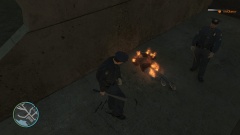
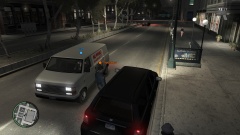
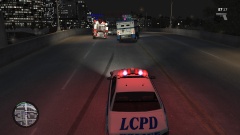
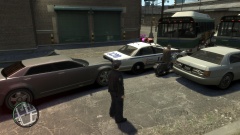
Screenshots from GTA IV MP
-
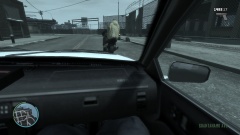
From the album: ineseri's GTA IV MP Pics
-
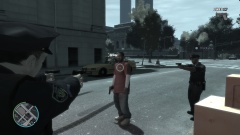
From the album: ineseri's GTA IV MP Pics
-
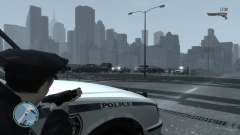
From the album: ineseri's GTA IV MP Pics
-
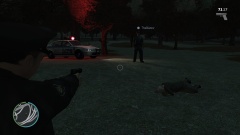
From the album: ineseri's GTA IV MP Pics