




ineseri
Friends of LSPDFR
-
Joined
Everything posted by ineseri
-
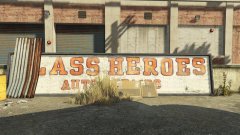 It only happened once, and it wasn't even that big of a deal. If only @MichaelV was still alive, he'd back me up! Probably.
 -
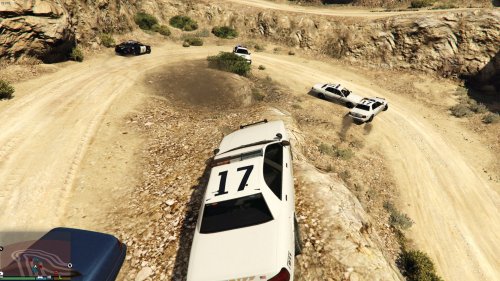
Shameless plug for a mod I made way back, but I still use it to this day. The AI can't drive that well, and this helps alleviate the broken looking cars. Also, welcome. Enjoy your stay!
-
I noticed a similar thing, when I made the move from Xbox 360 to PC - Simply staggering what graphics can do for the experience of the game. Congrats on the new card, enjoy it! :D
-
Looks absolutely awesome! Can't wait to try it out :)
-
 It should technically still work, slim chance of an update sadly.
 -
There's your problem. LSPDFR runs fine on my machine, just as good as GTA V runs when LSPDFR is not installed.
-
Should've been this one; https://vignette4.wikia.nocookie.net/watchdogscombined/images/2/2f/Patrol_Car_(Vessel).jpeg
-
Glad to see some new faces on the team and also get to know who they are. Great idea, hope this becomes a thing.
-
Whilst I am no longer as active in the community as I used to be, I can pretty much assure you that LSPDFR is not abandoned. Sam, Cyan and LMS lead busy lives.
-
It was a strange time to be around when it first surfaced. The way they bashed around our members and such, really didn't sit right with anyone. I'd very much like to see a successful police sim being released though.
-
If there's no backup, there's no restoring.
-
Neat, might just pick this up.
-
None of this really looks like an error, you'll have to be a lot more descriptive if anyone is going to want or be able to help you.
-
It's the female multiplayer ped iirc.
-
.jpg.0bd2f35c4f5b325c05289c4a46bf6907.jpg) Hi, it's me: Not-ineseri. I sure hope they find this kidnapper. I miss Maggle :(
Hi, it's me: Not-ineseri. I sure hope they find this kidnapper. I miss Maggle :( -
We do not want to be put in a weird spot by hosting a, as far as we know, unauthorized software.
-
.. and it will not be approved. You do not own OpenIV, and as such, you are violating the Community Guidelines by uploading it. As I said, unless you hear something else... :)
-
OpenIV has nothing to do with LSPDFR development. Unless you hear something else, we're very much alive! :)
-
... which doesn't have to be a bad thing. The old games are still there :)
-
Your topic has been moved to GTA V Support, this is not LSPDFR related. Please post in the correct location in the future.
-
Your topic has been moved to GTA V Support, this is not LSPDFR related. Please post in the correct location in the future.
-
Longer, if everyone involved stays on topic :)
-
-
I would highly advice against linking and downloading DLL files from the Internet, as they could be malicious.
-


.jpg.0bd2f35c4f5b325c05289c4a46bf6907.jpg)