Creators: Due to background reprocessing of files, approvals and file security checks may be delayed. Thanks for your patience.


ineseri
Friends of LSPDFR
-
Joined
Everything posted by ineseri
-
This video is unavailable. Please just take a few screenshots, I don't need a video.
-
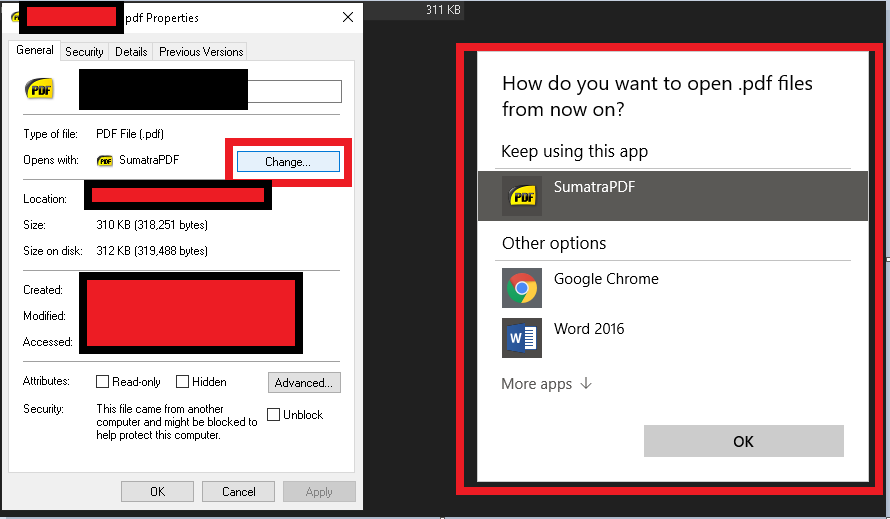
So you meant that you changed the file-ending and not the default program? If so, then you just need to rename the file.
-
I took a PDF file as an example, you can browse for programs under "More Apps"
-
Not a fan of SUVs in general, but I am a big fan of the hybrid powertrain. The future is looking electric, and I like it!
-
You can right-click it and change program association.
-
Okay, if you say so. I'll tell Sam 😕
-
Well, whoops I guess 🙂 Atleast everyone was distracted for a few moments from murdering cats!
-
LMS is from Germany, Sam and Cyan are from Scotland. Not British. Rockstar themselves aren't American either, they're also based out of Scotland.
-
The modification has nothing to do with GTA Online. All official information has been released in the announcement topics.
-
I think you overestimate how much Rockstar cares about us. My guess is, they don't care at all. Update releases are purely coincidental that they break mods, that's not their prime goal for releasing updates - It is to generate revenue in GTA Online. Our Community is the largest GTA Modding community, but seen to the amount of players that play GTA V and Online, we're fairly small still.
-
You can look here for some pointers;
-
No, Sam isn't allowed to - Sam won't let him 🙂 Again, don't read too much into past release dates. We've one official release window given, and that is the one we'll keep repeating until we go crazy, or until it is released.
-
I mean, what we play isn't the release version. We're not playing it primarily for entertainment, we're playing to find bugs. We're testing all sorts of things one might conjure up to do in the mod plus a lot more, to make sure you guys have a bug-free experience.
-
The game has already been released. LSPDFR will be released sometime between now and the 28th of February, as per the official statements. LSPDFR will be released sometime between now and the 28th of February, as per the official statements.
-
-
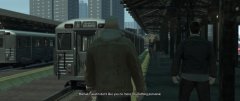
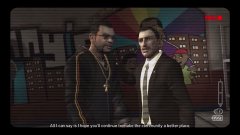
From the album: Ineseri's GTA IV Pics
Niko on a mission from the enraged Mikhail Faustin, much to the dismay of Dimitri Rascalov -
Between now and the 28th of February.
-
As Cyan said, all public information has already been shared - Patience is a virtue. All will be revealed.
-
The feature wasn't even supposed to be publicly visible, but due to a tiny-weeny mistake, it was made public and it was kept for hype reasons. Proper documentation and readme will be provided on release day, whenever that is.
-
No, it will be opt-in as far as I know.
-
So I was reading this article, linked below, about a recent incident with email provider VFEmail. Apparently, someone 'hacked' into their datacenter and wiped all data. A catastrophic destruction of all of its servers by an unknown assailant who wiped out almost two decades' worth of data and backups in a matter of hours. As a sysadmin myself, I feel for these people. Also a good reminder to everyone, if you have a backup, keep the backup somewhere where the main data isn't. Source: https://arstechnica.com/information-technology/2019/02/catastrophic-hack-on-email-provider-destroys-almost-two-decades-of-data/?fbclid=IwAR22wx1RzNdmHzvQc4a2Vcg7uDF9ikjRvCNW4O2-40ETlr50ZTZBUnDFTLo
-
On select member profiles, there is a tab next to "About me, Activity, Albums".
-
We're all united under the same flag now, the LSPDFR flag.
-
"Is it possible to independently translate this masterpiece into another language ??" You should probably start with translating yourself first 😉 Jokes aside, no, there is currently no way to translate the modification as far as I know.
-
Looks interesting, I'll for sure monitor this!