




Pavy
Members
-
Joined
Everything posted by Pavy
-
https://www.youtube.com/watch?v=LIbnmtpahtU
-
That's interesting, I've never thought about a plugin such as this. I doubt its rage. But I found these 2 versions. Maybe you have it installed? A video would be great for reference for this issue. https://www.gta5-mods.com/scripts/auto-blinkers-net-version https://www.gta5-mods.com/scripts/auto-blinkers
-
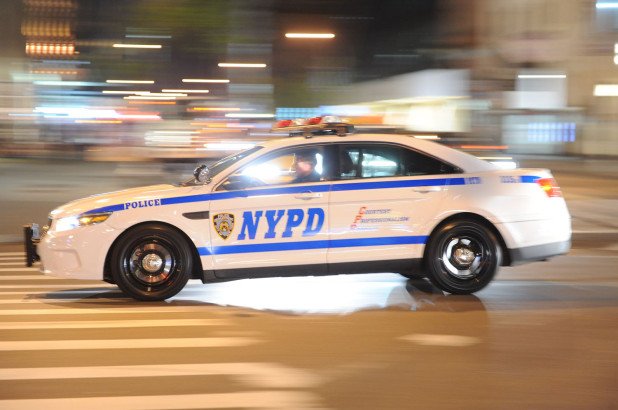
You should search in the Adobe support section on its website. I doubt you will find any assistance hereWhat do you mean? Are you asking For A.I. To use eup clothing? Because they can't. Eup is for the player only.https://www.gta5-mods.com/scripts/mode-sapeurs-pompiers https://www.gta5-mods.com/scripts/rescue-mod-v-fd-ems-coast-guardIt's called texture loss. It happens quite often when you have moded vehicles installed or any map edits to gta5. Lower your distance scaling and get a game config setting with 0.1x settings. It also pops up roughly 20-40mins of game play with lspdfr depending on your pc and how many vehicles you spawned. Only way to fix it is to restart your game. Can't do anything once it happens.If you have a mods folder you must copy over your new update.rpf into mods from vanilla gta. Grand Theft Auto V\mods\update\update.rpf\ what is your issue exactly? You should make a separate thread.NYPD 😃
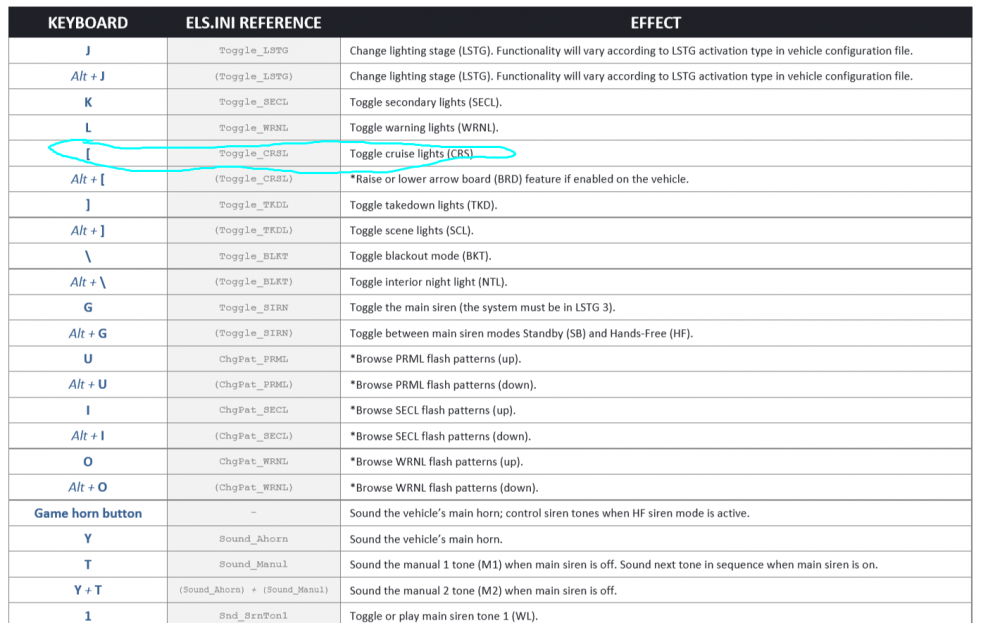
 Install ELS its required, and all controls are inside the read me.
 It's Online right now. It was offline all day yesterday. I even had to reinstall mine because openiv wouldnt open. The update checker corrupted the program. So weird.If you honk at them even once, that's what happens. Nirvana.Start by Removing mods that haven't been updated this year. Do trial and error. It's up to you to solve this. Only you can test it out.You need els installed as well. That's t0ys mega pack your using, its els vehiclesSorry but no, these are very horrible pc specs.You didn't install the vehicle pack correctly. Can't you see you have no lights flashing... They are frozen. You didn't install it correctly. What is your graphics card/processor/ram? What plugins do you have running? You have very high fps on duty so I'm curiousOn the file download page, when you click Links for lspd mega pack els lapd based.txt and open it. Download the first file that has [ADDON]. Install it with openiv. (Tools>Package Installer) Spawn the vehicles with a trainer or rage console. What happens next?I count roughly 37 or so active plugins loaded. Including plugins over a year old, which will cause compatibility issues.It's very simple. Just copy over the unmodded version. Copy vehicles.awc from Grand Theft Auto V\x64\audio\sfx\RESIDENT.rpf\ and put it into the same modded location.Grand Theft Auto V\mods\x64\audio\sfx\RESIDENT.rpf\The website is offline. Wait until it gets fixed.Yeah something is wrong with their site. It's been like this all day today.Edit your vehicle's window tint to stock. See if that works.




