




Pavy
Members
-
Joined
Everything posted by Pavy
-
A video of this issue would help
-
Inside your els.ini is your config set to this? ElsActiveOnAi = true
-
With that script or?
-
Your ragehook version is 0.62. The latest is 0.63 please update it
-
Issue fixed. Slender was missing Ragenativeui for eup.
-
It looks like you crashed while doing something in computer+. Crashes are very common with this plugin since it hasn't been updated to the current game version.
-
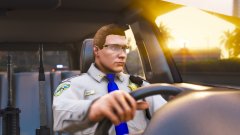 Nice images from CHP
 -
https://www.gta5-mods.com/scripts/mp-vehicles-in-sp
-
You should tell everyone how you fixed it so they know..
-
You need to check this box because you don't have it enabled. If this doesn't work look on gta5mods theres a few that enablemp vehicles http://prntscr.com/kmdli8
-
were you able to fix it?
-
so is your problem fixed ?
-
Open Ragepluginhook settings, Hold Shift for a few seconds after you start ragehook a settings pop-up will show. Go to Game settings Check Force Directx11 and force windowed mode. Save and launch
-
Your shader is supposed to be on high I believe, Paste your settings.xml found in C:\Users\ \Documents\Rockstar Games\GTA V
-
Last I checked, no. And before anyone asks, I can play when everything but the game itself is uninstalled, You just contradicted yourself.. https://support.rockstargames.com/hc/en-us/articles/205778987
-
@EuroLX Edit your post guy. You flooding the page. Click the EYE icon when editing and paste inside. You probably need to copy over your new update.rpf into mods and installed a proper gameconfig.xml
-
Smaller cleaner log? Are we looking at the same thing lol. It's just spamming this over and over. My bet is its corrupted files or (RAM related?)
-
You don't have policesmartradio installed lol. Sounds like you should go over the keybindings for those other plugins.
-
@Jdawgs88 You have to be specific and say how they aren't working. Why do you think they aren't working?
-
You need a special vehicles.meta or handling.meta or caravariations.meta for it then. It should come with it. Its one of those 3 files I cant remember which one. @Deputy Dandy Replace your Policeb in vehicles.meta
-
Go to your main gta5 folder, Rename mods to mods_ Test your game now.
-
Post your ragepluginhook.log
-
Hello, I am unable to adjust my text Size/Color, Underline it, and change text font in Edit profile area. But all this works when making a regular post on the forums. Is this disabled, a bug, or intended?
-
You should tell us what that new issue would be?
-
This video explains it really well try this <https://www.youtube.com/watch?v=ZsztUqAA3qA>


