




Pavy
Members
-
Joined
Everything posted by Pavy
-
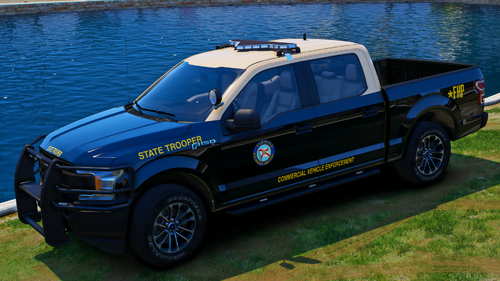 This is for people who enjoy pictures attached to their cars via Add-On spawner. Looks something like this in-game The images are 4k, but the ones on LSPDFR are 1080p because of image limits. If you would like a pack done, send me a message. This pack contains 54 Images Installation For Addon: Drag and drop into your main GTAV folder. Installation For Replace: If you use these vehicles as replace, instead of addons, simply rename the image files to that vehicle model. e.g. fhp1>police In UserDLC/FHP by Trooper Keaton.list open that with notepad and rename as well. Required Files: https://www.gta5-mods.com/scripts/add-on-vehicle-spawner By @Trp. Keaton
- 1 comment
- 1 review
-
-

-

- 4
-
-
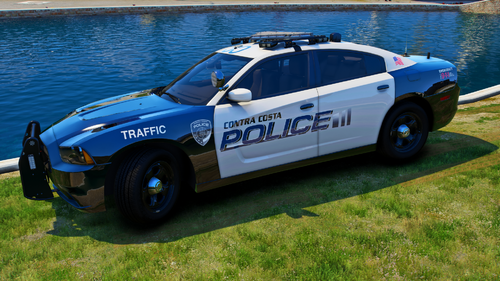 This is for people who enjoy pictures attached to their cars via Add-On spawner. Looks something like this in-game The images are 4k, but the ones on LSPDFR are 1080p because of image limits. If you would like a pack done, send me a message. Installation For Addon: Drag and drop into your main GTAV folder. Installation For Replace: If you use these vehicles as replace, instead of addons, simply rename the image files to that vehicle model. e.g. cc13fpiu>police In UserDLC/Contra Costa By Nathan.list open that with notepad and rename as well. Required Files: https://www.gta5-mods.com/scripts/add-on-vehicle-spawner By @Nathan's
 -
You can resolve texture loss by lowering the graphical settings to normal, even with 4k textures. As for LML, I never use that because I know where nearly all mods go, I don't believe it has anything to do with it. However the latest nve includes their own NVE.asi file which causes issues. I've seen a lot of users unable to get NVE working with lspdfr. Even though NVE includes their RPH & LSPDFR compatibility files, I still run into issues. I was only able to use NVE before these things were included, now they just make it worse.
-
Hello there isn't any crash message there. You can find your latest log in the main directory, the one you provided is a past one. You can also try to disable mods folder by renaming it to mods_ and see if you still crash
-
You're welcomeWell yeah because you disabled the folder. You can rename it back to mods, but if it crashes then you didn't install the mod correctlyLaunch gtav story mode, when the game opens launch RPHLaunch gtav story mode without RagePluginHookPlease disable mods, rename the folder to mods_ see if it works.Oh boy. You never install mods outside the mods folder. You'll need to verify game files so it can correct itself and become vanilla. This is why you're crashingBut you said you installed a car pack, so you do use the mods folder?# The "Ped" entry has the following attributes: - "chance" is the random probability for the ped model to be chosen (0-100) (mandatory if you have more than 1 entry) - "random_props" is the flag (value: "True" or "False") to turn on/off random ped properties (hats, glasses, ears, and watches). By default, it is set to "True". - "rain_outfit" is the flag (value: "True" or "False") whether the outfit is for rainy weather. UB will always choose this outfit during rainy weather. - "snow_outfit" is the flag (value: "True" or "False") whether the outfit is for snowy weather. UB will always choose this outfit during snowy weather. * notes: The "chance" calculation for Ped entries that have "rain_outfit" and "snow_outfit" is separated
 If it was the plugin time alone changed that's good. But if you needed to disable the mods folder then that means you didn't install something correctly hence the crashing You may mark it as solved, if it was fixed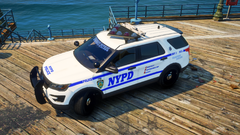
From the album: New York City/State Police Vehicles
All Images are 4k with Redux, Reshade, Visual V, Make Visuals Great Again, and NaturalVision Evolved NYPD Marked Vehicles are from Walters New York State Police pack is from hp deskjet Unmarked Units are mixed. Taxi, Impala and Charger are from Walters. Unmarked CVPI is from Hurk Other Unmarked vehicles are from Torz-
Grand Theft Auto V Screenshot 2023.10.19 - 20.28.22.68.png
-
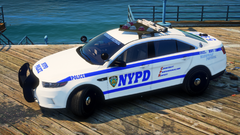 Grand Theft Auto V Screenshot 2023.10.19 - 20.26.03.16.png
-
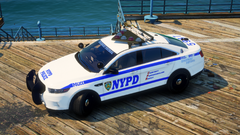 Grand Theft Auto V Screenshot 2023.10.19 - 20.25.55.28.png
-
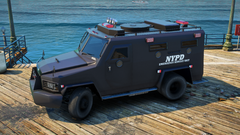 Grand Theft Auto V Screenshot 2023.10.19 - 20.24.31.51.png
-
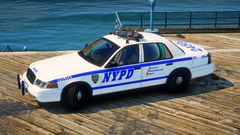 Grand Theft Auto V Screenshot 2023.10.19 - 20.23.34.26.png
-
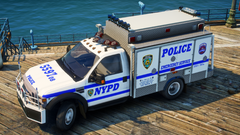 Grand Theft Auto V Screenshot 2023.10.19 - 20.23.07.41.png
-
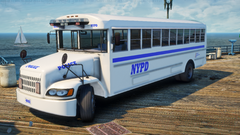 Grand Theft Auto V Screenshot 2023.10.19 - 20.22.31.57.png
-
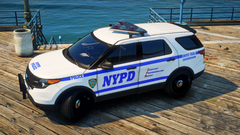 Grand Theft Auto V Screenshot 2023.10.19 - 20.21.54.26.png
-
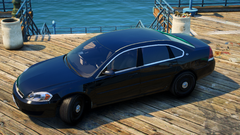 Grand Theft Auto V Screenshot 2023.10.19 - 20.21.06.36.png
-
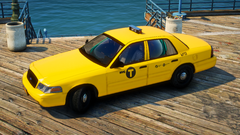 Grand Theft Auto V Screenshot 2023.10.19 - 20.20.37.27.png
-
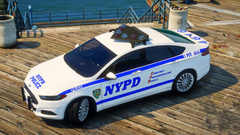 Grand Theft Auto V Screenshot 2023.10.19 - 20.20.04.25.png
-
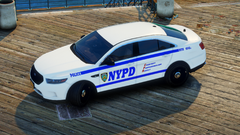 Grand Theft Auto V Screenshot 2023.10.19 - 20.09.56.39.png
-
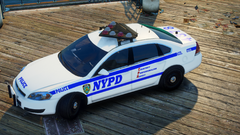 Grand Theft Auto V Screenshot 2023.10.19 - 20.08.46.17.png
-
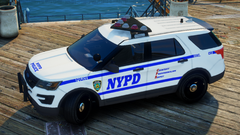 Grand Theft Auto V Screenshot 2023.10.19 - 20.06.12.44.png
-
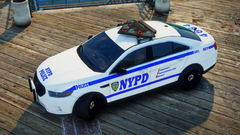 Grand Theft Auto V Screenshot 2023.10.19 - 20.05.32.66.png
-
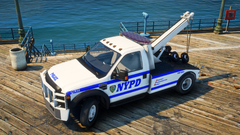 Grand Theft Auto V Screenshot 2023.10.19 - 20.30.35.73.png
-
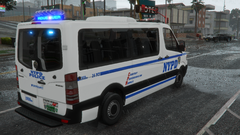 Grand Theft Auto V Screenshot 2023.10.18 - 20.12.06.54.png
-
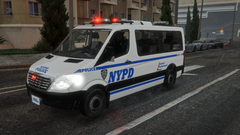 Grand Theft Auto V Screenshot 2023.10.18 - 20.11.08.13.png
-
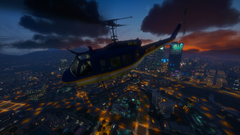 Grand Theft Auto V Screenshot 2023.10.18 - 20.05.01.55.png
-
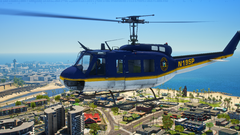 Grand Theft Auto V Screenshot 2023.10.18 - 20.07.16.93.png
From the album: New York City/State Police Vehicles
From the album: New York City/State Police Vehicles
From the album: New York City/State Police Vehicles
From the album: New York City/State Police Vehicles
From the album: New York City/State Police Vehicles
From the album: New York City/State Police Vehicles
From the album: New York City/State Police Vehicles
From the album: New York City/State Police Vehicles




