




Illusionyary
Members
-
Joined
-
Last visited
Everything posted by Illusionyary
-
What resolution is the texture in, and what are the mip-map levels (you can see this in OpenIV when you import the texture)?
-
.thumb.jpg.bb1e8ecec8228dbd477e7dcb330fb034.jpg) Aside from the dozen or so ponies scattered around the interior, a nice modification. It's good to see a different model emerge within the downloads section.
Aside from the dozen or so ponies scattered around the interior, a nice modification. It's good to see a different model emerge within the downloads section.- 97 comments
- 62 reviews
-
That'd be Simple Native Trainer for GTA V, you can find it here: https://www.gta5-mods.com/scripts/simple-trainer-for-gtav
-
That no professional company would have a distorted/pixelated image as the header to their website. It screams unprofessionalism.
-
Using OpenIV: http://openiv.com/ The majority of emergency vehicles are located within this path, x64e.rpf, levels, gta5, vehicles.rpf, however some are not. Once you've located the directory the car is in, find the vehicles .ytd file (for example "police.ytd") and open it with Editing Mode turned on, from here find and replace the livery files (these are usually called "_sign_1" or similar) with whatever you want and then hit save and close OpenIV. Do note that this will only work with UV mapped modifications and not the vanilla vehicles. Also, moved to GTA V Support. The LSPDFR Support section is for support regarding LSPDFR itself. This topic has been moved to the appropriate forum. Please post in the correct location in the future.
-
I'm not the only one that thinks that Tesla looks like a Jaguar, right?
-
I was born in New South Wales but I live in Western Australia. I've spent time living in Queensland and Dubai too, though.
-
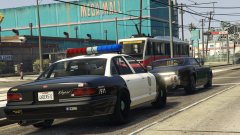 Trams are ancient. They date back to the early 1900s, but obviously they didn't look quite like the one in V.
 -
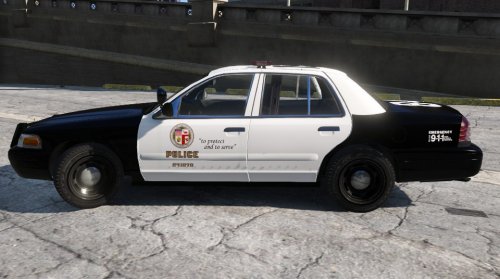 This is a known issue that is currently being looked into. Please report it next time.
- 19 comments
- 5 reviews
-
-

- 1
-
-
This was at-least a year ago if not more, but he abused members when they questioned the authenticity of the game and then threatened legal action against LCPDFR.com. Discussion about the game was prohibited for many weeks after that.
-
PNGs, just like GTA IV. Like I said, it's literally the same process. The only thing that is completely different is the directories of the cars in OpenIV and the file formats (now yfts and ytds instead of wft and wtds).
-
It's exactly the same process as it was for IV, just with some different templates.
-
I highly doubt his "investors" are going to invest the ten million dollars he supposedly needs to a company that nobody has ever heard of for a game that will probably go nowhere. It's certainly interesting, but given this and the way he acted on our forums, even if it doesn't flop, I still won't be buying it.
-
Zmodeler is a tool for modeling. You can assign textures and UV map stuff, but you can't texture with it. I'm not exactly sure what you mean. Show me how you've set up your layers in Photoshop.
-
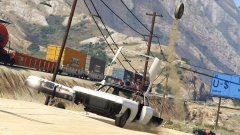 This image seriously reminds me of this, I love it: (╯°□°)╯︵ ┻━┻
 -
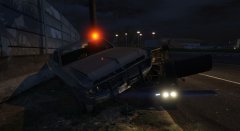
From the album: GTA V Illusions
Excessive force is never a bad idea. -
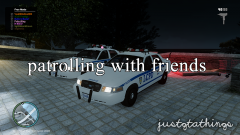 *crashing because of mods
 -
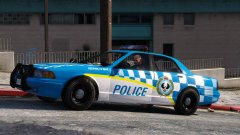 ...and I thought the WAPOL's liveries were high visibility. It's very unusual to see "Police" written in all caps on our cars too. Personally I don't like that livery on the Stanier. It is very unique though.
 -
Uh... it's certainly interesting. What department is this based on? I've never, ever seen an Australian police vehicle with that scheme.
-
Please don't try and mislead new members with stupid suggestions like this. I use Adobe Photoshop myself, however both GIMP and Paint.NET are good free alternatives.
-
Unless you UV map the vehicles yourself or use UV mapped models (most models are UV mapped), you can't.
-
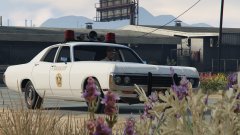 Like the beacon, these lights need work too Lund. Why on earth are they pointy? Aside from that, I love the concept, as you know.
 -
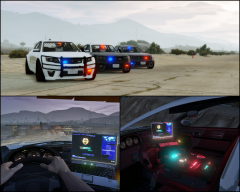 Ah okay. Good stuff. I'm looking forward to the car but seeing the console and laptop like that had me quite worried lol.
 -
 Perhaps at some point, yes.
 -
This is an issue with the model itself, there's nothing you can do about it. This topic has been moved to the appropriate forum. Please post in the correct location in the future.

.thumb.jpg.bb1e8ecec8228dbd477e7dcb330fb034.jpg)
