




Illusionyary
Members
-
Joined
-
Last visited
Everything posted by Illusionyary
-
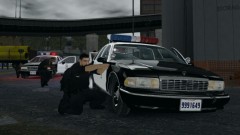 This wouldn't happen to be based of the 1997 LA Bank Robbery would it?
 -
Not this shit again! FML. :dry:
-
-
I know you hate making ELS models but this is by far the best 1994 LAPD Caprice I have seen! I love it to pieces! Is there a tiny chance that you would even consider releasing an ELS-H version? That'd be just amazing! (http://www.gta4-mods.com/vehicles/1994-chevrolet-caprice-los-angeles-police-dep-f15475)
-
Adding a lightbar is not as simple as you may think. First off you're gonna need these 2 tools which do cost money. Zmodeler: http://www.zmodeler2.com/ and 3DS Max: http://usa.autodesk.com/3ds-max/. (You really only need one but from what I've heard you use Zmodeler to Import/Export models to and from GTA IV and then use 3DS Max to actually edit the model) You then have to spend 8 hours watching tutorials on YouTube to work out how the hell you use these programs. After you've worked it out, you attach your lightbar to your vehicle and then you set up the ELS colours/settings on the lightbar using Zmodeler. I have no clue how to do this so you're going to need to do a bit of research! After all that you should of successfully attached a lightbar to the car! I won't go into detail because I have no idea what I'm taking about when it comes to modeling programs. Anyway, when you get bored of failing with Zmodeler and 3DS Max, just go to the download section here on LCPD:FR and pick a vehicle with a setup close to what you wanted. Now I've most likely horribly confused you, as I am confused myself. But I say, worth it.
-
Rockstar won't release anything on GTA V until a few weeks from release, I'm actually surprised they released the trailer.
-
Title the PM "K-9 Unit skin" then he'll look. xD
-
I think he means vehicles that we like/or are using. I like this one:
-
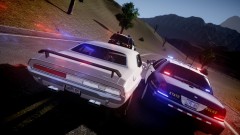 Nice ENB.
 -
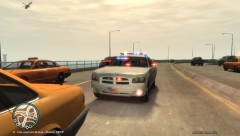 CHRISTMAS TREE. I LOVE IT.
 -
-
The wig-wags are apart of the Paramedic mod itself, if you want them, you need to download the mod.
-
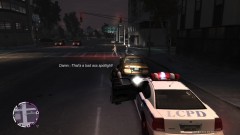 If you want to get Independence radio to work in cop cars just enable mobile radio with a trainer, then pause the game, go to the audio tab and change the radio station.
 -
 I don't know, the LCPD loves ramming into things! Especially other units!
 -
I love this game.
-
-
It looks pretty good, however some of the text is backwards. Also, I'd suggest using a website like this one http://policecarwebsite.net/main.html for ideas.
- 9 comments
- 4 reviews
-
Funny how this effects others differently, I run ELS V6 on EFLC and have never had a crash relating to ELS.
-
Hang on, this is set in Chicago right? WHY DID THE COP CARS HAVE RED AND BLUE LIGHTS?!
-
That'd be awesome! Thanks, check your inbox.
-
I don't know how to do that, I never understood ELS texturing.
-
Does anyone know where I can find a coloured version of the Liberty? I've seen tons of uncoloured Liberty lightbars for IV, but I've never seen a coloured one. For a Crown Vic that is.
-
Does anyone know what lightbar this is? Also, does anyone know of any models in GTA IV with this lightbar?
-
How much did that 690 cost you? Jesus!
-
I was unaware of that "bouncing" bug, I haven't played SAMP since late 2010 so I really can't remember. Bone County Classic Vehicle Pack: http://gtapolicemods.com/downloads.php?do=file&id=371 Good uniforms are a little harder to find, but search around a bit of GPM and you should find some good ones.

