




Illusionyary
Members
-
Joined
-
Last visited
Everything posted by Illusionyary
-
Thanks this topic has also helped me. However, how do I add wig-wags to the vehicle?
-
-
Make sure you're games version is up-to-date (1.0.7.0 for GTA IV, 1.1.2.0 for EFLC) and rerun the LCPD:FR installer. It should work.
-
Looks great thanks.
-
Yep. Graphics Display: http://www.youtube.com/watch?v=7l4akefjS10 VSP Patrol: http://www.youtube.com/watch?v=EVQITMsmYgw I hate doing commentary so videos on this channel will have little to no commentary. Also, this is my second channel! So leaving a rating really helps me out since this channel is still really small atm.
-
I believe he wants to be able to press the tones in a random order. If he uses the ELS siren it will always be Wail, Yelp, Phaser. He wants to be able to press a random key and for it to play a certain tone. E.g. U=Wail, I=Yelp ect...
-
You can crack it, I think.
-
Movie Maker lol...
-
I tried Bandicam, it just freezes when I try to load it up. Ending up killing it with the Task manager. So yet again, I have to put up with the lag Fraps gives me.
-
Ah okay, so it's not as easy as I thought. I'll wait until someone makes the uniform I'm after and I'll replace the Strooper with it.
-
Yeah the strap. Derp: I meant strap not clip
-
I'll ninja this topic, since you did such a good job on the CHP model I am wondering if you can do some Virginia State Police uniforms, I tried myself but failed horribly. Police Dept: Virginia State Police I'll post links to the pictures, since I have 3. http://1.bp.blogspot.com/_0MTHLPzTSJM/TAQgQpfo6TI/AAAAAAAABqI/VPhzfSmMBRQ/s1600/vsp-bailey.jpg http://www.statetroopers.org/PFStories/images2009/PFS092509.jpg http://www.vsp.state.va.us/images/graduation/graduation.jpg It's not very clear in the pictures but they have a very dark blue stripe running down their pants. And yes, I am willing to be patient. This stuff is hard to do.
-
Is it possible to remove the Alderney Cops shirt strap, and if so how? Here's what I mean: I'm trying to create some custom uniforms and that strap is really annoying me. P.S. Sorry if a topic like this exists, I searched it but didn't find anything.
-
Yes they are, I had to delete a video on YouTube showing an Ottawa Police Skin since they asked me too. Make sure you don't make any videos showing this off and keep the mod private, otherwise the Ottawa Police Service will be asking you to take it down.
-
This is a quick but fairly detailed voice tutorial on how to create textures for police cars with Photoshop CS5. I hope this helps people who are new to texturing police cars in GTA IV. http://www.youtube.com/watch?v=bQ6McRLP9QE Please leave me any feedback, good or bad! Also if you like, please subscribe for GTA IV LCPDFR videos (This is my second channel)
-
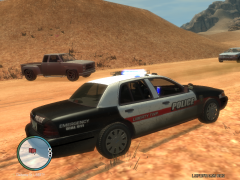 Thanks! :D
 -
ATC, the most stressful job on the planet. Good luck. As for me I would like to join the Western Australian Police Force, still got a long way to go. But once (if) I get in, I'd like to be transferred to an American Police Agency.
-
Yay! More people using my skins. :)
-
Do you plan on releasing them once you are done? It looks amazing! (even though my graphics card can't handle it lol)
-
Dose Graphics *drools*
-
Probably when I was on holiday in Thailand... lol
-
When was that? I must of missed that. :\
-
That sounds about right, but how exactly did you obtain this information? I think they might release it, otherwise they are just trolling us with all the preview videos.
-
Mother of god.
-
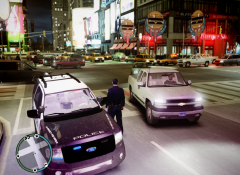 SPAM SPAM SPAMITY SPAM! Link for expedition? Lol jokes, what's the ENB you are using? ICE?


