




Illusionyary
Members
-
Joined
-
Last visited
Everything posted by Illusionyary
-
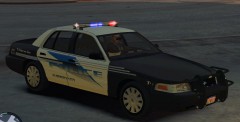 That's based off the South San Francisco Police Department right? Good for a first attempt, mine went horribly wrong. Predator Boat+ELS lightbar+noob modder=Disaster. (And yes, I know ELS won't work on boats)
 -
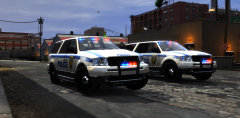 How'd you make ELS look so nice?
 -
This has been discussed many times, and we all agree that this is Bxbugs123's dream car.
-
Since the Asuna free GPM days it's sucked, hopefully you can provide some support for people here on LCPDFR! Welcome back mate.
-
No, you just scan vehicles and see what the average speed of 1 to 2 cars is, then if any cars go over that speed, stop them.
-
-
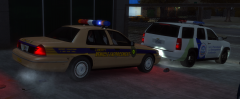 I know there is an ELS version of that Vic on GPM (I love that lightbar) but since it's down I can't get it! :(
 -
I lol'd when the dog fell over.
-
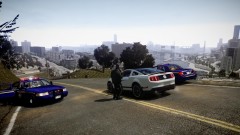 Looks like an add-on since the city is visible.
 -
 Cool guys don't look at explosions. Lol.
 -
That's a very nice Crown Vic you got there.
-
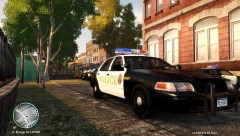 GTAPoliceMods, it's the San Diego CVPI and no it doesn't have steady burns.
 -
Not to sure, didn't really get any answers from their FaceBook page, however I did read a post saying something about security threats. I think they've been hacked again.... lol.
-
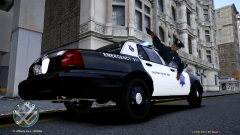 "Roll the window down! I'm stuck!"
 -
This topic is weird. Also... *you're
-
So, this whole game is pretty much based on the movie SWAT which was based on the 1997 Bank Robbery in LA. Cool. I just wished there was an option to play as a "normal" officer with the LAPD and not just SWAT, but who knows....they might add that in.
-
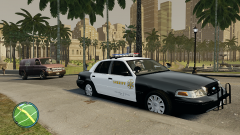 Nope, that'd be good ol' Los Angeles mod.
 -
 KIWI'S!!!! D:
 -
Just spent 2 minutes looking for Skippy the bush kangaroo in this pic.
-
Jay! WHAT THE HELL?! I WANT YOUR INTERNET.
-
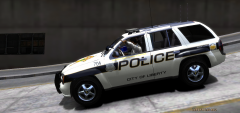 "WHEN DO WE GET THE FREAKING GUNS?!" "I told you, you don't get your gun until you tell me your name!" "I'VE HAD IT UP TO HERE WITH YOU!!!!!!!!" *Runs off*
 -
Mine isn't half bad then. Lol.
-
Dang! My internet provider is bad... we are still waiting for that national network thing that should hopefully speed up our internet.
-
Try VirtualDub, basically you just want to compress the video files so the size is smaller. I uploaded a 10 minutes video last night and it took about 6 hours to upload.
-
@Custo Because it's badass. Also, there are a few "ghost" style skins around. I'll be making one for my upcoming LCSO pack.


