




Illusionyary
Members
-
Joined
-
Last visited
Everything posted by Illusionyary
-
Well I think you should, but it's up to you if you feel comfortable enough to do one. I always feel uncomfortable when I do my commentary videos because I think my voice sounds weird/boring, but my fans think I'm good at it so yeah.
-
I currently use Traffic Control System, there are a few more taxis around than in Traffic Flow but I don't experience the texture lose.
-
Good videos +1 Ever think about doing a commentary series? I know your English isn't perfect but I still think it'd be cool.
-
I have the same problem, and I have a very powerful computer. All I can suggest is trying other traffic spawning mods.
-
-
Yeah same, I've never actually crashed from ELS. I don't understand why it works for some and not for others.
-
You also lose the ELS-H fuction with ELS V5.
-
Well most PCs have voice recognition, like you say "Google Chrome" and it'll open Google Chrome for you. I also believe you can say "Cats" and it'd search cats for you. Give it a try.
-
Thanks guys, this was just a simple edit but I still think it's pretty good.
-
No don't put them in the script folder. Put them in the main folder (EFLC Folder). As for the car it's exatcly the same install process as GTA IV, it just depends which slot the installed the car too. For Police1, Police2, NOOSE, PolPatriot, FBI, Ect... are all in the normal CDImages folder. Only Police3, Police4 and PoliceB are in the TBOGT CDImages folder.
-
-
Wait so are you running Police Pursuit mod and LCPDFR at the same time?
-
No problems, they were the default cop cars ELS'd on GPM somewhere, but that was over a year ago. Sorry I couldn't find them.
-
I saw some a long time ago on GPM, however I can no longer find the thread they were in. Unmarked Admiral http://gtapolicemods.com/downloads.php?do=file&id=905 Noose Stockade
-
Hey people, as some of you may or may not know, I am using the Los Angeles Emergency Services big pack. It's a very good pack however I couldn't find a realistic siren to go with it; as the only Smart Sirens had a priority tone. So I have edited Luxart's Smart Siren to remove the priority tone. So now it only features the airhorn, yelp and wail. Old siren with priority tone: http://www.youtube.com/watch?v=olxtKci0YHM New siren: http://www.youtube.com/watch?v=OkgS1WUgWj4 Unfortunately I cannot get Luxart's permission to upload this file since he has retired from GTA modding and has not been seen in over a year. All credit goes to him for the siren, all I did was edit it. Download: http://www.mediafire.com/?mhn6ch2ze66zwmm
-
It's your editing tool. I assume you're using Windows Live Movie Maker? That's what it looks like, anyway here is what you need to do; Click on the "Project" tab and then click on "Widescreen (16:9)" and that way, when it's uploading to YouTube it will fit the entire screen.
-
As far as I know, none of those mods will work on patch 4. If you are running ENB, try and find one that works for Patch 7, otherwise you're going to have a lot of trouble trying to get these mods to work.
-
As Dhruv said, yes, do that. However there are many Non-ELS vehicles on GTAPoliceMods and here, just look in the downloads section. Also, any mod can be renamed to replace a certain vehicle.
-
-
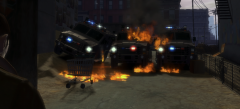 Nothing ELS can't fix!
 -
Well it should only overwrite the ELS lighting settings and leave everything else the same.
-
As far as I am aware it shouldn't, back up the ENB files to be sure though.
-
Install radiance mod too?
-
AdBlock replaced ads with pictures of cats.
-
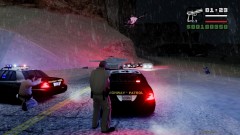 GTA SA to IV mod.


