




Illusionyary
Members
-
Joined
-
Last visited
Everything posted by Illusionyary
-
MODERATOR NOTICE Moved to GTA IV Tutorials & Questions. Enter Polygonal mode and rotate it from there.
-
 Reminds me of this:
 -
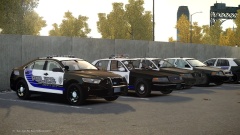 Yup, I'm in the process of turning them into the pack. So far I've only done the Taurus and CVPI, but I plan to include a lot more vehicles.
 -
It should just sit below the chassis. Are you sure it's the lightbar causing the error?
-
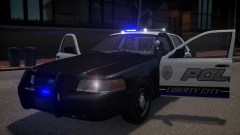 Thanks! I fell in love with the livery when I saw so I just had to make it. Love the car by the way! :D <3
 -
I do too, it's a really nice looking model. Sure, I can do that.
-
Thank you! I'm working on a pack, any cars you'd like to see in it?
-
Did you install dsound and scripthook?
-
Thanks!
-
From the album: SC Designs
Based off the Pemberville Police Department in Ohio. Vehicle by johnclark1102 Texture by Reibu -
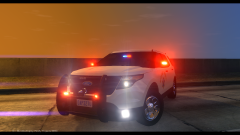 Aren't the white markings apart of the CVE (Commercial Vehicle Enforcement)?
 -
You're welcome. Yes, in that same VCF, disable extras 7-9.
-
MODERATOR NOTICE Moved to GTA IV Support Requests. Did you modify the VCF inside the ELS folder to include the blue reflections?
-
Even for a short film, that was rather disturbing to watch.
-
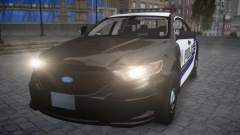 Haha, I've finally got around to making a pack out of this. I've almost done the Taurus (just need to fix the paint lines and some text) then I'm going to re-do the Charger and CVPI with the correct fonts, ect.
 -
http://www.gta4-mods.com/script/simple-trainer-version-65-f2115 EDIT: DAMN YOU INESERI
-
Why do you want to hail a cab anyway? You can just use the trainer to get around.
-
From the album: SC Designs
Based off the Pemberville Police Department in Ohio. Vehicle by Cj24 Texture by Reibu -
![[WIP] Algonquin Police 2009 Charger](//s3-gallery.int-cdn.lcpdfrusercontent.com/gallery/album_2838/sml_gallery_120090_2838_1114617.png) A lovely picture for some lovely cars. Nice work!
A lovely picture for some lovely cars. Nice work! -
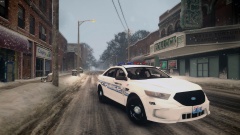 It's CryENB V1. This is an older directory, so I haven't updated to V2.7 yet. :)
 -
From the album: Illusions
-
No problem. That should be the only cause, since the rest of your parts should run the game maxed out with no trouble.
-
Here's your issue. Your copy of Window isn't letting you utilize all of your RAM. I had the exact same problem until I upgraded to a 64 bit copy.
-
That means it's an issue with your hardware. What version of Windows are you running, by the way?
-
![Jaguar XFR - LCPD D.A.R.E. [Final Version]](//s3-gallery.int-cdn.lcpdfrusercontent.com/gallery/album_3066/sml_gallery_29300_3066_3141.png) I really like this one, more so than the other two. Keep up the good work!
I really like this one, more so than the other two. Keep up the good work!


![[WIP] Algonquin Police 2009 Charger](http://s3-gallery.int-cdn.lcpdfrusercontent.com/gallery/album_2838/sml_gallery_120090_2838_1114617.png)
![Jaguar XFR - LCPD D.A.R.E. [Final Version]](http://s3-gallery.int-cdn.lcpdfrusercontent.com/gallery/album_3066/sml_gallery_29300_3066_3141.png)