


Molten
Members
-
Joined
-
Last visited
Everything posted by Molten
-
Ahh yes, forgot about that. If you can't find it go to control panel and select "Apperance and personalisation" then select "Folder options / Show hidden folders" A new window pops up and in "view" make sure "show hidden folders" is checked, hit apply and look again.
-
-
I have steam version as well. Don't think that makes any difference. Forget about where the game is kept, saved games are stored seperately. What operating system do you have ? In windows 7 and prob, vista as well it will be in your documents unless as aparna said you installed xliveless. tbh prob' the easiest way is what braveheart suggested. Search for SGTA400 and once found right click and "open file location"
-
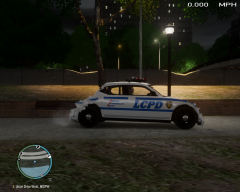 lol @ B-7
 -
I do know default location for saved games is in documents /rockstar games / GTA IV /saved games. If you have a save game back up then delete whats in there and replace, if you don't have a back up and dont want to play the story again you can download a 100% savegame file. Or just delete whats in there and start a new game, do the first mission which involves taking Niko's cousin to the safehouse after getting of the boat. After that I believe LCPDFR will work with all the map unlocked. Note: not tried that myself it's just what I have read many times.
-
I tried to find that thread too for someone else the other day. No idea why it's not there now. Community team response at the end of this thread..... http://www.lcpdfr.co...-o95rc-arrests/
-
Task manger exit stratergy here too :( Never managed to find another way.
-
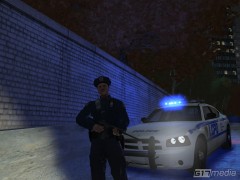 I got so bored I came to the gallery and now I wantz the cool shit I see :(
 -
-
Gratz to the new staff, unpaid thankless jobs ftw hehe. It's a dirty job but someone has to do it, good on ya for giving your time. BTW: A bit cheesy but I really do appreciate being able to play this mod. So thx for all the dev work, and behind the scenes stuff that goes on.
-
Not sure what your definition is of realistic but real world (which I tend to avoid these days) are Viva new york mod. Trees and vegetation Mod and then there are better city textures or ultimate city textures.
-
I see a lot of new members who make support threads being directed to the stickies. And rightly so, I have done so myself. But I just took a look at them with the outlook of a new member to the forum. There is one in anouncements, and 3 pinned on the support page. One is a very helpfull tutorial. The other two are imo out of date and confusing. New members being told to read the stickies and are reading in two of those posts that there is no support for .95, and in one post says they should be using .91 version. Yes it says .95beta but as the version has moved on to RC this can be confusing to some new people who may not make the distinction. And in any case is no longer relavent for someone using RC making a support post. Of course at the time this info was correct. If it still is then fine. Maybe I am wrong but it seems new members are being directed to posts that are supposed to inform them about how to propperly ask for support, but are in fact getting conflicting advice. Time to update and review maybe ? At the very least some clarification about .95RC support. At the moment new members have to read 3 posts and watch a tutorial. A tutorial and one support guide stickie surely would be more efficient.
-
Ah, you use a controller. Yep there lies the problem most likely. There is a post somewhere, give me a min I will try to find it for you. Erm, I can't seem to find it. Mainly cause I never took much notice of the post when it came out as I don't use a controller. I'm sure someone will direct you to it or let you know what you need to do now we know your using a controller.
-
well tbh I kinda like it how it is but maybe i'm just used to it too. Part of the experience for me anyway is negotiating traffic. Also I think it would be really hard to make this work. For example: pursuit in progress, criminal turns off a highway and into built up area with police close behind. First set of lights changes green because the police have sirens going. Criminal turns left, or right or whatever, next set of lights wont even get a chance to go green before the crim and police have passed. Unless they all doing 30 mph which is unlikely. Even if the lights did change quick enough, what about other traffic, they wont have time to stop before you get there. Only way to have the AI cars stopped nicely at a junction is to set it all in motion 10-20 seconds before you get there. In other words even setting the lights green will still mean by the time you pass through the AI are still making their turn or whatever it was they were doing. Too many variables such as what way the criminal will turn etc. Things happen too fast. And if all lights were green and we just sailed through all lights, well there might as well not be any traffic at all on the road. Just my opinion but it's trying to get through traffic and seeing the criminal screw up and other accidents happening at lights that makes it an andrenaline rush for me.
-
Doh ! my bad. Iv'e done this before and confused traffic load with this..... http://www.gtapolice...ix/page__st__80 Some in that thread complaining of same thing. So to clear things up, it's traffic control that gives me issues of odd spawning.
-
tbh when I joined the forum it was a bit confusing as by default you start with a "warn status" with a solid white bar under it. At first it seemed to me too I was under warning for something. Maybe if possible an empty bar that gets filled if you get a warning. An empty bar emplies nothing there, ie: no warning. It is a bit missleading until you get use to it as on first glance looks like your at maximum warning :)
-
Good to know, that could be the answer to his problem seeing as it's the only issue he is having.
-
Traffic load allthough does load all the cars and covers up the taxi bug (taxi bug still happens but is less noticeable) it does has an annoying feature of spawning cars just about anywhere you can drive. This results in demolition derbys in cars parks as spawned cars crash into each other, cars spawning on footpaths in grass areas and on some sections of the map cars coming out of the river :) Ninja edit: <<<<disregard this paragraph. Post after next explains :) Better than no taxifix at all but I hate traffic load :p Also to get to OP origional post, does this do anything for taxibug ? ie: spawning od taxi's and police cars and little else or is it just a fix for a problem I know a lot of people have with their cars not spawing at the police station on selection before going on patrol.
-
yeah I see now. The trousers are different. Didn't notice that at first.
-
http://www.lcpdfr.com/cops/forum/gallery/image/797-gtaiv-2011-10-21-17-37-59-86/ Is that what your talking about ?
-
Ah right.... I thought it was only stuff like firetrucks that could set a section of lights green in a certain direction for a certain amount of time when leaving the firehouse on a call. Done from the firehouse before it leaves. That's what happens in some firestations where I'm from. Didn't realise the technology was that inteligent to set lights green on the fly when in pursuit.
-
Bit hard to verify your problem when all we know from the info you gave is you are running .95 version. If you want me to say yes it's your gfx card then fine, "it's your gfx card"... But for all I know you have a card that is up to the job and the problem lies elsewhere. Hint: unr3al gave you some good advice.
-
have you entered a police station and gone on duty before trying to arrest ? Is that the only function not working ? Have you read the stickies in support ? In particular the section pinned " Need support ? read this first. by Sam" nvm the 3rd question I know the answer too.
-
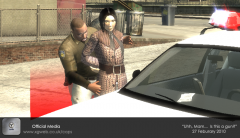 Can't recal ever seeing her ingame.
 -
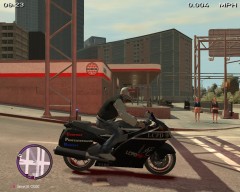 Cool :)

