


Molten
Members
-
Joined
-
Last visited
Everything posted by Molten
-
Yes, get those screenshots done for starters. As said, open the folder you want to screenshot. Press "print screen" button on your keyboard. (normally between main keys and number pad next to scroll lock and pause break on most keyboards) Then search for "screenshots" folder and it should be in there. Prt screen has never worked for me for some reason. So another method if you have windows vista or 7 is to use the "snipping tool" founf in "start" / "all programs" / "accessories" / sniping tool... open it and then highlight the folder and save to wherever you want. Or failing that download a free screen capture program. Fraps has a free version that does good screenshots. Reason I asked for those 2 screens is your problem seems hard to fix, so we need to start looking at the basics and see if there is anything wrong.
-
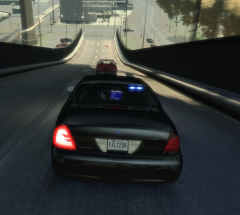 I'd like to know that too, also where you got it from :)
 -
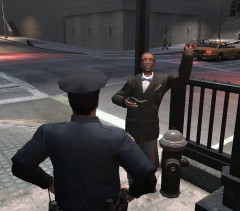 Maybe he can get a job, as an ambulance driver.
 -
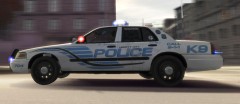 Pulling a wheelie lol
 -
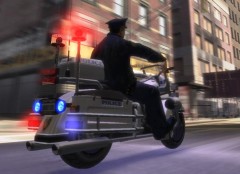 Great pic, real shame you can't check ID's when you do a traffic stop with these bikes though :(
 -
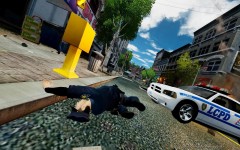 An upright and good officer (even if he did leave bloody corpses in dark alleyways) :P he will be missed :(
 -
Sorry to dig up and necro and old thread but it's a helpfull thread for anyone using ENB. Reason for this post though is after some research and confirmed from several sources. The setting "CyclicConfigReading=true / false" This turns out to be a setting that forces your pc to read and set the enb settings every 5 seconds. Reason it's there is to make ajustments on the fly by alt tabbing and having the changed setting take effect without having start game again. Leave as "true" when adjusting settings but once you have the result you want change it to false. This stops ENB settings being read every five seconds and can have an impact on performance. Hope that helps. It did me.
-
Also something else that might be worth doing...Can you post 2 screen shots, first one of the contents of your "GTA IV" folder, then a second screenshot of the contents of the "script" folder. Just trying to narrow down and eliminate any obvious issues. And there are plenty of people on this forum who can tell if those folders are missing a file / folder, or if something is there that shouldn't be.
-
Good job it's not a paramedic video :wink:
-
I don't know anything about the company you downloaded it from, but try copying just the GTA IV folder to another place and then mod that. Speaking out of my butt here cause I don't know about these things but removing that folder from the steam folder as I did saved me a lot of issues. Worth a try anyway.
-
Some of the more rare or unusual cars / bikes from Sussex police. http://www.ukemergen...ce/dscd0512.jpg http://www.autocar.c...xige%5B3%5D.jpg http://1.bp.blogspot...w/s1600/242.JPG
-
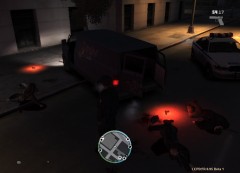 hehe, I now often call an ambulance to clear a trafic jam. Works a treat,
 -
-
I use simple native trainer. A mod that has a digital speedo in MPH or KPH or both. It is a mod that lets you ajust just about every aspect of the game. Including: Having car radio on at all time even when out of car , repair / clean car , spawn any car / bike /truck etc. change weather /time, Spawn any object in game or character, Instant "teleport" to anywhere on the map. I use that one for getting instantly to a police station when I start lcpdfr. So many things you can change with this mod. You can save your changes with the menu as well so they load up when the game starts. One tip, I disable key shortcuts using the menu to prevent problems when playing. Another thing I love it for was I was always loosing my car after a long foot chase. I now have my car maked by a small blue blip on the map, so I can leave it and chase on foot for as long as i want and never forget where I left it. Sorry for wall of text, It has what you asked for. A speedo :) Even if it's not exactly what you asked for. This is a digital speedo. http://www.gtagaming...cript-mods/2115
-
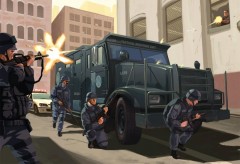 Me likes, thumbs up.
 -
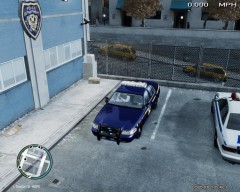 I wasn't aware no. Thx :)
 -
-
-
It's prob' My favourite car I have :) Credit where credit is due: copied from the "read me" file..... Thanks to Schaeft for Original Model. Bxbugs123/Chasez/Lt. Caine for Conversion/Editing of model for GTA IV. New York State Patrol skin made by Death_Ray
-
I like Vid's that are semi roleplay, This one does pull you in.
-
You da man. Awesome :)
-
From the album: Various Patrols...
-
From the album: Various Patrols...
-
From the album: Various Patrols...
-
From the album: Various Patrols...


