




Will
Management Team
-
Joined
-
Last visited
Everything posted by Will
-
I bought Max Payne 3 on Steam and 1) it won't play in full screen 2) the audio never matches the video in cutscenes. I don't know if this is common, I haven't felt like looking up solutions yet, I'm just saying that it isn't perfectly optimized. I should be able to get in game and play, like I can on a console. No offense, but the only source that I consider reliable is Rockstar themselves, not "someone who knows someone who works for Rockstar." I won't believe it until Rockstar officially announces it. Not that I don't think it will be released for PC; quite the contrary, I'm pretty sure they will release it eventually.Yes, uncheck read only.Looks fine to me:Well, the diagnostic tool is checking the unmodded directory, the one that doesn't even have LCPDFR in it; which is why I asked if he's launching LaunchGTAIV.exe from the modded directory and not through Steam's shortcut. A better way to keep a full backup would be to copy the whole original directory somewhere else, then mod the original directory, that way the Steam shortcut can be used.He's using a separate installation area for modding and leaving the steam directory alone. He copied the whole game to a separate spot.After searching around a bit, the only solution I see is running the game as an administrator. So try that if you're not already, other than that I don't know.Are you starting the game using LaunchGTAIV.exe from your modded game file or launching from the Steam shortcut?Change the key for chat in the controls part of the pause menu.The game is still not announced for PC. Some gaming sites are saying it's possible for a later release, like GTA IV, but others are saying that it's unlikely due to pirating.
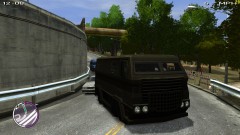
From the album: LCPDFR
How did I not ever see this bad boy in the TBoGT section of car spawning?!Honestly, that could be from any number of reasons. Your best bet is to search around the internet and try a bunch of solutions.The only I can say is to not install the tazer, other than that I can't help.Just to clarify, you are running the installer as an administrator (right click the program --> click "Run as administrator") and your GTA IV folder is not read only?What exactly were you expecting to change in it? If you're not excited about new flash patterns, more stability, more realistic light staging (or whatever it is) and siren control, better environment lighting, patterns changing with the sirens, setting certain patterns to certain cars, and whatever else I may have missed...then you can't really expect to see much more from any emergency lighting mod except not using the extras system.http://www.youtube.com/watch?v=A9l6d1Wu-McYup, "Power button" is broken. Happens with accepting and canceling turning it off. Above is accepting, this is canceling: 2013-05-02 15:27:12 - Error during Tick in script 'vdH.PHelper': System.NullReferenceException: Object reference not set to an instance of an object. at vdH.Device.DeviceForms.MainScreenClose() at vdH.Device.DeviceForms.Unpause() at vdH.Device.DeviceForms.accCancel_Click(Object sender, MouseEventArgs e) at GTA.Forms.Control.raise_Click(Object value0, MouseEventArgs value1) at GTA.Forms.Button.OnClick(MouseEventArgs e) at GTA.Forms.FormHost.TriggerMouseUp(MouseEventArgs e) at GTA.Script.ProcessEvents() at GTA.Script.DoTick() at GTA.ScriptThread.OnTick() 2013-05-02 15:27:12 - Error in Thread.Abort: System.Threading.ThreadAbortException: Thread was being aborted. at System.Threading.Thread.AbortInternal() at System.Threading.Thread.Abort() at GTA.NetThread.Abort()Adding on to andslasher 123, there's a rumor and leak list here that includes some interesting information, particularly this:http://www.ign.com/articles/2013/05/02/grand-theft-auto-v-ambition-in-the-big-city http://www.ign.com/articles/2013/05/02/how-grand-theft-auto-5-moves-the-series-forward Articles talk about a demo shown to IGN today.I'm fairly certain the light patterns won't be customizable or anything. If there are different patterns, which it looks like there are, they will cycle automatically like NFS: Hot Pursuit.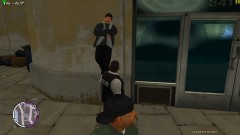
From the album: LCPDFR
I think this guy is a bit high.(Not really sure if this can be considered 'media') http://www.youtube.com/watch?v=B7-o-puA12k&feature=youtu.beAnyone else notice that those police cars are completely different from the ones shown previously? I think these ones look more Taurus based while the other ones were the same Vapids as GTA IV.Glad to be of assistance.


