



Captain Peanut
Members
-
Joined
-
Last visited
Everything posted by Captain Peanut
-
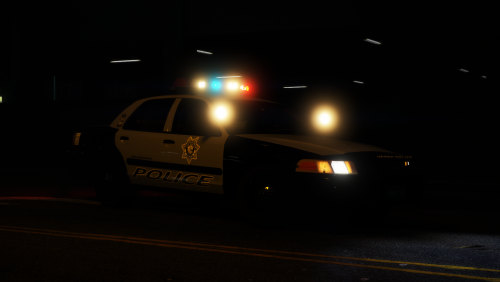 I love this pack, but I have one pretty big issue with it. It doesn't seem to want to cooperate with Natural Vision Remastered too well. Basically my issue is that if I install the provided files, the lens flares in my game will be absolutely ridiculous taking up the entire screen during night-time. To fix this issue, I install the optional add-on that comes with NVR which removes vehicle coronas. The problem is that once I install that add-on, the lightbars stop working on these LSMPD vehicles. Some of the lights on the lightbars still rotate and light up while the ones in the middle of the lightbar either don't rotate or don't light up at all. Any idea how I can make both NVR and this pack run properly at the same time? The NVR add-on is an automatic OpenIV install package, so I don't know what files it actually changes, which doesn't exactly help.
- 46 comments
- 29 reviews
-
Captain Peanut replied to Officer GILLETTE ABDI's topic in Law Enforcement, Current Events & SocietyI love the NYPD siren. I don't want it to go 😞
-
Do you have a lot of modded vehicles? And do they use 4K or 2K textures?
-
 I downloaded number 14 and I also installed the "Remove Stealth Mode" specialty addon - but for whatever reason installing these two also removed the ability to press down on the left thumbstick to look behind you? I use this all the time, so how can I get it back while still removing the keybindings for the phone and for the stealth mode? Edit: Now it apparently works again? I don't know what going on. Sometimes it works, sometimes it doesn't.
- 161 comments
- 23 reviews
-
From the album: Los Santos Patrol
-
From the album: Los Santos Patrol
-
Hadn't thought about that. I'll give it a try. Thanks!
-
Is it possible to have my character load in wearing an "off-duty" outfit that I've created with EUP?
-
 Is it possible to open the traffic stop questioning menu with a controller? There doesn't seem to be a keybinding for it in the .ini file. Issuing tickets does have a controller keybinding though?
- 1,005 comments
- 68 reviews
-
From the album: Los Santos Patrol
-

From the album: Los Santos Patrol
-
 Yea, I saw that you could do that and it works reasonably well. The problem is that I want to do it the other way around. Porting an EUP character to LSPDFR. I know that I can always just load my character with EUP, so it's not exactly game-breaking. It would just be nice if it was possible since I really like the character I created with EUP back in 0.3.
- 636 comments
- 75 reviews
-
I never personally use this feature, so the keybinding is just more of an annoyance as it conflicts with a few of my other keybindings. I haven't been able to locate it in the keys.ini file though. Am I blind or is it not possible to disable this?
-
Yes you can. You can change or remove quite a few of LSPDFR's keybindings in the keys.ini file.
-
From the album: Los Santos Patrol
-
From the album: Los Santos Patrol
-
Do you know if LSPDFR uses the same system as EUP when it comes to saving a character to a file? I'm not able to open the LSPDFR character files as they are either .ld or .bak (both of which I have no clue how work). Maybe it would be possible to copy the data from the EUP character files? I don't know.
- 636 comments
- 75 reviews
-
I don't know, I like my PS4 controller. I might get a bluetooth dongle though, so I wouldn't have to worry about the cable.
-
Yea, it gets the job done. Hardly a perfect solution since you can't reconnect your controller if you accidentally un-plug the cable or the battery runs out, without you having to restart your game for example - but it's certainly better than nothig.
-
I found a fix. Download and install DS4Windows, plug in your PS4 controller and install the driver. Once it's done, restart your PC, launch DS4Windows and then launch GTA V. Everything should now be working, although you might want to change a few of the keybindings in the lspdfr.ini file.
-
I've already tried, but I'm not able to open the EUP menu when creating a LSPDFR character sadly 😕
- 636 comments
- 75 reviews
-
From the album: Los Santos Patrol
-
Okay, thank you. The odd thing is that everything used to work in 0.3, so I hope it might be possible to get it to work somehow.
-
What works: - The LSPDFR character creator - Entering/exiting the LSPDFR apartment - Interacting with things inside the LSPDFR apartment (having a drink, turning radio on/off etc.) - Scrolling through and selecting options in the various LSPDFR menus (backup menu, traffic stop menu etc.) - Buying stuff in stores - Washing your car What doesn't work: - Blipping vehicles to pull them over - Accessing the police computer - Accepting callouts - Opening the various LSPDFR menus (backup menu, traffic stop menu etc.) - Stopping suspects - Interacting with a stopped suspect (detaining & frisking) - Arresting suspects
-
That shouldn't be necessary. The LSPDFR 0.4 character creator is still responding to my controller inputs for example (not to mention everything worked just fine with 0.3). Also I just prefer the symmetrical layout of the PS4 controller. Much more comfortable for me personally 😕


