



Captain Peanut
Members
-
Joined
-
Last visited
Everything posted by Captain Peanut
-
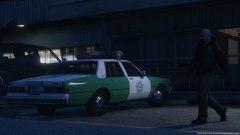 Reminds me of Vice City 🙂
 -
That was my goal 🙂 Glad to hear I succeed 😄
-
From the album: Los Santos Patrol
-
From the album: Los Santos Patrol
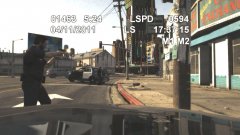
This is a screenshot from a short video I made. I wanted to try to create the most realistic and immersive dashcam footage of a shootout in LSPDFR as possible. Here is the link to the video clip: https://www.youtube.com/watch?v=_JvaYsQIb14 -
I wanted to try to create the most realistic and immersive dashcam footage of a shootout in LSPDFR as possible. I hope someone might enjoy it. Feedback is greatly appreciated!
-
From the album: Los Santos Patrol
-
Have you tried verifying the game files and then using the backup file? Also try to disable your antivirus and then launch RPH. AVG in particular doesn't seem to like RPH for some odd reason.
-
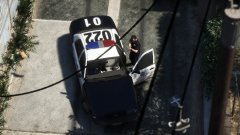
From the album: Los Santos Patrol
-
Just use the backup feature that RPH offers. Of course this requires you to have created the backup prior to the Steam update, so it won't help you this time around - but go create a backup now so you will be covered for the inevitable future GTA V updates.
-
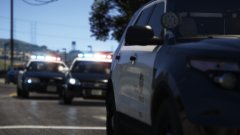
From the album: Los Santos Patrol
-
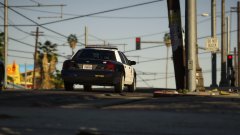
From the album: Los Santos Patrol
-
From the album: Los Santos Patrol
-
"A delayed game is eventually good, but a rushed game is forever bad" - Shigeru Miyamoto Give them time, people. It will release eventually and even if it gets delayed, it will be for the better.
-
Here are a few of my best LSPDFR screenshots so far:
-
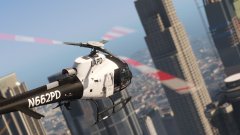
From the album: Los Santos Patrol
-
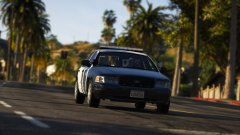
From the album: Los Santos Patrol
-
 That is actually exactly the type of mod I've been looking for recently lol. I like the added immersion of extra radio chatter. Thanks man!
- 311 comments
- 39 reviews
-
-

- 1
-
-
From the album: Los Santos Patrol
-
I decided to download the second version of your mod earlier today (the "Standard Dispatch" version) and it is much better. Not nearly as loud as the other version. Sad to hear you are done with the mod, but honestly I don't even know what else you can add to it at this point that you haven't already 🙂
- 311 comments
- 39 reviews
-
-
- 1
-
-
Oh, really? That's fantastic, I did not know that was one of the new features coming with 0.4. Now I really can't wait for the update 😄
-
Is there a way to lower the volume other than going in and doing it file by file?
- 311 comments
- 39 reviews
-
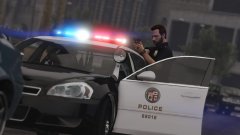
From the album: Los Santos Patrol
-
I found this mod called LAPD Police Scanner that requires you to use the music radio, but unfortunately GTA V does't allow you to use the music radio in cop cars. That's why LAPD Police Scanner suggests you use the Music Radio Enabled for Police Vehicles script. Unfortunately that mod isn't compatible with ELS. I've therefore tried using the "mobile radio" with Simple Native Trainer instead, but isn't an ideal solution since I only want the radio chatter while I'm in my car and not while I'm on foot. Not to mention it messes up my keybindings for taking cover and switching weapons. Is this something any of you might be able to help me with? I know there are alternative "radio chatter" mods such as More Radio Chatter, but that mod in particular along with Better Dispatch Audio are simply too loud compared to the rest of the game.
-
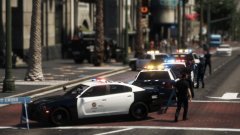
From the album: Los Santos Patrol
-
Are you using ALL of those? Because that's a hell of a lot of plugins and callouts. I would suggest removing those you don't "need" so you only have the essentials. Then you can always start to add them back one by one to see which ones are eating up the most frames.

