



Captain Peanut
Members
-
Joined
-
Last visited
Everything posted by Captain Peanut
-
 Is it possible to port my EUP character to be my LSPDFR 0.4 character? Or will I have to try and recreate him with LSPDFR's character creator?
- 636 comments
- 73 reviews
-
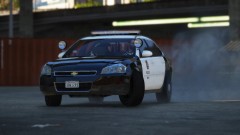
From the album: Los Santos Patrol
-
Can confirm that the vehicle repair part works. I don't know about the callouts though. Edit: The callouts seem to actually work for me too.
-
-
Thank you, sir! It isn't Agency Callouts - but I never thought about the possibility that it could've come with a callout pack. Thanks to you I found the right one - it's Federal Callouts by goigle (link down below if anyone else want to use it). I don't know if it will work with 0.4, but I'll give it a shot later today. I'm taggig you too @sssneaky since you might be interested. Thanks!
-
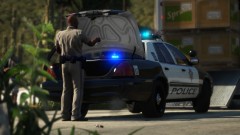
From the album: Los Santos Patrol
-

From the album: Red Dead Redemption 2 Screenshots
-
You can very easily do what I stated above. All it requires is you renaming the files. You can always rename them back once you've tested out the vanilla version. Maybe I didn't explain it well enough. Albo explains it better in this video:
-
Oh, so you do have a copy of vanilla GTA V? In that case, all you have to do is rename your modded GTA V folder to "Grand Theft Auto V - lspdfr" or something similar (just make sure it isn't called "Grad Theft Auto V"). Then find your clean GTA V folder and make sure it is located where the GTA V folder normally is for you. Then rename it to "Grand Theft Auto V" and you should be good to go. You can now launch the game through Steam.
-
Well, if you didn't make a copy of the vanilla GTA V folder before installing LSPDFR, I'm afraid you'd have to re-download it from Steam 😕
-
Okay that's very strange. Do you have another cable you can use? Might just simply be because it's disconnecting itself if it's too worn out. I don't know. Doesn't make sense that it only works occasionally 😕 How about vanilla GTA V? Do you have a clean install that you can swap to?
-
Well, not exactly the same. ELS works just fine for me. It's just LSPDFR that doesn't seem to want to cooperate 😕 Does LSPDFR itself work for you with your controller @Sgt.Good18?
-
For LSPDFR 0.3 I used this wonderful mod that added a place to repair my vehicle at almost every police station in the game. It worked without any issues and I really enjoyed using it. The problem is, that I don't remember the name of the mod and that I haven't been able to find it anywhere on my computer. I still have a a functioning LSPDFR 0.3 folder containing the mod - but after having thoroughly searched the game folder multible times and compared it to my LSPDFR 0.4 folder - I just can't seem to find the damn thing... I have also tried searching for the mod on this site & on GTA5-mods.com but with no luck. I also had a look at all my downloaded files, but it is unfortunately still nowhere to be seen. So if anyone knows the mod I'm talking about and can recall the name of it, please let me know! Thanks!
-
This is a screenshot of the "keys.ini" file that comes with LSPDFR 0.4 and as you can see it is designed to work with a controller. I can also confirm that this file is used by the mod itself since I had to disable the keyboard keybindings for the police computer and the backup menu by editing this file (I still had this issue prior to editing the file).

-
This is what's so odd, because yes - the things I'm referring to are in fact mapped to the controller. I've even had a look at the "keys" file that came with LSPDFR and sure enough it shows controller buttons for the various things - they just don't work in-game for whatever reason. This must be a case of LSPDFR not recognizing my controller maybe? I don't know. It would be one thing it it had never worked for me before - but it has. It worked just fine with 0.3. Very strange...
-
I just want to add that I can for some reason still use the controller to access the new 0.4 apartment with my character, but if I want to enter a police station (using the exact same button) it won't work. I really have no clue why this is happening.
-
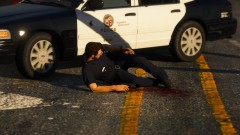
From the album: Los Santos Patrol
-
So I finally decided to upgrade to 0.4.1 yesterday, but I've unfortunately been having a pretty annoying issue. For whatever reason I'm not able to use my controller when playing LSPDFR 0.4.1. The game itself works just fine with the controller (I can walk around, drive, shoot etc. and ELS works as well) but I can't pull people over, arrest them or access any of LSPDFR's menus. I'm using a PS4 controller plugged in via the charging cable and it worked just fine with 0.3. Can anyone help me solve this issue? Thanks!
-

From the album: Los Santos Patrol
-
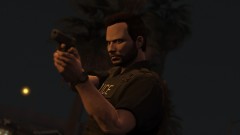
From the album: Los Santos Patrol
-
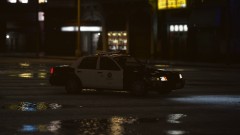
From the album: Los Santos Patrol
-
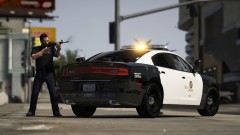
From the album: Los Santos Patrol
-
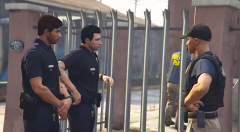 Great movie
 -
From the album: Red Dead Redemption 2 Screenshots
-
From the album: Los Santos Patrol




