originalgamester
Members
-
Joined
-
Last visited
Everything posted by originalgamester
-
 Is there any chance you could make an option just for the flashlight and turn the other options completely off? The new update is amazing but the taser and handgun lights and lasers are conflicting with my keybinds and other mods I have. Anyways though idk how you made the original flashlight look better and not so bulky but good job on that I've been searching for ages on how to fix that! Also the options with the flashlight are also peak.
- 20 comments
- 3 reviews
-
-

- 1
-
-
 Question.. Do you know if there is a way in PDComp, Policing Redefined, LSPDFR to decrease the out of state ID chances and increase the one's given from San Andreas. I've been searching online but can't seem to find an answer or spot to change the settings. Thank you.
- 419 comments
- 47 reviews
-
-
 Do you know if this works with or sync's with the PDComp police computer mod?
 -
-
-
.thumb.jpg.00e0c0827cec3555d78d807a9b1bb7fe.jpg) Looks cool as heck maybe you could do a 5 minute video installing it all and the optionals as well with it and just another showcase of it. If you have the time of course. Looks super clean though overall.
Looks cool as heck maybe you could do a 5 minute video installing it all and the optionals as well with it and just another showcase of it. If you have the time of course. Looks super clean though overall.- 23 comments
- 3 reviews
-
- us
- lspdfr plugin
- rph
- legacy
-
Tagged with:
-
Looks cool as heck maybe you could do a 5 minute video installing it all and the optionals as well with it and just another showcase of it. Looks super clean though overall. Oops I was commenting on another mod I hadn't looked at this one yet I was just on the wrong tab. I'm checking it out now though!
-
-
 Is there a way for the next update to disable the turn signals going on and off when shuffling through other mod menus or trainer for ex?
 -
Nice mod and video. Any idea how to get rid of that big elephant dong flashlight? My guy has one too and can't seem to get rid of it lol. Edit: I see you included a flashlight model in the download I'm going to give that one a try thank you.
- 20 comments
- 3 reviews
-
-
- 1
-
-
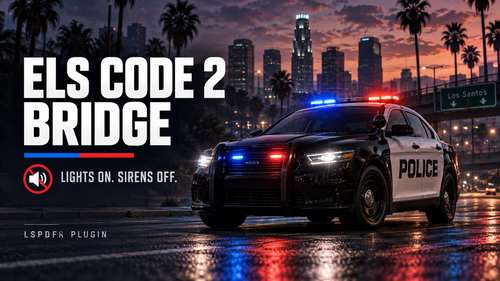 Same except I took 0Harmony.dll from 2.2 and put it in 2.3 and now it works like it should. Thanks for the help.
- 15 comments
- 3 reviews
-
-
 Any chance you could get this compatible/to work with the PR Interactive Evidence mod?
 -
-
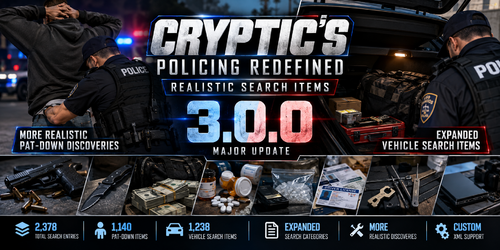 Are you still waiting for compatibility with PR Interactive Evidence or did you say f it and then made your own? I haven't tried yours yet or the search items but looks good.
- 5 comments
- 1 review
-
-
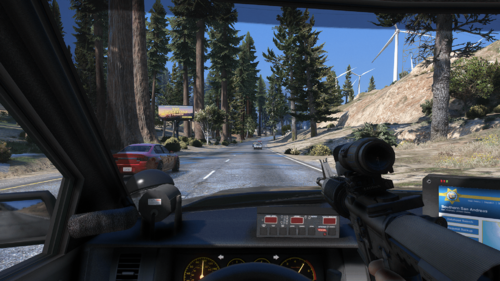 I have a bunch of random stuff already altered in my weapons meta is there a way to go in manually and do this for the rifle and change nothing else? Looks super cool thank you.
- 32 comments
- 4 reviews
-
-
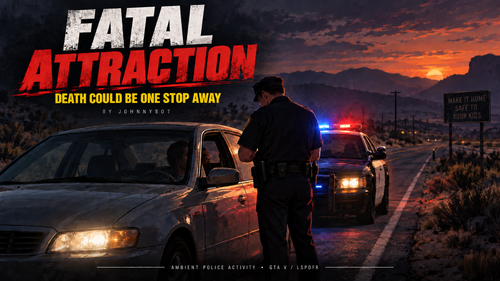 Pretty cool. Any chance there's a way to get the NPC officers to wear the Custom EUP uniforms one may have on Policing Redifined-Backup-CustomRegions? Possibly an ini option to limit like 3 max NPC pullovers at a time I had like 15 going on my map and my PC was definitely working a little harder than usual lol. Pretty cool though been looking for something like this for awhile.
 -
-
-
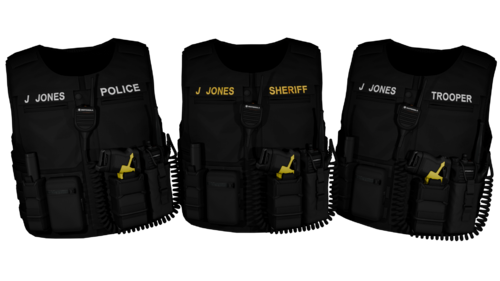 Before you do anything always make a backup - just copy your GTAV folder and paste it somewhere else you can access it from later if you need to. Anything you mess up if you do in OpenIV will be safe in the backup GTAV. So assuming you have the EUP vest and EUP uniforms installed - if you don't I'd YouTube Gaming4Life on how to get those in your game or any other channel that has a walk through on it. Google search is gonna be your best friend here in finding spots like "hand" and "task" in OpenIV - which are the items in the folder you're going to want to replace from open IV. td_freevest.zip is the replace models folder you want to download here from the download button above the other one is DLC addon. When you extract the folder you'll click on td_freevest>stream>[male]> and then a "hand" folder and "task" folder. It's been awhile since I did it but I'm pretty sure the "hand" is the vest model and the "task" is the "police" "trooper" "sheriff" options. (In the in game EUP menu you'll use the numkeypad 4 and 6 to switch through those options on the vest "police" "trooper" "sheriff".) You go into OpenIV and find the freemode folders through mods>update>x64>dlcpacks>eup>dlc.rpf>x64>eupcomponents.rpf will get you to the freemode folders. mp_f_freemode_.... are for female the mp_m_freemode is for male. The freemode folders contain all of the EUP clothing, vests, masks, tops, bottoms, etc. Examples - they'll be labeled as a .ydd file which is the base model acc_004_u, decl_003_u, hand_000_u, jbib_009_u, berd_004_u for example and their corresponding .ytd file underneath which will have the same ### but different letters separating the usually a-e or a-z which are the textures or colors for the base model. The .ytd is what allows you to change vest colors, vest name plates etc. You'll need to open a few of the folders and find ones with the "task" and "hand" models. Look at them and see which ones your okay with replacing for this vest package you've downloaded. You will have this for from the downloaded folder from this page mp_m_freemode_01_td_freevest^task_000_u.ydd and this mp_m_freemode_01_td_freevest^hand_diff_000_a_uni.ytd. You'll need to delete the front chunk so it matches what's in the OpenIV folders like this on all of them task_000_u.ydd and hand_diff_000_a_uni.ytd. So just having them start with either task or hand like you'll see in Open IV. You should open a random folder first though without "hand or task" and drag and drop all of the files from the folders which are 6 in total - 2 will be with the .ydd and the other 4 with .ytd so you can see how the files match each other and you can open them all and see what they look like inside OpenIV. Then delete them Then you can go to a mp folder and find a folder with "hand or task" - it may or may not be the same folder but you can replace the task or hand segment inside with the ones from this downloaded file. You may have to change the task_### on your file to match the one in the OpenIV though - for example task_000_u.ydd may have to change to task_007_u.ydd to match the file your replacing since you're REPLACING not adding. You'll find your new vest under the vest section or parachute section I believe from this pack in the EUP menu but the front part with taser and bodycam will be under the mask section you'll have to search through to get it to show up on your vest. If you replace everything right and don't add it it will be somewhere in the EUP menu you just have to flip through the options until you find it. Hope this helps a bit. Biggest part in understanding though is just dragging the files into OpenIV mp_m_freemode file in a random spot that won't replace anything so you can see what you're actually working with before you commit to actually replacing.
 -
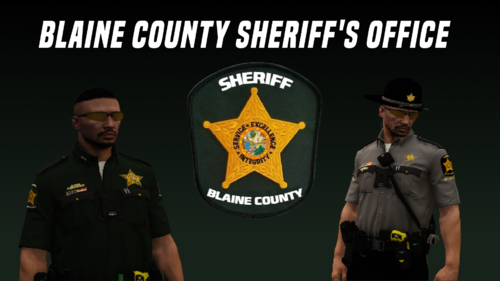
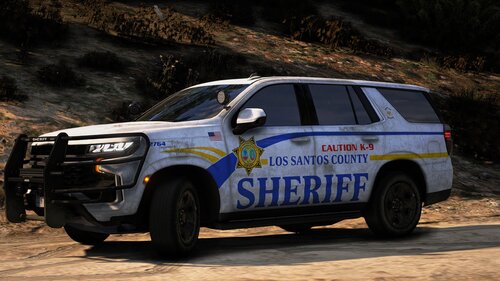 Nice reminds me of the Larimer County Sheriff's vehicles
 -
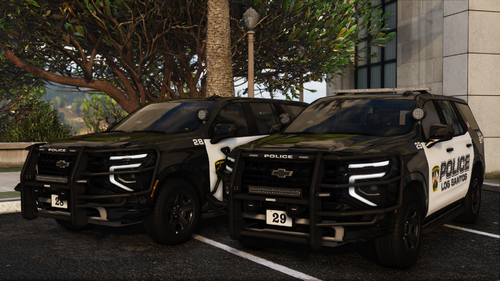 You can add them as DLC then go into the DLC file and drag the ytd's etc. for them to your desktop or new folder and then drag from desktop/folder back into your vehicle replace spot and you'll have them. 99% of the time anyways. I didn't try that with this pack. It needs to be an actual vehicle to replace though such as "police" "pranger" for example.
- 51 comments
- 7 reviews



.thumb.jpg.00e0c0827cec3555d78d807a9b1bb7fe.jpg)