


mnbvm
Members
-
Joined
-
Last visited
Everything posted by mnbvm
-
-
-
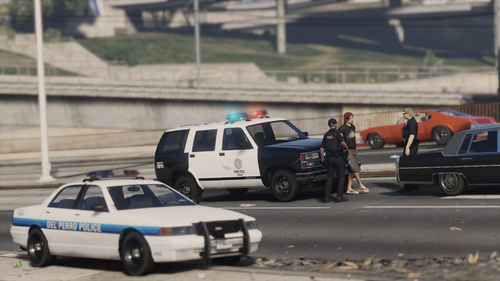 Updated army vehicles is no longer available in GTA5 mods, by the way. I think it's fixable but I don't know what vehicles that pack contains to remove them from the XML
- 4 comments
- 1 review
-
I tested it with this mod in the past and it worked well. But, apparently you have to pay for it to be compatible with the newer versions.
-
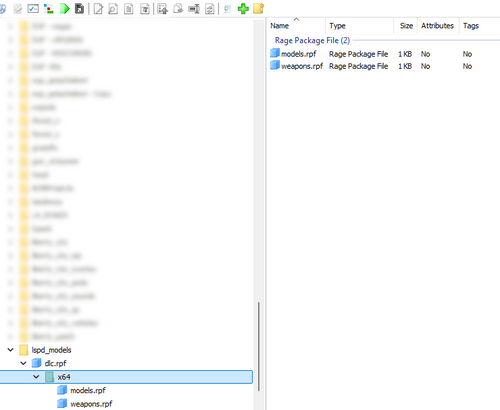 Works very well!
 -
Ok, managed to solve it. After some (extensive) troubleshooting, here's what was causing my issues and how I fixed them. My MB (ASRock B650M-HDV) is a budget board that struggles to maintain a stable PCIe Gen5 link with the RTX 5070 Ti, apparently. This was causing PCIe recovery errors (the link dropping and reconnecting repeatedly), which corrupted memory transfers between the GPU and the system. Checked this with HWInfo. Fixed it by forcing PCIe Gen4 in BIOS under Advanced → AMD PBS Option → PCIe x16 Link Speed → Gen4. I was also using Resource Adjuster with its experimental options enabled, apparently that was causing aggressive VRAM allocation. Combined with the unstable PCIe link, this was triggering an access violation crash always at the same offset inside GTA5.exe (01410bfa), making it look like a driver or hardware issue; I'm not sure if this option works well for other people, but even with PCIe Gen4, it was causing crashes for me. Also, not sure if that caused any issues, but I changed it just to make sure: battleye was active as a Windows service while the game was launched with -nobattleye. This caused BattlEye to detect the process as invalid and terminate it externally after some time, showing as exit code 0xcfffffff in the launcher log with no crash dump generated. Fixed after disabling BattlEye completely through the Rockstar Games Launcher settings instead of just using the launch flag. Hopefully this can help someone in the future, although I'm not sure what exactly solved it or if some of those fixes were needed, but this is what I did. Thanks @Lennyy for the help too.
-
Not really, apart from what QuantV has, at least. I am doing some testing related to my hardware now, because I can't really find any problems with the game itself, and since it crashes even without any mods, it's weird. I'll share anything I can in this thread if I can fix it, hopefully helps someone in the future 🙂
-
Yep, all my textures are already 2k. Even tried with game textures on low, but the same thing happens.
-
Hi, I've been having this issue seemingly not related to any mods, started happening recently but I can't really tell exactly when. After a few minutes of playing, game stops loading the world and I can't load anything "new", can't pull up my phone and even the pictures on Compulite, for example, don't load. After a while, the game would stop responding and I would need to stop the proccess from task manager. Tested on multiple NVME and Sata SSDs, without any mods, clean install and recently even reinstalled Windows just to check if that would help, but nope - still the same issue. Funny enough, I see a lot of people having the same situation on Reddit even in GTA Online after the recent updates, but no solution. No other games, including GTA Enhanced, have this issue. My setup is available here, with all the mods I use and my PC specs. Already have Gameconfig, HeapAdjuster, Packfile Limit Adjuster, PedProp Limit Adjuster, and Resource Adjuster. I don't really have any logs to share, since no errors show up in RPH or launcher.log If anyone know anything about this, I would really appreciate it.
-
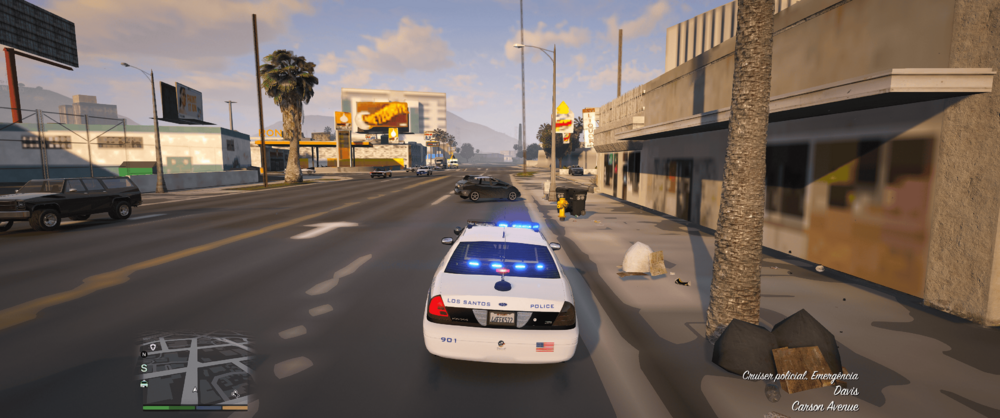
One of the best XML configs you can get by the GOAT itself, doesn't get better than this. 5/5
- 4 comments
- 1 review
-
-

- 1
-
-
.thumb.png.656f907bc2febc81911b0b821cb502c8.png) For me, the driver is still never the registered owner while using PR, even with the newest update. I'm not sure if I didn't something wrong
For me, the driver is still never the registered owner while using PR, even with the newest update. I'm not sure if I didn't something wrong- 350 comments
- 44 reviews
-
-

-

- 3
-
-
Yeah, I just know that fixed it for me, it's weird. I have a Ryzen 7 7700 and 32GB of DDR5 RAM, and I also tested both with MemTest and stress tests. GTA, even the vanilla version, was the only game that crashed, sometimes after 10 minutes, sometimes after an hour. I also tested older drivers, but the only thing that actually seemed to make a difference was disabling the HAGS. I just assumed that HAGS had been turned off before, and that now it was enabled, which might have caused the issue, but I’m not sure.
-
Just coming back to this to hopefully help someone, I ran some extensive tests and it seems that disabling HAGS on Windows solved my issue completely – it could be due to my GPU (RTX 5070Ti) being too "recent" for the game, since the Enhanced doesn't have that problem, but I don't fully know what caused it. Turning it off on Windows 11: right click your desktop > display > scroll down to graphics > change default graphics settings and turn Hardware Accelerated GPU Scheduling off. Restart the PC and the problem is gone – tested for around 15 play sessions, each 1+ hrs long, and not faced the same issue again. Keep in mind, this will disable the frame gen if you use that in other games, but for me it's completely worth it, since I don't personally use it.
-
I'm having the same issue, and haven’t been able to figure it out either. Your game is throwing a EXCEPTION_ACCESS_VIOLATION error (0xc0000005), from what I've seen, it's one of the worst errors possible to have because it could be anything and everything at the same time. Are you using fairly recent hardware? I'm on a RTX 5070Ti, and I have a feeling that Rockstar’s latest updates might’ve made things worse in Legacy Edition for newer GPUs. I can’t confirm it beyond my own experience, but I didn’t encounter any of these problems before the update and my game has always been at least 95% stable before having this issue. In case it helps, here’s everything I tried, maybe you’ll have better luck: Temporarily disable your mods by renaming the mods folder to _mods, or run the game in a clean vanilla install. If it stops crashing, the issue might be mod-related. If so, try rebuilding your mods folder gradually and keep track of changes, it really helps with troubleshooting. Disable HAGS (Hardware-Accelerated GPU Scheduling) in Windows. Some DirectX 11 games don’t play well with it. Keep in mind that this might affect frame generation in other titles if you use that feature. Verify the integrity of your game files. The process differs depending on whether you're using Steam, Epic Games, or Rockstar Launcher. Update all your drivers, and consider doing a clean reinstall of your GPU drivers using DDU. Testing with older driver versions might also help, especially with newer hardware, sometimes the latest drivers aren’t the most stable. Run some stress tests, try other games, use MemTest, GPU VRAM checks in OCCT, etc. If errors pop up in other applications, it could be a hardware issue, although that's usually a last resort. Good luck figuring it out!
-
My game has been crashing after recent updates. Sometimes I can play for 2 hours without any issues, other times, the game crashes within 5 minutes. I know GTA V with mods has always been unstable, but this never happened to me before. To put this to the test, I've tried playing vanilla for a while, and the crashes still happen - but without any error message or logs to windows, only Rockstar Launcher throws a 0xc0000005 access violation error on its log. I've tried to replicate this with RPH to get a full log, so I'm sharing it here in hopes someone can see something I'm not. RPH Crash.txt Additional Steps I've tried; - Tested all my hardware; multiple stress tests, other games, memtest, VRAM test on GPU, nothing throws exceptions; only GTA 5. - Disabling mods folder (even though it did happen on a vanilla install, I tried without the mods folder and it still happens - I've also done a full new install of GTA 5 with a new mods folder, but that didn't work either). - Checked my game files. - Updated all drivers, reinstalled video drivers with DDU and tried old drivers as well. I did upgrade my PC to a 5070Ti and a R7 7700, could it be that the game's too old for my hardware? I don't see any other explanation, since Enhanced doesn't seem to crash that way. Really appreciate any ideas!
-
 I love this config, but are the SAHP officers supposed to not have bodycams and radios?
- 366 comments
- 17 reviews
-
It's the paid version available in his patreon. In his website, there's a link to it on the top of the page.
-
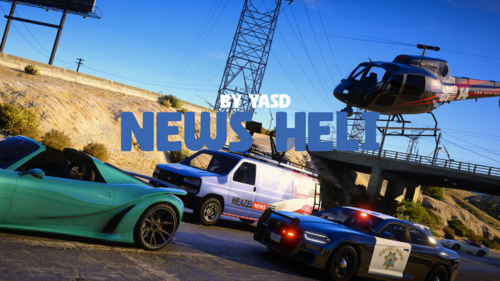 That's actually pretty cool. It would be nice to have a random chance of the helicopter/van actually spawning, instead of just setting a static timer for it. High speeds/crashes could raise the chance of them spawning, being more dynamic than it is currently, but I can see how that could be very hard to implement.
- 40 comments
- 8 reviews
-
-

- 1
-
-
Weird, never had that. Looks like they're behaving like default LSPDFR backup. Are you using Grammarpolice to call it in? If yes, check to see if; Are set to False. Also, make sure to use the button for backup from UltimateBackup itself - and not the LSPDFR default one. If you're already doing all of that, your RagePluginHook.log from your GTAV folder would help check more details.
-
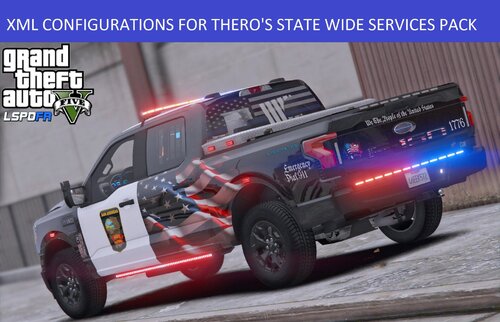 I tested this config out for a while and I saw a couple of issues so far. - The SAHP1 is referenced only as "sahp", so it doesn't spawn; - One issue I couldn't figure out is the air support not spawning when you request in Blaine County sometimes. Logs show: Other than that, it is pretty solid and works very well. Edit: Apparently all SWAT, air and other custom regions configs are missing for Sandy Shores, Paleto Bay, Grapeseed.
 -
Try disabling the mods folder by renaming it to _mods. If that works, you'll need to review the mods you've installed as one of them is probably causing this. If you're interested, you can also remake your mods folder from scratch and install the mods again and making sure to always write down what you're installing and where the files are being installed - that way you can easily find the reason for the crashes.
-
You probably didn't copy the contents to your mods folder. The mods folder is originally empty, and you need to grab the folders from the game's root file and copy them there. This video should help you:
-
Apart from being made from different developers, I think the beauty of LSPDFR is finding the best mod combination it works for you. Sure, some plugins might be more widely used than other ones, but it's still good to have the option to use it or something else. I've had a lot of issues and I never had to truly reinstall the whole game - maybe just the mods folder. I would recommend you to always use that and if you truly must reinstall everything, have a notepad with the mods you've installed - it helps a lot to create a new install 🙂
-
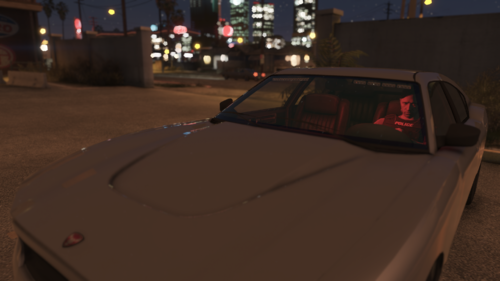 Great mod. Just can't figure out why some vehicles (like LSPD bike or Jacobmaate's SAHP pack) have a different siren whenever AI is using it, while mine sounds like the default tone. Is that something I can change?
- 9 comments
-
- rph
- open source
- legacy
- rph
-
Tagged with:
-
I use Skysder's Enhanced Traffic Experience. It doesn't especifically remove those cars, but it improves the ambient spawn a lot, so they're way less frequent - be sure to edit your settings.xml file in Documents/Rockstar Games/GTA V, changing the VehicleVarietyMultiplier to 2.000000 to make sure the game doesn't spawn only one vehicle.



.thumb.png.656f907bc2febc81911b0b821cb502c8.png)
