


mnbvm
Members
-
Joined
-
Last visited
Everything posted by mnbvm
-
Apart from being made from different developers, I think the beauty of LSPDFR is finding the best mod combination it works for you. Sure, some plugins might be more widely used than other ones, but it's still good to have the option to use it or something else. I've had a lot of issues and I never had to truly reinstall the whole game - maybe just the mods folder. I would recommend you to always use that and if you truly must reinstall everything, have a notepad with the mods you've installed - it helps a lot to create a new install 🙂
-
 Great mod. Just can't figure out why some vehicles (like LSPD bike or Jacobmaate's SAHP pack) have a different siren whenever AI is using it, while mine sounds like the default tone. Is that something I can change?
- 9 comments
-
- rph
- open source
- legacy
- rph
-
Tagged with:
-
I use Skysder's Enhanced Traffic Experience. It doesn't especifically remove those cars, but it improves the ambient spawn a lot, so they're way less frequent - be sure to edit your settings.xml file in Documents/Rockstar Games/GTA V, changing the VehicleVarietyMultiplier to 2.000000 to make sure the game doesn't spawn only one vehicle.
-
I've seen some people saying that they can mod the enhanced version using OpenIV, but I would wait. Chances are something is going to be broken and won't work properly. If you do try it, make sure to update us :))
-
 Essential mod, but would be nice to have an update for newer sirens. car.sirenlight emissives are missing so the sirens look very dull on new vehicles/DLC cars that use them such as 11john's LSPD 2020 Vapid Scout Pack.
- 110 comments
- 20 reviews
-
 I already updated it for my own use, if you want I can send it to you and you can check it out 🙂
- 38 comments
- 14 reviews
-
-
 Great mod but most recent version of windows removed the option to train your voice, and ever since then dispatch won't recognize me correctly 😕
- 1,364 comments
- 88 reviews
-
Instead of [OC,U], have it [Open Carry, Unloaded], for example, for the newest versions as well (not just 1.1.4)
- 38 comments
- 14 reviews
-
Welcome back and thank you for the update 🙂 Curious: Would it be possible to release two options - one with the shortened (U, OITC, etc) and another with written codes, or you have no interest in that? I usually edit it manually after each update because I like the second option better and I want to have all the updated items.
- 38 comments
- 14 reviews
-
It's kind of hard to tell since apparently the listing doesn't show what i7 it is. It should be more than sufficient for GTA V, assuming it's a modern generation. The GT 1030 is capable of running GTA V but may struggle at higher settings or resolutions. It’s better suited for low-to-medium settings at 1080p. If you use high settings, it might dip below 30FPS depending on the scene complexity. I think LSPDFR will struggle a bit.
-
Update: I've ended up redoing my mods folder. I was using the same one ever since the release of LSPDFR 0.4, so it was probably pretty broken anyways. Works great now.
-
Hello everyone - I'm having a issue with GTA 5 latest update with my mods folder and I was wondering if there's anything I can do other than creating a new one. Ever since the last update, I can't play any SP missions - characters freeze, blips disappear and the mission never starts. If I try to start a new game, it'll just load forever. Video: This only happens while my mods folder is active, if I rename it, everything works fine. I don't really have anything there apart from gameconfig and other essentials - all my modded vehicles are lore-friendly with their own DLC packs and this happens even with them disabled via dlclist. Other than that, I have Stryvision (graphics pack), modded popgroups, weaponanimations and some gun/siren mods. I tested without any of those active and had the same issue. My guess is that after the update something changed in the update.rpf or common.rpf and since it didn't update in my mods folder, it doesn't work now, but I have no idea where to get a log or where to start testing to fix this. Maybe someone already had this issue and knows how to fix it? 🙂
-
Hey, have you tried changing the handling ID on your vehicles.meta file? This has helped me a lot to get better handling in those cases.
-
 No doubt the best pack out there. Covers all jurisdictions with a simple install and all vehicles are highly detailed. I had some problems in the past with the install process but apparently everything has been solved.
- 366 comments
- 30 reviews
-
-

- 1
-
-
 Pretty cool script, but I have more than 50 police vehicles installed and I would love a way to exclude all emergency vehicles at the ExcludedVehicles ini option.
- 30 comments
- 1 review
-
.thumb.png.b9e18d9931090871b064059f2c315cf8.png) Very good way of changing things up with LSPDFR and bring new life into it. Has great potential.
Very good way of changing things up with LSPDFR and bring new life into it. Has great potential.- 707 comments
- 24 reviews
-
Try removing XScanner. The same happened to me with a very close log and I solved it by removing that mod.
-
Hi, you can edit GTAV\lspdfr\data\inventory.xml and remove any lines with: If you're using Ultimate Backup, you can do this at GTAV\plugins\LSPDFR\UltimateBackup, changing the files CustomRegions.xml, DefaultRegions.xml and SpecialUnits.xml, find any lines like this: And remove "comp_1="COMPONENT_AT_PI_FLSH"" from every entry.
-
Sure: Addon Spawner works in SP and/or LSPDFR and you can spawn it there as well.
-
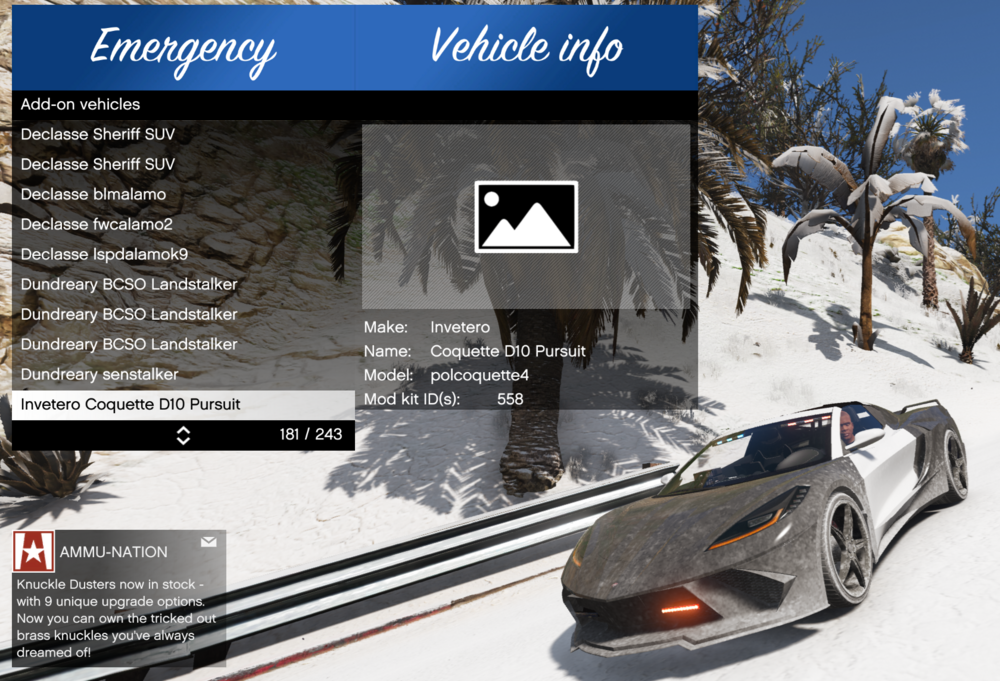
Sorry man, wish I knew what's wrong with these files, but apparently everything should be working. I always use a trainer to spawn my police cars and I use Ultimate Backup to customize the backup units, which is a little bit easier at least for me. I spawn this specific car with Addon Spawner or Simple Trainer, but I didn't set up for backup yet because I just updated my game and got everything working again 😄
-
I'm pretty sure you can spawn and use it using something like Addon Spawner or Simple Trainer and add it to backups/agencies messing with the .xml files, what do you mean pick it? Maybe I'm missing something 🙂
-
 Astro's plugins are amazing, and the fact that he fixed a issue few people had fairly quickly shows his great commitment. 10/10
 -
I think if you say "code 4" to dispatch it should dismiss everyone and set you 10-8. You can also download Clean World Menu to clear all persistent entities if they're not dismissed correctly / to clear up scenes.
-
Same here! I thought it was my setup so I didn't bother reporting it 🙂 I'm in Brazil so DD/MM/YYYY here too.



.thumb.png.b9e18d9931090871b064059f2c315cf8.png)

