



KyneiZero
Members
-
Joined
-
Last visited
Everything posted by KyneiZero
-
Okay, that is interesting. You are correct about that. I never maximize my browser windows because I'm almost always doing something else on the other part of my screen. I'll have to live with it. It is already taking more than half of my screen width and that is the most I will tolerate. (1920x1080 LED screen)
-
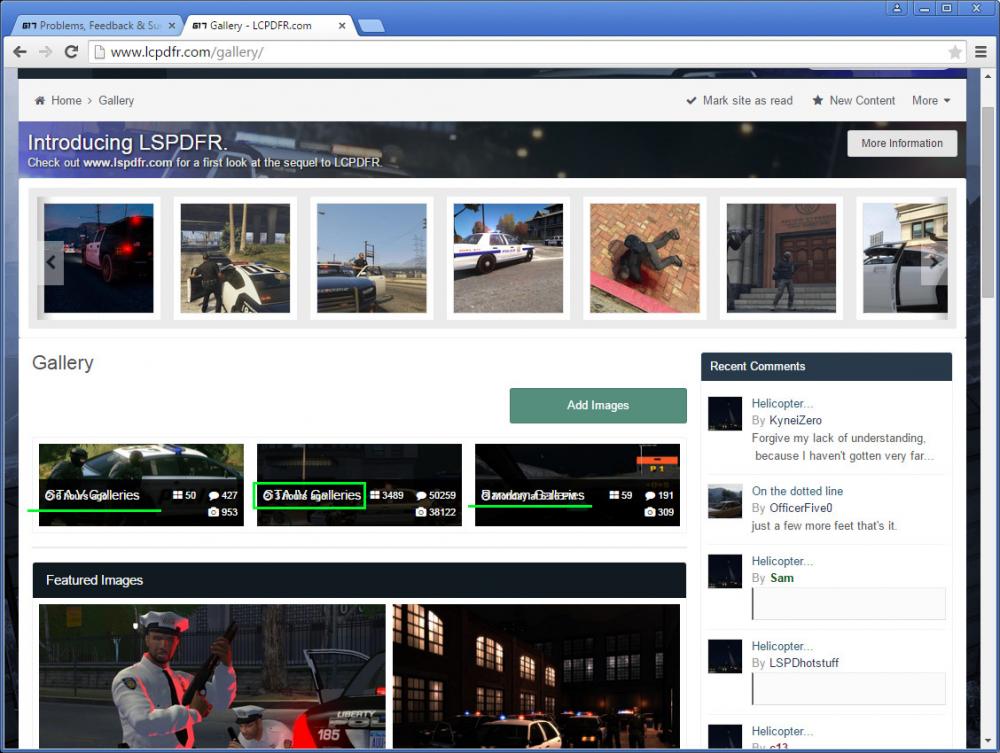
The "time last updated" text is overlaying the category title. Is this a browser issue or a forum setting that fixes it that I'm not aware of? I highlighted the issue in green on the posted picture. I am using Windows 7 64bit, Chrome Browser. Thanks!
-
 Forgive my lack of understanding, because I haven't gotten very far in the game. I always see officers sitting on the side of the helicopter shooting at their target. So is this helicopter only spotlighting, being passive? ..or maybe I just haven't noticed the police copters that don't shoot.
 -
Definitely looking forward to trying this when it is done. Skipped the Firefighting mod for GTA IV because I was tired of troubleshooting/reinstalling GTA IV.
-
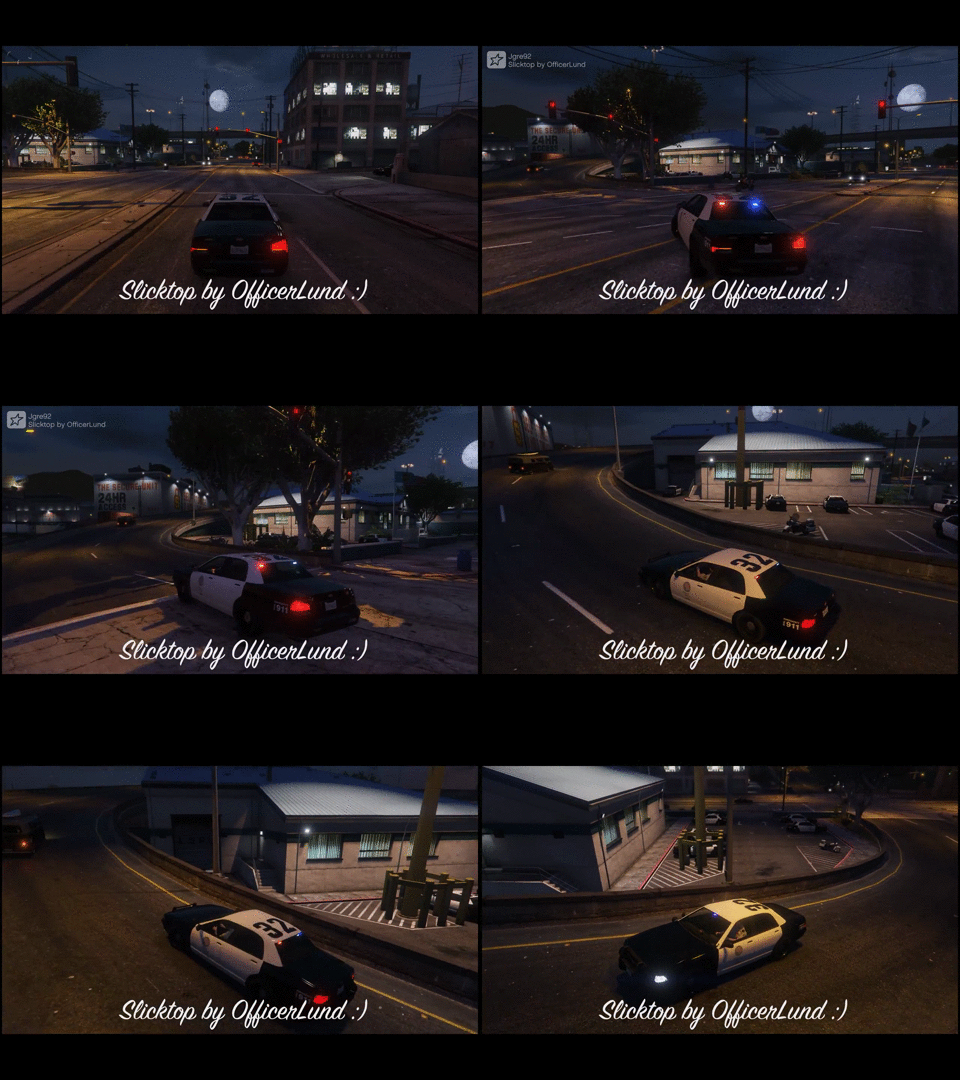 Sweet looking marked slicktop. Bout the only thing I want in GTA V... Well that and FedSig Valor ligthbars. :D
 -
Marked slicktops, been trying to figure how to get that in single player. But no modding/editing until I beat the game, which will likely take a few months...
-
There are no bus missions right? I just realized that I haven't hopped onto one yet. Partly because I'm thinking disappointment will be at the next stop.
-
Looking great, this is one of the reasons why I can't completely let GTA IV go.
-
This install order is the one I have the most success on REGULAR GTA IV using game4video (this assumes you have the correct and updated system dependencies like .Net and visual C++) I am not familiar with the EFLC directories so I can't troubleshoot your install and what the correct folders are. There are others who use EFLC that could assist you. New GTA IV install with latest patches, ELS 8.5 and install 1 ELS car. (optional; install simple native trainer if you want to use it) Test ELS and your keybinds to make sure it is working properly. Especially if you are using SNT. Install LCPDFR v1.1, configure options and load up game to see how stable it runs. Last step is to install game4video. The latest version may be missing the d3d9.dll file. Download older version of game4video and copy only that file over. (best to have it last so no other visual mods overwrite the intended settings.) And that is it! You don't need to change any emissive settings or anything else. Use as is and it will look the same as the pictures from the download page.
-
Don't have an answer for that. Sometimes they "behave" for a little bit, but I think it is random. Nothing of my doing anyway, so we are stuck with that. Even watching some GTA V videos, you see ambulances acting just as dumb.. If you just can't get over it, I have an old trick that might make it a little harder(not by much) for them to do dumb things. To be very clear, it is NOT a fix. You nerf the max velocity of the ambulances and firetrucks. They can take a while longer to start up and with the slowness sometimes they respond to traffic a bit better. Now that sort of means you wouldn't want to play them yourself because they'll be slower. And if you normally play as a police officer, then sure why not. Doesn't help the crazy AI police however. [DISCLAIMER] I dont recommend this, but you could nerf the default police and police2 that spawn normally. And just use the extra police slots for your own vehicles which will not be affected by any speed changes. Having to install extra cars can cause instability to GTA IV and you risk having more crashes. Try at your own risk.
-
TrafficFlow is probably a good, simple place to start. If you look at the ini file, it will tell you by DEFAULT 1 in 8 chance that emergency vehicles will be dispatched on their own. This is done every 15 seconds. The commented lines in the ini, will explain how you should change it. Your question about the police vehicles, do you mean they are driving very aggressively? I am not sure about v1.1, but you can set the patrol units to a more passive mode in the other versions. You can also limit the max amount of cop cars to avoid a stampede of craziness. Inside the Lcpdfr.ini file.
-
Hey I remember you releasing really great wallpapers for LCPDFR. So more than one reason for waiting on LSPDFR.
-
Your post made me think of something else. I recently checked out the locations for the patrolling unmarked cruiser and marked interceptor. Only saw it twice but didn't pay much attention. Are they shining a flashlight from the vehicle or is it the interceptor's spotlight?
-
If you are playing the game from Episodes from Liberty City? That might explain it. Apparently there are multiple copies of the file you need to change.. If you are running from GTA IV, then it should work unless the file is not saving properly. -another idea is, you allowed ELS to replace your visualsettings.dat during install right? I just tested on a clean install of only ELS 8.5 and 1 ELS car, NO LCPDFR or anything else. It worked fine and if I understand you correctly about the fuzziness, even a value of 45 still had it. I took it down between 10-30 to have it look "cleaner" The pictures are not from this current testing, but something I toyed with a few months ago.
-
Can you post your PC specs. This will help other users here, narrow down and hopefully diagnose the issue for you. You can try reading up on command lines for GTA 4. I've never toyed with them so I am unfamiliar with it, but it works for some people. Probably best to post your PC info first and wait for someone to chime in on the topic.
-
So no pictures of the "detailed" light settings you were using before? That can mean a lot of different things to other people. If you were using an ENB, then you can probably skip my post as I am not the right person with the needed knowledge. If you just reinstalled 8.0 or 8.5, doesn't matter because they both use the same default value. Change this line in your visualsettings file. # Other emissive lights car.defaultlight.emissive.on 90.00 If it is too "glowy" lower the number by 10 or 15. You should start seeing a difference and test it out until it becomes better. If the number becomes to low, the colours turn dull and reds don't look red/blues dont look blue, etc....
-
Good news NoleBlooded. https://www.youtube.com/watch?v=EbGXF4bv_SQ A video tutorial on it. Old video but the info still applies. Way better than anything I could type out to help you. If you want to cut to the chase, start watching at the 4:45m mark for answers to your last question. Jeff has a solid tutorial playlist on modding and commonly used mods. Check the whole thing out if you have time. https://www.youtube.com/playlist?list=PLo5whi14bKminUvTpNfwuidJ1Atjpme8B
-
As far as I know, there are no car downloads that have a built in siren. This is not possible! The car you download may have a siren file inside. But those have to be separately and manually installed by you. Installing a car should do nothing to the siren ingame. The video should shed some light on it for you. And I'm pretty sure you can only have ONE siren model. It is contained within one file that all the vehicles use "HORNS.ivaud". And the format of that file is very strict on the length of audio/tones and limits what you can do with it. (someone correct me if I'm wrong)
-
Trying to make sense of the question. You want the ingame siren to be the realistic to the vehicle you are using correct?? Important note, you can only install one type of siren. So maybe your local dept has crown vics that use a specific siren and chargers that use a different type. You will have to pick one siren that all emergency vehicles use. https://www.youtube.com/watch?v=B0GwjEp-LkQ This is a pretty good install guide. Some of the mods mentioned may be out of date. The section on sirens is roughly between 4:00 and 6:00 minute mark. Feel free to watch the whole video because it has a lot of cool stuff in there. But there a quite a few things that are advanced and require some understanding of what it is used for and also configuring correctly. I recommend you to NOT try the other mods just yet. Not until you familiar with what files to back up and when to back up. (you have hit a few speedbumps to get where you are now. don't want you accidentally mess something up and have to restart everything from the beginning.)
-
Have you figured it out yet? Let's not complicate this any more. (1) Install GTA IV (Or copy a fresh back up if you have one). (2) Next install ELS 8.5 into the correct directory. (3) Install 1 ELS car of your choice for the police or police2 slot. (4) Launch GTA IV (5) Hop into your police car and hit [J] Key. (6) Report your result here.
-
Check out this guide. http://www.geforce.com/whats-new/guides/grand-theft-auto-v-pc-graphics-and-performance-guide BTW - super lengthy read if you need to squeeze out every single point of FPS from your game. I feel it doesn't so much as tell you what the settings should be. But show you the differences with its neat image viewer. And you make the choice of what you are willing to sacrifice to maybe gain a few FPS. For GTA V I favour an immersive, beautiful, living environment and will give up stable 60fps. Couldn't get that with the default settings anyways and not much that I am willing to turn down atm. (my rig slightly above recommended. -i5 3570, 8gb Ram, GTX 770.) The section on Grass Quality was really informative for me. And currently trying to wrap my head around particle quality. (mentioned in the guide, some things are hard to compare due to randomness of the scene..) AND again, there is a lot to read but very much worth it.
-
I have had this issue 2-3 times before and was always a keybind issue. But it was for older versions of ELS. You can still give it a try. If you are also using Simple Native Trainer, try disabling "Trainer Hotkeys" in the first menu I think. -Open the [els.ini] File and change the key for - Toggle_InfoPanel = 77 the #77 is "M" and so 78 is "N", 79 is "O". Change it to something that is not used by the other mods you have. The Control Key Codes list is found in the ELS USER GUIDE or you can search online. Hope it works out.
-
Yard1 gives a lot of quality advice and ideas. I can't keep stable 60fps all the time, but I'm also sticking to vanilla. I sometimes want to turn off FXAA, I'm usually not very observant on graphics once I really get into a fun game. But it is noticeable and big turn off in GTA V to me.
-
Yes that "event" was what I am asking about. It lasted for 3-4 weeks I think... There was one video I watched back then where the player sort of complained about the snow and couldn't wait till the event was over. I'm just wondering about how fun it was overall or if it was just annoying.
-
The PC release will be my first experience with GTA V. How did the snow affect your vehicles in the console versions and does it feel like the Snow Mod for GTA IV? Better or worse?. I don't expect an answer yet for this other question, just for my curiosity. Is the Holiday/Snow event, patched content that Rockstar can remove when it is over. Or is it always sitting somewhere in those data files?


