



KyneiZero
Members
-
Joined
-
Last visited
Everything posted by KyneiZero
-
I wish that could be true. I run a mid-range PC from 2013 and GTA V at higher settings looks and runs better than GTA IV on medium settings. It is the inconsistent performance of GTA IV with mods that is my problem and cannot be fixed. I've felt sick/headaches after 5mins when the game is having a bad day with stability. Completely vanilla GTA IV runs okay, but that's not why we're here.
-
Wow nice. Someday I will try GTA V mods and it will be glorious.
-
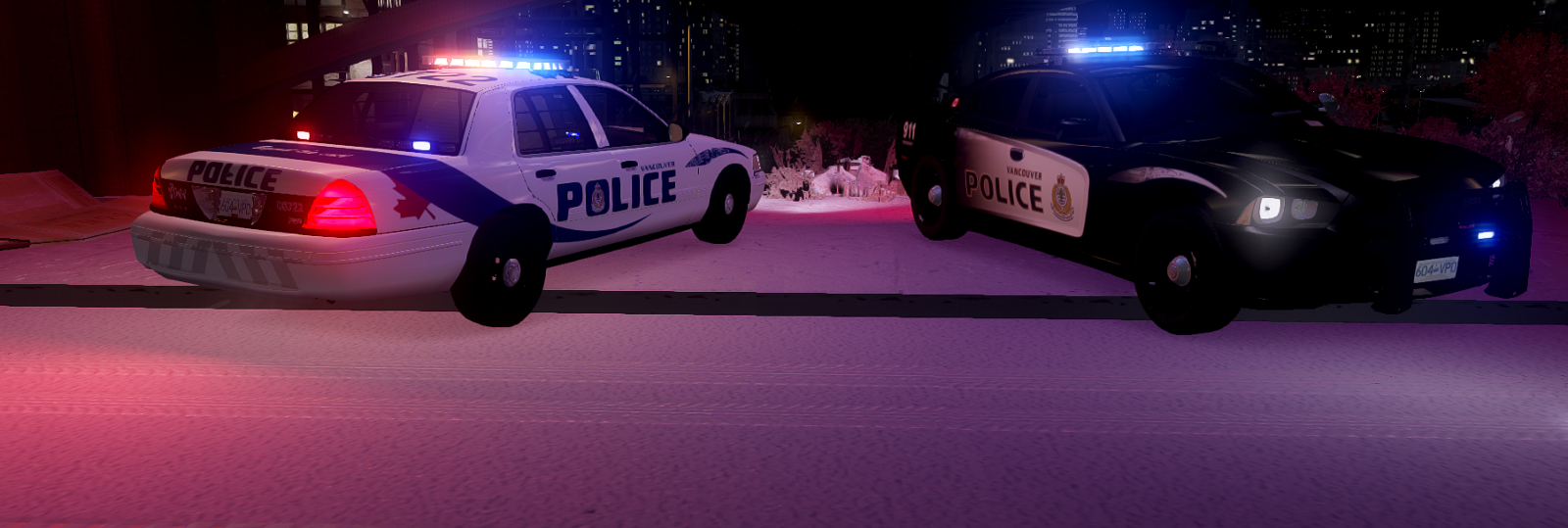
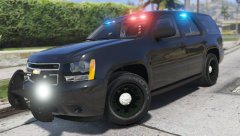 Can't believe I missed out on this beautiful screenshot. I wish I could give you 10 stars! haha I think going back to 2013, I generally see models with large(i guess regular?) push bars on tahoes or none at all. I don't think I've seen GTA models with smaller ones like the VPD. It still appears to be just a tad bit larger than reference videos/pics I've seen. It is only one screenshot, but the model looks about perfect. Great stuff!
 -
That sucks. Hoping it was one of the older issues that has been found. So it could be GTA IV and Windows 10 issue. But you were able to play it before right? And I mean the basic GTA 4 game story mode and no mods/lcpdfr installed. I'm out of ideas. Any troubleshooting and repetitive testing that I'm willing to do, I don't expect others to go through the same. Plus I don't think it will work(so you'll prob just waste half a day reinstalling). I'm not sure how to continue even with the support guides on this forum, because I don't how much of it applies to Windows 10.
-
Sorry for the late odd hour replies. Quite a few evening shifts this month and I can only hop on every so often. (that's why I normally avoid posting support at all.) I'm going to guess you probably have tried to move it already. If not, then the point is simply to move it out of scripts folder so that lcpdfr will not load when you start GTA IV. And if the game no longer crashes, then we have a pretty good idea that whatever is being loaded by the game for that mission does not like LCPDFR being loaded as well.(but try putting the file back, run this test 2-3 more times to be sure) Continuing on that thought, the game auto loads your main save and the current mission. I can't think of anything other than having a different mission as your save. =So warning. I have tried to replace my save game before and it didn't go well. You can not just copy someone else's save file and replace your file. There is something related to user id, or another savegame file check that occurs(I could be wrong about this, testing from over 2 years ago.) So if your issue seems to match up with what I posted so far. I have one more idea to share. (This is a strong warning, I run Windows 7 and this technique works for me. I don't think Win 10 would affect this simple process. But good luck to you and hopefully you get it to work.) Take a look at the "LCPDFR Install (ASI Loaders)" folder inside the GTAIV folder. You should see 2 files inside that, dsound.dll & xlive.dll. Only one of those files should appear in your main GTAIV folder. And "i think" the files affect whether GFWL loads at startup. There shouldn't be any issues changing this if you play only singleplayer GTAIV. When I change mine around, a different save profile/game is loaded. My dsound.dll one is midgame and with xlive loaded it is only 3 missions in. I see dsound.dll in your GTAIV folder. Move the file out to a temp folder or where ever you like. Copy xlive.dll into GTAIV. Start the game and it will likely begin a new game, and so just play 2-3 missions and save/quit. Start GTAIV again to make sure that it doesn't crash at the load screen from this new mission. If it works okay, make sure not to progress in the missions with the xlive.dll playthrough. (If you want your completed savegame back, just delete xlive.dll and put dsound.dll back.) And I do wish someone else can also post some info about this. Save games are a little tricky with GTA IV and I don't want to mess up your progress. From your picture, you are missing the ASI Loader folder!! I hope that is updated now because LCPDFR v1.1 normal copies that, but people often remove it after installing.
-
I agree I wouldn't bother either. It could be a different problem altogether. Does it load into the apartment/safehouse and then crash, or does it not even finish loading the world and Niko? I have only one idea left to check and see if the mission is the issue. And btw I listed the wrong LCPDFR version earlier. You are running the latest v1.1 correct? Look inside the /scripts folder in your GTAIV directory. MOVE the file "LCPDFR Loader.net.dll" out of scripts. (LCPDFR will not be loaded into the game) If you want LCPDFR to run again just move the file back. And see if the game consistently loads or crashes with and without LCPDFR loading at all. Good luck!
-
This is most likely, if he is a serious or big time streamer. A second PC or laptop with a capture card to stream if you want to have higher production quality and engagement. Much easier to manage your audience when you have a separate system for chat and switching overlays, scenes, intro, break, outro screen.(sure you can have hotkeys, but a 2nd system is going to make your life easier and not to mention removing the stress of your gaming rig having to output, encode and whatever else...)
-
This one is an oldie I think. There are 2-3 GTA IV story missions that causes the game to crash immediately when loading into the world while having LCPDFR installed. There is one towards the end of the game which I remember is 100% crash rate. But you are talking about the very first one I believe. Driving the taxi to your apartment right?? Which I recall sometimes crashing for me, but not always. Can you try to complete a few of the beginning missions without LCPDFR loading in. And is it LCPDFR version 1.1 that you have? I don't know if you can just disable LCPDFR from a 'ini' setting and load the game for a few missions. Or if you have to play from a fresh copy of GTA IV. This is the only thing I can think of right now. I hope it is not anymore complicated then that. I saw your system specs with Windows 10 and from that I'm a bit hesitant to give advice. Gaming wise, it is another can of worms and I'm completely clueless on how to diagnose and help.
-
CryENB v3, if you can get it to run well. The pictures I posted in the album are either default settings or presets included with the downloads. So you don't have to configure or mess with settings much. Good luck, and as always I encourage everyone to back up your game. If something goes terribly wrong during modding, you can just copy over a back up in a few minutes... Rather than say spending 20+ minutes or more reinstalling or worse re-downloading for an hour. I have posted this before, but feel free to watch the first 2 minutes of this video. If doesn't specifically teach you how to back up, but it gives you a rough idea of how it should look. Video is from Dec 2014, but still has useful info from Jeff Favignano. https://www.youtube.com/watch?v=B-u9nf8_oNk
-
game4video, I used it for so long. But is due to me not being able to run anything better at the time. [medium performance hit on your system. I used to think it was a lower perf hit, but not anymore because of random FPS drops and instability even when I upgraded my pc.] (+) The main reason you would use it is for glowy/bloom/light auras on police vehicle lightbars. (-) The world does not look good... I don't recommend it anymore. But for those who can't run anything else, you could get used to it... CryENB v3 - mostly use this. I personally have issues with it. So a love/hate status with it. [medium to high performance hit.] (+) The world looks nice. A little bit more vibrant, colourful. The lighting is fantastic! (-) subjective..! I hate the blur effect on pretty much everything you are looking at. If you can get used to it then sure. Or if you just want to play regular cars, the smoothed out contours on the cars actually make it nicer to look at. With police vehicles its makes some lettering and details difficult to read or simply bad looking. There are alternate presets for this ENB and they change some things. Like a focus cone around your vehicle, which takes away the blur from your vehicle. But the big issue is the cars that drive near you. The blur effect will flicker on and off as other vehicles get into that cone. For example slowing or stopping at a traffic light and the car infront flickers constantly. So unfortunately you can not avoid this. Toyed around with the presets and no luck. I followed the author's comment section every so often, read through the hundreds of posts for any new info. But the comments say that's the way it is. I gave up looking for a better enb about a year ago. I still have some comparison pics saved from testing and I'll put them into an album. Mostly focused on the lighting effects and taken during the same time of day. http://www.lcpdfr.com/gallery/album/5051-gta-iv-game4video-vs-cryenb-v3/
-
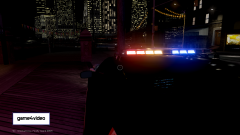
From the album: GTA IV - game4video vs CryENB-v3
-
GTA IV - basic ENB comparison between game4video 1.0.7 and CryENB v3 lighting.
-
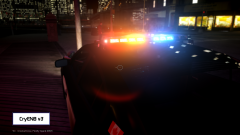
From the album: GTA IV - game4video vs CryENB-v3
-
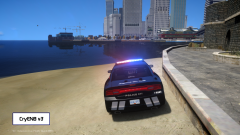
From the album: GTA IV - game4video vs CryENB-v3
-
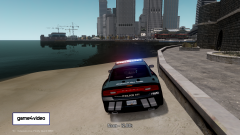
From the album: GTA IV - game4video vs CryENB-v3
-
I was going to post about the 2 mid-range ENBs I like. But I realized I did not ask you what you wanted from an ENB. It may not help you at all.. I play mostly LCPDFR, so I am willing to sacrifice the visual quality of the environment, world, etc.., for better vehicle and lightbar lighting. If you don't care for that, one of the ENBs I use could still work for better looking environments, cars. It is a mid-spec to high spec performance requirement. There are downsides to it for me, really, really annoying to me... Even though I say that, it makes the lighting on lightbars just gorgeous to look at. So I deal with it most of the times.. Sorry I don't have better information for you. The GTA IV sections aren't frequented by many people nowadays. Let me know if you want me to keep posting about the 2 ENBs I use. ( I have a day off tmw, so reading a few books, studying, boring things. I wouldn't mind posting a bit here.)
-
I don't think it run the medium range graphic ENBs. Probably severe FPS hit I'm guessing between 25%-50% of default. (I can run these decently with a *3* year old mid range pc). How does the vanilla game run currently for you? Because it looks like a standard laptop spec that can be used for lightweight gaming. Key word is lightweight... I can only recommend for you to look up discussions of low end pc enb and see if you like how it looks and in general how it runs for other users. If you can run at 60FPS at default, may be worth trying a ENB out. (make to sure learn good back up techniques!!) If you are running at 45FPS 'ish or inconsistent frame perf, I would say no. I have tried med-range ENBs on an older spec pc that ran normally around 43FPS. With the ENB, the perf/stability hit the crapper and the FPS was fluctuating between 28-40fps. (This made me feel nauseous, headaches after 5-6 minutes of playing) Hopefully you learned something from this. And maybe if you are lucky, can find something that might work. Good Luck!
-
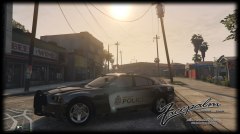 Yup that I understood. I realize now my comment was a little vague as I mashed together a quick thought on the model while really speaking on the texture and getting a good collection of vehicles for the VPD. And again the model looks great and the texture is good as well. :)
 -
Putting aside realistic features, it is nice looking as NefariousB has said. I hope we get more accurate models for the Crown Vic and Charger. (waited 2 years to use a GTA IV Valor Charger that I liked. and waiting on GTA V.)
-
If you haven't already, search for tutorial videos on Youtube. It can makes things so much easier and you may learn how to install, configure other cool mods/scripts.
-
From your first post, it sounds like you've tried a lot of different things already. Cant add much more to it. (so the game doesn't crash, just that LCPDFR won't properly initialize when you are ingame?) I see you are using Xlive loader, maybe try the other one. (I think people like xlive because it loads less stuff in the system's background.) Move the xlive.dll out of the main GTAIV folder for now. And place the dsound.dll there instead. Use the dsound.dll that comes with LCPDFR.
-
[System dependencies] The .NET Framework is installed in an unknown version (> 4.5.1) [System dependencies] Checking ADVANCEDHOOK.DLL [System dependencies] Checking dependencies (32-bit required: True) Maybe try to resolve this first. Only thing I saw out of place at first glance.
-
-
-


