Eagle
Members
-
Joined
-
Last visited
Everything posted by Eagle
-
There are some in download's section. You may want to search for 'em. :thumbsup:
-
Do you have Simple Native Trainter (SNT)? If yes, disable keybinds in the .ini file.
-
Oh they do that. I thought they were some kind of traffic enforcement. Okay, if you have taxi bug (you probably do as you have FR), don't put that vehicle (Highway Agency) in some of those 20 slots in Traffic Flow. You can only spawn it with SNT or FR's console so yeah. :P
-
You can put it as polpatriot but I assume you want it as civilian car?
-
-
I don't know exactly but I remember I've seen something similar on GPM by BxBugs.
-
You put it into GTA IV's main directory with its .ini file. You don't install it with Spark. Please delete posts below, I lagged so it came few more times.
-
I love this guide. It's being helpful every day to somebody that is new to texturing. :)
-
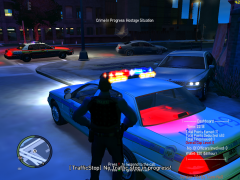 I lol'd when I saw this.
 -
I am running v6 and it'll only crash if ELS is enabled on AI, otherwise it works fine. :) Thanks for clearing that up.
-
It's cool bro. Btw why are you using v5? Is it better or what?
-
If you put a -1 or -whatever lights will disappear. Dhruv's thing doesn't work too.
-
Okay, when I press / (on second lighting mode) and els is on automatic, lights won't show unless you press J. That's not the problem. When you do that lights are much much faster which I love. Never mind what pattern are you using (A1, C5, etc), lights will get more speed. So my question is, is there any way to speed up ELS lights from ini file or whatever? I found a line FlashDelaySP = 0 but that's for delay as name says. I doubt that putting -1 will speed lights?
-
I downloaded and I had no problems with crashing. Overall a great model, especially the "police reduce speed" thing. :D
- 38 comments
- 14 reviews
-
-

- 1
-
-
Above line works fine for the model.
-
I just wanted to post this lol. Indeed!
-
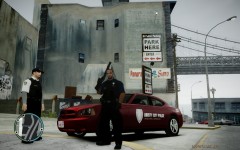 Sure send it and I'll see what I can do.
 -
I like the dodge skin, could you send it to me via PM? :)
-
~~ This is security skin for Speedo. ~~ Skin made by Eagle. Model is made by Scyattica. Download model Import SPEEDO.png file into speedo.wtd and save.
- 1 comment
- 4 reviews
-
-
-
One word: Awesome. One question, when I enter the car and accidentally press J/K/L, lightbar on non-els car will disappear. Do you have the same problem or you just fight not to press or get a spawned car with L turned on already.
-
I used Spark to change horns without any problems or I misunderstood your sentence?
-
WAI U NO CHASE HIM? Other than that, nice pictures. :)
-
You can press Print Screen and then paste it to piant, then save it as whatever image extension you want to. Or you can get Fraps and take screenshots.