


Eagle
Members
-
Joined
-
Last visited
Everything posted by Eagle
-
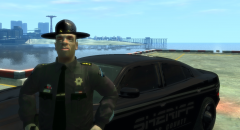 Where did you get that skin? I mean uniform.
 -
-
Your account is approved. You take outstanding calls and go to that location your GTA/EFLC. After that, press alt+tab to get back into computer and then roleplay the outcome of that event. Next time please post in this thread when you're talking about MDC's problems, questions, suggestions, feedback, etc.
-
Wrong. You have ToggleSirens option. @Henrynoa - In ELS ini file you have option for siren and that's ToggleSirens = 71 // G by default Letter G is number 71. If you want to place another letter, you place another number (those letter codes at the end of the file). For example if you want to toogle sirens on Q that line would look like this: ToggleSirens = 81, because letter Q is number 81. (Don't get bothred by that // G by default, that's just a comment which you can delete or leave, doesn't change anything. It's just there for better understanding of that line.)
-
In ELS.ini file, you need to find a code for each letter. That codes are at the end of the file.
-
-
-
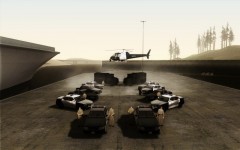 Indeed.
 -
Try removing ALL your mods (cars, ELS, and anything else you have installed that isn't stock GTA) and then try to run LCPDFR.
-
-
I was playing PPM before I even knew for FR. Sadly PPM is no longer being updated and FR became a very good script so I'll stick with FR as I did for last year or so.
-
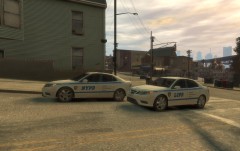 I was using 90 I guess in next textures I could go larger. Thanks for feedback :D
 -
From the album: Eagle's Creations
Available for download: -
-
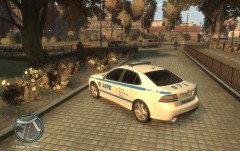
-= SAAB 9-3 2008 LCPD EDITION =- - NAME: SAAB 9-3 2008 LCPD EDITION - VERSION: 1.2 - LIGHTBAR: Hazard Slimline - MULTIPLE LIVERIES: No - OPTIMIZED FOR: Any police vehicle - MOD STATUS: Complete - 100% - NOTES: 1.2: Added a new handling line. 1.1: Fixed problem with shaking/bouncing model. Bug: Windows won't break. - INSTALLATION: Make sure you backup all files in your vehicles.img before importing any of these cars. Using Spark IV or Open IV (Google it to download any of them), import selected files into your C:\RockStar Games\Program Files\Grand Theft Auto IV\pc\models\cdimages\vehicles.img - HANDLING.dat: 1450.0 4.5 80 0.0 0.0 -0.37 0.5 6 0.21 1.0 165.0 0.34 0.66 0.7 35.0 1.45 1.23 14.5 0.15 0.49 2.0 1.2 1.2 0.14 -0.14 0.0 0.5 1.1 1.0 0.9 1.4 0.0 40000 440010 0 0 - VEHICLES.ide police, police, car, POLICE, POLICE, VEH@LOW, VEH@LOW_HI2_HI2, 100, 999, 0.2700, 0.2700, 0.5, 1, 1.0, 1, ext_gang+ext_strong+ext_all+livery - CREDITS: Original model from Forza Motorsport 3 by Turn 10 Studios. Converted to GTA IV and improved by arvid11. Hazard Slimline lightbar by KevinDV. ELS mapping by corleone. Wheels converted by corleone. Mapping and template by corleone. Handling line and LCPD livery by Eagle. DO NOT DISTRIBUTE ANYWHERE WITHOUT AUTHOR'S PERMISSION.
- 3 comments
- 2 reviews
-
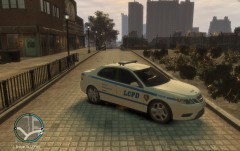 Roger.
 -
 Roger.
 -
-
-
-
No problem, I'm glad to help. For the texture, I'll see what I can do in next week.
- 24 comments
- 6 reviews
-
Here is a better line than yours 1450.0 4.5 80 0.0 0.0 -0.37 0.5 6 0.21 1.0 165.0 0.34 0.66 0.7 35.0 1.45 1.23 14.5 0.15 0.49 2.0 1.2 1.2 0.14 -0.14 0.0 0.5 1.1 1.0 0.9 1.4 0.0 40000 440010 0 0 With yours car can still bounce above 140/150 km/h. Thanks for fixing the model. Would anyone want this model with LC police texture(s)?
- 24 comments
- 6 reviews
-
I'm 6543245452465465789416136548% sure that I got the line correct. It's still going crazy for me.
- 24 comments
- 6 reviews
-
Model is under Eagle's testing. :P Edit: Upon entering to the vehicle, model starts jumping, bouncing and you can't really go with it anywhere. I tried replacing your handling line but it's a model problem, not handling.
- 24 comments
- 6 reviews
-
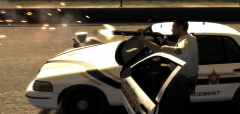 Can you please send me link to that skin? :)


