


DukSezQuak
Members
-
Joined
Everything posted by DukSezQuak
-
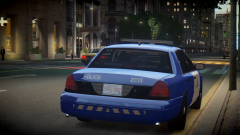
From the album: Terminated
RCMP go retro! -
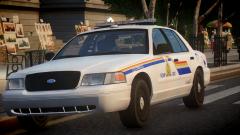
From the album: Terminated
.Whelen CenCom.^ Correct.I'll just go watch an hour and thirty minute movie on Netflix and come back. Good way to kill time.Because they're preparing the image of the Mongolian President they wish to show off... They haven't added the 'final touches' to the presidents image yet.Since the sign now says '8 days', sometime really quick.The way it works by the looks of it will be when the sign hits 8 days, the first card will be flipped (the one with the 8 days sign on it) Then, when the sign hits the '4 days' sign, the second card will be flipped, and on the last day, the last card.With Trevor just go into a clothing shop, go to the hats, browse the hats and go to 'no hat', and then leave.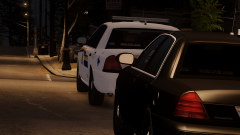
From the album: Terminated
Two RCMP Alderney members attended a residence after a young male called 911 stating he was suicidal. The male, 17, not to be identified, was later transported to Westdyke Memorial Hospital for evaluation and counselling.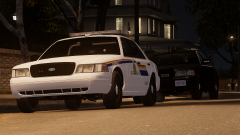
From the album: Terminated
Two RCMP Alderney members attended a residence after a young male called 911 stating he was suicidal. The male, 17, not to be identified, was later transported to Westdyke Memorial Hospital for evaluation and counselling.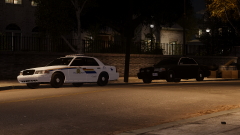
From the album: Terminated
Two RCMP Alderney members attended a residence after a young male called 911 stating he was suicidal. The male, 17, not to be identified, was later transported to Westdyke Memorial Hospital for evaluation and counselling.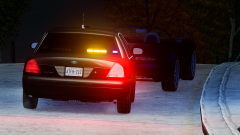
From the album: Terminated
Work in Progress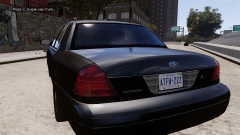
From the album: Terminated
Work in Progress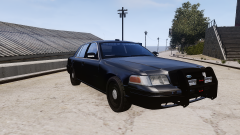
From the album: Terminated
Work in ProgressSteve Kardynal <3I've seen my local RCMP respond alongside EMS various times and often times they're not there to serve any general purpose. A cardiac arrest call went out once where both EMS and RCMP responded to it, and sometimes the police even respond just to provide an escort for the ambulance. Police can go to an EMS run for various reasons, they don't have to necessarily do anything but they can be there just to be there.It's a Federal Signal Arjent http://www.fedsig.com/products/258/arjent_S2_lightbar Alot of LAPD models have it.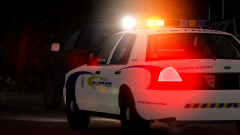
From the album: Terminated
Pacific County Sheriffs Office CVPI making a traffic stop on a vehicle that merged improperly."Sail" - AWOLNATION "Sail"Neither.Nobody should have gotten any GTA$ yet, nothing posted on the R* Newswire yet.



