


Creators: Due to background reprocessing of files, approvals and file security checks may be delayed. Thanks for your patience.


LukeD
Friends of LSPDFR
-
Joined
-
Last visited
Everything posted by LukeD
-
Right well your LCPDFR.log confirms it's not an error with LCPDFR causing a crash which means it's one of your other mods that is causing it. What I would do is uninstall your car models and uninstall ELS then ensure LCPDFR can run with the VDH police helper. It should run fine like that without any other models etc. If it still crashes after that my only recommendation is to play it on the safe side, remove everything and reinstall the lot from scratch to make sure. You don't necessarily need to uninstall the vdh police helper, it should have an option in its configuration file to disable all world events from occurring, which is what people report as the culprit of their crashes.
-
Have you tried looking at the other threads titled almost identically to yours? Like this one '?do=embed' frameborder='0' data-embedContent>> And this one '?do=embed' frameborder='0' data-embedContent>> And this one '?do=embed' frameborder='0' data-embedContent>> Just a suggestion as they may have an answer in them that helps you out :) Anyway, what version of LCPDFR did you install the automatic one or the manual one? If you used the automatic installer did you apply the 1.0a hotfix patch afterwards? From what I remember the bug where the game would crash when ordering a suspect out of a car was fixed in the 1.0a hotfix.
-
Fair enough, I know the feeling. Ok in that case then i'm a little stumped as to why your game is lagging up so much. Have you tried running a clean install with just the ENB to see if that works?
-
Is that a laptop or a desktop pc, I'm not really up to date with AMD gear lol. I would recommend removing the ENB just to see if it is causing the problem, you never know. Are you running any other mods as well, specifically vehicle or ped models? Your benchmark settings really aren't great and at that low resolution I would probably not be running an ENB myself, if that is the FPS you're getting with everything set to low you might have quite an issue at hand. Check your graphics drivers are all up to date and working correctly, I noticed that was an issue with my nvidia graphics for my laptop. Decided to uninstall itself and run on the intel HD 4000. Stupid.
-
What other mods do you have installed? List them please :) Have you tried running the game without this map mod as it could likely be that causing the issue, and if it isn't the case do you have vehicle models running?
-
Hi, could you please tell me what mods you have installed if any, and what version of the game you are running. Is it a legitimate copy of the game as well? If you are not running any mods have you tried running the game as an administrator? And do you have all the up to date microsoft redistributables?
-
No need to bump, we will get to you eventually. Patience is a virtue :) Could you please attach the LCPDFR.log file for me to look at? You're using VDH police helper so a first port to call would be to disable it's world events as a lot of users report a compatibility issue between this and LCPDFR 1.0. Does the game produce any kind of error when it crashes or does it just stop responding in the typical windows 7 way? Have you tried removing any of your models, such as police vehicles or pedestrians. These are quite often the main cause for instant crashes.
-
Hi, your log doesn't appear to show any problems, could you please tell me the specs of your computer? You say you have 4GB of memory but you turned down the graphics settings is confusing me a bit, is your pc running on 4GB of RAM or is your graphics card running on 4GB GRAM (careful of the difference) If I assume it's the PC RAM then I highly recommend cutting down on your vehicle mods as these use up the most of the memory, calls often disregard if they fail to spawn correctly which is a memory issue usually. You can also try setting the config file for LCPDFR to have the "PreloadallModels = true" line underneath the [Main] Section. (This line does not exist you have to type it out) EDIT: I would also advise you turn off the world events for the vdh_police helper because this is causing quite a lot of compatibility issues with the latest version of LCPDFR.
-
Can you talk me through what you tried and what the problem is when you say "it doesn't work". The more information you can give me about how you have your game set up the better I can assist you :)
-
You can also use "startcallout [name]" to force the current callout to end and start a new callout. If you type that without a name value it will say you did it wrong, but if you type a random callout name, even if you get it wrong, it will default to a random callout. All you have to do then is say "No" to the callout you started. Not recommended to mess with this or reloadscripts too much though. :)
-
Depends on the ENB as to how the timecycle will affect it. It's really unpredictable and to be honest I don't think anyone will have gone through every ENB and changed the timecycle file to see what happens (although I could easily be wrong) What I would recommend is getting Sgt Kanyo's realistic timecycle for darker nights ('?do=embed' frameborder='0' data-embedContent>>) It's very good I've found, I think I have ran this with ENB as well (Game4Video's latest) and it seemed to be ok. Your best bet with ENB's and timecycle's is to just mess around with different combinations, because chances are the combination you think is the best will be wrong for someone else etc etc. Everyone has their "perfect" graphics idea for GTA IV :) Whatever you do though, make a backup of the old files FIRST. Just to be safe.
-
The hotfix actually comes with the manual install so you don't have to apply it after you did the manual install. Did you follow the exact instructions given on how to apply the manual install? You can find those packaged with the download I believe. When you say it wont start do you mean your GTA IV or just LCPDFR?
-
Did you use the automatic installer for LCPDFR or the manual one? What I would recommend doing is actually reinstalling GTA IV so that you have all the original files and then try installing just LCPDFR. If you have a backup of the original files then do it that way if you feel comfortable doing so, but it would be far better at this stage to just start fresh.
-
There is nothing in your log file which suggests why your game is crashing so frequently. Could you answer these questions for me please, Which version of LCPDFR did you use, automatic or manual install? Are you running the latest patch as well (1.0a) Have you tried reinstalling LCPDFR or uninstalling trafficflow to make sure it isn't that? Do you have any vehicle or ped models installed without realising? Maybe from ages ago that you forgot about?
-
I get the odd crash sometimes, but since the latest patch I've been crash free. Couple of little bugs which are really neither here nor there. I recommend getting it because personally it's a fantastic game (completely 100% not biased because I'm a server admin lol) If you do get it come and say hi to me at hardcorenoobs.com (shameless plug is shameless) :)
-
Thank you, I will ammend that asap. It's using the API key, you sign in during the automatic installation to get it to connect to this account. It's currently unavailable to obtain if you manual install. I'm actually working on smaller callouts at the moment like this, a little more of the usual stuff than the ragin murders that always happen :)
-
I would advise you don't do that if you're new to PC's. If you overclock wrong you half the life of your GPU, or you can even kill it. I have no idea which one lol xD
-
16GB of memory AND 16GB of RAM? My goodness that is a lot. RAM stands for Random Access Memory, it is typically what people mean when they say "memory" for a pc :) What will cause you the most problems here is your graphics card. The 645 being only 1GB of graphics memory will likely cause more artifacts than a 2GB card would. Using a low end ENB would be possible on your system. It should cope moderately well. However don't use any high poly car models or you will notice flickering, texture popping and the dreaded red sky of doom. :) I recommend Game4Video's ENB (or whatever that guy's name is) as it is pretty stable on 1.0.7.0 patch which LCPDFR is dependant. Typically ENB's are used on the 1.0.4.0 patch. :) hope this helps.
-
-
There was a suggestion for this a while back, I commented on it but can't locate it again. Sam said that they had already tried to implement jumping tackles but it looked wrong and didn't work all to well, so they won't add that. Your other takedowns likely will have the same problem. The pit idea I like but would either require a huge amount of logic to read the roads and traffic that it would be too much for a small feature, or would be so small it would be an effort for players to use it so it would never get used. As for suspect updates I dislike the idea of getting an update in game, purely because I don't ever play lcpdfr in such a way that I work shifts and such like some people do. I just load up, play for an hour or so and quit when I've had enough. I do however like the idea of being updated randomly in the game, like a callout but more a random event. Just my thoughts though. :)
-
I just died. Please make more of these Brandon :D (thank you OP for showing us this btw)
-
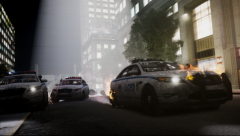 Oh wow, this looks awesome :D
 -
Ok just a quick notice for you guys. • The lag people mentioned is purely your machine, none of my testers have reported this issue and running gameplay tonight has also revealed no lag for me either, try troubleshooting things your end. • The manhunt callout has recently been bugfixed so now a cop will spawn in chase rather than backup, however this does not fix the suspect being arrested before you get there, that is purely down to chance so I can't fix it. • A missing sound file for the street race has been re-added for the next release Some people mentioned the callouts didn't work, said they installed it correctly but it didn't appear to work. I can but only assume that as nobody reported a crash or error, that they were too lazy to wait a little while for a callout to start. As a result to satisfy this minority I intend to add a on screen prompt that will be visible to the player, so you can see the mod is running. There is currently one already there but it gets covered over by other prompts during the starting of lcpdfr, so I will set mine to run after this. There is also one in the information log, which is both visible in the lcpdfr.log file and in the console on game. If you press the ' key by default you will see the following lines [INFO - 10:11:15 PM] [Plugin.Callouts+] Started [INFO - 10:11:15 PM] [Plugin.Callouts+] Using version 0.1a This means the mod has correctly started, and is telling you the version you are currently using. I'm now working on more callouts, the base layout of them that is. :) I would just like to take this opportunity to thank everyone for your support and kind words. I hope to honour you back with as many callouts and in game features as I can possibly achieve.
-
Right ok, what I would advise you do then is to remove everything and reinstall GTA IV just in case you happen to have a modded file somewhere. I am aware it is a pain but if you kept backups it shouldn't be too dramatic. Once you have reinstalled GTA IV install LCPDFR using the manual installation, and use the xlive.dll scripthook as it is the one which is more stable. It does remove the need for GFWL so you will not be able to play online using xlive, if you do frequently play online then use dsound. When that is all done try and play again and see how it handles it. :)
-
That is a complete change of resolution between the first and second picture. One is running correctly, the other has huge black bars either side and the aspect ration is squashed up. Check your resolution settings and change them. :)


