


Creators: Due to background reprocessing of files, approvals and file security checks may be delayed. Thanks for your patience.


LukeD
Friends of LSPDFR
-
Joined
-
Last visited
Everything posted by LukeD
-
Did you have 0.95 on before and if so did you properly uninstall it? Because that is the old error log format afaik.
-
I think if you put your mind into it and enough effort from the others in the clan, anything is a great idea. So run with it and see where it takes you guys :) If you haven't already, maybe mix it up a bit and include bravehearts FDLC script. Good luck to you :)
-
Are you using 1.0 or 1.0a (the hotfix), and did you use the manual or the automatic installer. What other mods are you using? The logs are located in your GTA IV root directory. They're called LCPDFR.log, AdvancedHook.log. (Usually text based documents so dead easy to open with notepad etc) Hope this helps.
-
To the mod section!
-
Which is great unless you have no friends :( Cause none of my friends have SimCity or Origin. So yeah, single player creative game that I have to play with strangers? Nah thanks.
-
You know what's even more funny about this? As has been said the developer said "offline mode can't be done" a slacker sitting at his pc trolling the internet forums, cracked the game to run offline first. Oh EA why are you so made of derp? :) FTR I too bought it before this announcement, what's even more funny is that because of their cock ups with their servers I got Battlefield 3 for free, played that more than simcity. MONEY WELL SPENT! :D
-
What, like how they had to completely teach the AI how to drive cars? ;) You would probably just call some sort of event similar to the racing events you can get in GTA IV through Brucie. Yeah sure the dev's had to improve the AI of the pursuits to ensure they wouldn't roll their cars the second they spawned. But they didn't make the AI drive cars from scratch did they, that was a GTA feature :P Drag races I think would kind of suck, it takes a few seconds to get from North Algonquin to South Algonquin, a drag race down Star junction would be over within a second or 2 and would have been and gone before you even got there. But street races in general a good idea, I like it :D Even if the dev's don't implement this they could at least add a new instance of a pursuit so instead of "stolen vehicle" it would read "street racers evading police" then have 2 vehicles spawn heading in random directions. Maybe someone with the API could do that too. Perhaps we could be called in to attend car meets like this Not illegal meeting like that, but you could have to go and investigate the area make sure things are ok and then leave. (like stay in the area for 2 minutes to complete the callout) I like the OP ideas, although multiple pullover's would not happen so much I don't think, I mean if you're street racing you're violating law and therefore why would you pullover lol?
-
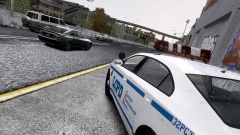 Thanks :D
 -
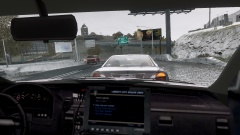 Thanks :)
 -
From the album: My Experiences in the LCPD
It's an unlucky day for this young driver, not only was he caught driving a stolen car on the way to the airport, a system check later revealed an expired drivers license. He can kiss his holiday goodbye. Drive safe folks. -
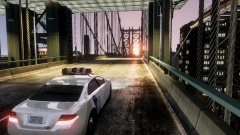
From the album: My Experiences in the LCPD
-
From the album: My Experiences in the LCPD
Operation Safer Roads is now in full effect, if you're heading to the airport this morning make sure you've panned your journey in advance so you don't face unwanted delays. LCPD will be watching, don't think that extra 10mph over the speed limit will get you to your flight on time, because the only place you'll be going is back to the station. Drive safe, plan ahead. -
No problem at all :) That would be this one I use '?do=embed' frameborder='0' data-embedContent>>
-
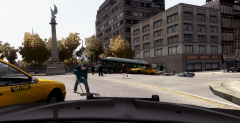 +10 internets for you :P Although from a legal perspective it makes no logical sense that subsection B would repeat a point mentioned in subsection A ;) That said, British law often makes no logical sense so. Go about your duty :)
 -
I only recall the AI arrest problem and pursuit issue occurring in 1.0. AFAIK they fixed that in the hotfix. Which is what led me to believe it was another mod causing it, because model changes cause the most crashes in the game usually. (at least from my viewing of the crash reports) Try using a different ASI loader from the manual install to the one you're using right now and try that?
-
I recommend Game4Video's ENB settings. I've been using it and I get these results (after customising the enb settings a bit myself) That's with enhanced textures as well by the way.
-
Interesting lol. Spontaneously random question. What does section 215.b say? :P Just wondering if you though that far ahead in advance for people like me lol
-
Ok have you tried the following? 1. Install the latest GTA IV patch from R*: http://support.rocks...0-5-2-Japanese- 2. Then install the following redists: http://www.microsoft...s.aspx?id=30679 http://www.microsoft...s.aspx?id=30653 http://www.microsoft...ails.aspx?id=35 http://www.microsoft...ls.aspx?id=5549 Also make sure you run the game in administrator mode as it also helps. If none of that works, do an entirely clean install of GTA Iv (delete everything from the gta folder, I mean everything) then once that is done reinstall gta iv with latest patch and then the LCPDFR files. And try again.
-
Error 2000? Is it a disk or download copy of GTA IV? And is it a legit copy. Do you have all the prerequisites, all of the microsoft .net packages etc. What happened for this error to occur?
-
What version of LCPDFR are you running 1.0 or 1.0a and did you use the automatic or the manual install? I am pretty sure the crash is being caused by a customised model somewhere, what you should do is revert back to all the original game models and test LCPDFR then and see if it crashes. If it doesn't crash reinstall each of your mods 1 at a time and test to help you find out which one is causing the crash. Hope this helps :)
-
Hmm I'm sure that would have fixed it. I'm afraid I'm not really sure what else to suggest at this point. I don't know how changing the lightbar would help but if you know how to feel free to give it a try. I'm not a modeller so.
-
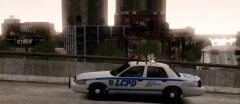 That's rather cool. We don't have those in the UK :)
 -
Love the ENB settings, they're pretty damn good. Car looks very good too although in those ENB settings it stands out a little too much, needs the saturation dropping a small amount. At least that's how I see it at the moment, with no other cars for colour reference lol. Good image :) What's the weird thing on the roof behind the lightbar? not seen that before?
-
Right perhaps try using ELS 7 and see if that helps? What is the vehicle mod you're using, do you have a link for it?
-
Glad it fixed it :) For future reference, any form of custom model will decrease the stability of GTA. So choose them wisely. happy gaming :)


