




KN1IGHT
Members
-
Joined
Everything posted by KN1IGHT
-
In my case I have the latest version. I haven't tried one of the earlier releases (BETA, etc.) All up to you :P
-
From the album: LCPDFR Scenarios
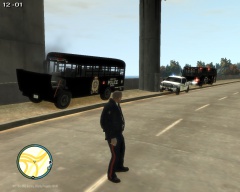
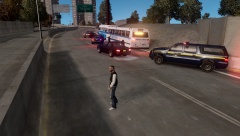
At approximately, 8 PM an EPS Prisoner Transport Bus, was on its way to the airport, to drop off 4 prisoners from the Edmonton Remand Center, so that they may be expedited back to their original country, and then transport the remaining 3 prisoners to court. The bus left with 4 police escorts, since all the prisoners were high value subjects. Around 15-20 minutes after departure from the Remand Center, Dispatchers received a 911 call, saying there was 4-6 individuals fighting in a bar, 4 of which were armed with a knife and a handgun, 2 of which were trying to attack the bartender, but being held back by some brave citizens of Edmonton. At this time, the 4 escorts were the only units on call/ on duty, which resulted in all 4 being dispatched to the bar, to break it up, and most likely arrest the 4 individuals in possession of a weapon. This resulted in the prisoner transport bus, proceeding to the airport by itself, with only 2 guards on board. About 5-10 minutes after entering Broker-Dukes Expressway the bus' two rear tires deflated, after running over a homemade spike strip, that was placed on the road. The driver pulled over and went to assess the tires, and determine if they could be replaced or another bus would have to be called in. The driver and his colleague, determined another bus would have to be called in. They called it in, but were told that the bus wouldn't be able to arrive for 1 - 1 1/2 hours. At this time, one guard stepped back on the bus to assess the inmates, and check for any injuries. No one was hurt, but some were shaken. After approximately 5-10 mins, 3 black Sentinels with 4 occupants in each raced towards the bus. The guards attempted to draw their weapons, but were forced to drop them at gunpoint. These individuals then stepped onto the bus, with a pair of bolt-cutters, and a torch (if needed). They began cutting the handcuffs and shackles of 2 prisoners. The guards, still being held at gunpoint were unable to do anything, for fear of being shot. The 2 prisoners walked off the bus, and got into two of the black Sentinels. These vehicles then sped off, after handcuffing the guards to the bumper of the bus, and throwing their radios inside the bus. One guard (Scott Brown) pressed a "panic button" which transmitted their location to dispatch. Since the four original escort units, were still dealing with the bar fight, 2 Alberta Sheriffs, who had just gone on duty, were dispatched to the area. They arrived at the same time as the auxiliary transport bus, to find the two guards, handcuffed to the front bumper of the bus unharmed, with their firearms, and radios thrown inside the bus. At this time, an APB was put out for the 3 black Sentinels, and the 2 prisoners that escaped as a result of this. The auxiliary bus that was called in proceeded to transport the remaining 2 prisoners to the airport, and the other 3 to court. The two prisoners that escaped, were identified as 23 year-old Jim Wilson and 30 year-old Seamus O'Riley. -
From the album: LCPDFR Scenarios
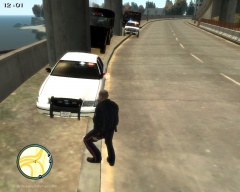
At approximately, 8 PM an EPS Prisoner Transport Bus, was on its way to the airport, to drop off 4 prisoners from the Edmonton Remand Center, so that they may be expedited back to their original country, and then transport the remaining 3 prisoners to court. The bus left with 4 police escorts, since all the prisoners were high value subjects. Around 15-20 minutes after departure from the Remand Center, Dispatchers received a 911 call, saying there was 4-6 individuals fighting in a bar, 4 of which were armed with a knife and a handgun, 2 of which were trying to attack the bartender, but being held back by some brave citizens of Edmonton. At this time, the 4 escorts were the only units on call/ on duty, which resulted in all 4 being dispatched to the bar, to break it up, and most likely arrest the 4 individuals in possession of a weapon. This resulted in the prisoner transport bus, proceeding to the airport by itself, with only 2 guards on board. About 5-10 minutes after entering Broker-Dukes Expressway the bus' two rear tires deflated, after running over a homemade spike strip, that was placed on the road. The driver pulled over and went to assess the tires, and determine if they could be replaced or another bus would have to be called in. The driver and his colleague, determined another bus would have to be called in. They called it in, but were told that the bus wouldn't be able to arrive for 1 - 1 1/2 hours. At this time, one guard stepped back on the bus to assess the inmates, and check for any injuries. No one was hurt, but some were shaken. After approximately 5-10 mins, 3 black Sentinels with 4 occupants in each raced towards the bus. The guards attempted to draw their weapons, but were forced to drop them at gunpoint. These individuals then stepped onto the bus, with a pair of bolt-cutters, and a torch (if needed). They began cutting the handcuffs and shackles of 2 prisoners. The guards, still being held at gunpoint were unable to do anything, for fear of being shot. The 2 prisoners walked off the bus, and got into two of the black Sentinels. These vehicles then sped off, after handcuffing the guards to the bumper of the bus, and throwing their radios inside the bus. One guard (Scott Brown) pressed a "panic button" which transmitted their location to dispatch. Since the four original escort units, were still dealing with the bar fight, 2 Alberta Sheriffs, who had just gone on duty, were dispatched to the area. They arrived at the same time as the auxiliary transport bus, to find the two guards, handcuffed to the front bumper of the bus unharmed, with their firearms, and radios thrown inside the bus. At this time, an APB was put out for the 3 black Sentinels, and the 2 prisoners that escaped as a result of this. The auxiliary bus that was called in proceeded to transport the remaining 2 prisoners to the airport, and the other 3 to court. The two prisoners that escaped, were identified as 23 year-old Jim Wilson and 30 year-old Seamus O'Riley. -
From the album: LCPDFR Scenarios
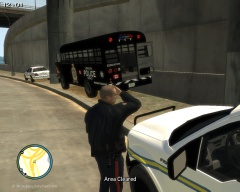
At approximately, 8 PM an EPS Prisoner Transport Bus, was on its way to the airport, to drop off 4 prisoners from the Edmonton Remand Center, so that they may be expedited back to their original country, and then transport the remaining 3 prisoners to court. The bus left with 4 police escorts, since all the prisoners were high value subjects. Around 15-20 minutes after departure from the Remand Center, Dispatchers received a 911 call, saying there was 4-6 individuals fighting in a bar, 4 of which were armed with a knife and a handgun, 2 of which were trying to attack the bartender, but being held back by some brave citizens of Edmonton. At this time, the 4 escorts were the only units on call/ on duty, which resulted in all 4 being dispatched to the bar, to break it up, and most likely arrest the 4 individuals in possession of a weapon. This resulted in the prisoner transport bus, proceeding to the airport by itself, with only 2 guards on board. About 5-10 minutes after entering Broker-Dukes Expressway the bus' two rear tires deflated, after running over a homemade spike strip, that was placed on the road. The driver pulled over and went to assess the tires, and determine if they could be replaced or another bus would have to be called in. The driver and his colleague, determined another bus would have to be called in. They called it in, but were told that the bus wouldn't be able to arrive for 1 - 1 1/2 hours. At this time, one guard stepped back on the bus to assess the inmates, and check for any injuries. No one was hurt, but some were shaken. After approximately 5-10 mins, 3 black Sentinels with 4 occupants in each raced towards the bus. The guards attempted to draw their weapons, but were forced to drop them at gunpoint. These individuals then stepped onto the bus, with a pair of bolt-cutters, and a torch (if needed). They began cutting the handcuffs and shackles of 2 prisoners. The guards, still being held at gunpoint were unable to do anything, for fear of being shot. The 2 prisoners walked off the bus, and got into two of the black Sentinels. These vehicles then sped off, after handcuffing the guards to the bumper of the bus, and throwing their radios inside the bus. One guard (Scott Brown) pressed a "panic button" which transmitted their location to dispatch. Since the four original escort units, were still dealing with the bar fight, 2 Alberta Sheriffs, who had just gone on duty, were dispatched to the area. They arrived at the same time as the auxiliary transport bus, to find the two guards, handcuffed to the front bumper of the bus unharmed, with their firearms, and radios thrown inside the bus. At this time, an APB was put out for the 3 black Sentinels, and the 2 prisoners that escaped as a result of this. The auxiliary bus that was called in proceeded to transport the remaining 2 prisoners to the airport, and the other 3 to court. The two prisoners that escaped, were identified as 23 year-old Jim Wilson and 30 year-old Seamus O'Riley. -
From the album: LCPDFR Scenarios
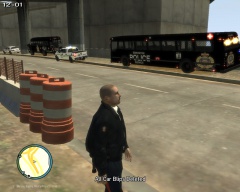
At approximately, 8 PM an EPS Prisoner Transport Bus, was on its way to the airport, to drop off 4 prisoners from the Edmonton Remand Center, so that they may be expedited back to their original country, and then transport the remaining 3 prisoners to court. The bus left with 4 police escorts, since all the prisoners were high value subjects. Around 15-20 minutes after departure from the Remand Center, Dispatchers received a 911 call, saying there was 4-6 individuals fighting in a bar, 4 of which were armed with a knife and a handgun, 2 of which were trying to attack the bartender, but being held back by some brave citizens of Edmonton. At this time, the 4 escorts were the only units on call/ on duty, which resulted in all 4 being dispatched to the bar, to break it up, and most likely arrest the 4 individuals in possession of a weapon. This resulted in the prisoner transport bus, proceeding to the airport by itself, with only 2 guards on board. About 5-10 minutes after entering Broker-Dukes Expressway the bus' two rear tires deflated, after running over a homemade spike strip, that was placed on the road. The driver pulled over and went to assess the tires, and determine if they could be replaced or another bus would have to be called in. The driver and his colleague, determined another bus would have to be called in. They called it in, but were told that the bus wouldn't be able to arrive for 1 - 1 1/2 hours. At this time, one guard stepped back on the bus to assess the inmates, and check for any injuries. No one was hurt, but some were shaken. After approximately 5-10 mins, 3 black Sentinels with 4 occupants in each raced towards the bus. The guards attempted to draw their weapons, but were forced to drop them at gunpoint. These individuals then stepped onto the bus, with a pair of bolt-cutters, and a torch (if needed). They began cutting the handcuffs and shackles of 2 prisoners. The guards, still being held at gunpoint were unable to do anything, for fear of being shot. The 2 prisoners walked off the bus, and got into two of the black Sentinels. These vehicles then sped off, after handcuffing the guards to the bumper of the bus, and throwing their radios inside the bus. One guard (Scott Brown) pressed a "panic button" which transmitted their location to dispatch. Since the four original escort units, were still dealing with the bar fight, 2 Alberta Sheriffs, who had just gone on duty, were dispatched to the area. They arrived at the same time as the auxiliary transport bus, to find the two guards, handcuffed to the front bumper of the bus unharmed, with their firearms, and radios thrown inside the bus. At this time, an APB was put out for the 3 black Sentinels, and the 2 prisoners that escaped as a result of this. The auxiliary bus that was called in proceeded to transport the remaining 2 prisoners to the airport, and the other 3 to court. The two prisoners that escaped, were identified as 23 year-old Jim Wilson and 30 year-old Seamus O'Riley. -
 Edit: Found it
 -
GTA Root Directory (Where ELS is) -> common -> data -> handling.dat
-
His desktop dispatching program database was not recovered when LCPDMods was attacked a while ago. Use the following information for the Desktop Dispatchin Program: Username: Demo Password: demo Username and password are case sensitive
-
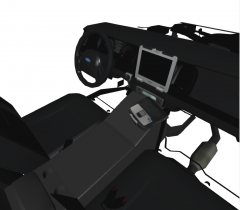 I like how you've placed the computer inside! Different placement, never seen it before!
 -
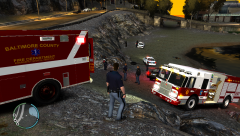 Link to that Firetruck down there?
 -
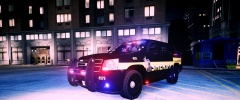 Nice! You will definitely earn a download on that Tahoe from me, when it's released!
 -
Link to that Tahoe!?!?
-
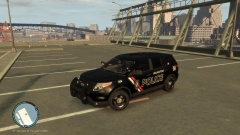 Just downloaded it. Can't wait to get it in game!
 -
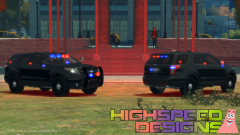 will this be released?
 -
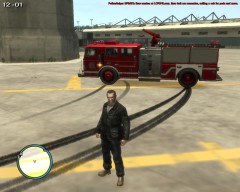 Currently any Skins like this, that have the EPS name, or are involved with EPS in anyway, are private to my GTA 4 Clan: Edmonton Police Service. As for texturing, I currently only work with textures for my EPS Clan. I am only doing this, until I get more experience with doing more advanced textures. EPS' textures are simple black and white textures, which are fairly basic. You may start seeing me release some textures during spring time and possibly summer, if I've had enough experience with making more advanced textures. :) But thnx!
 -
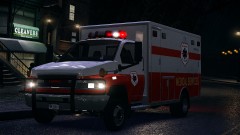 '?do=embed' frameborder='0' data-embedContent>> The info on the side says its ELS, at that download link above
 -
:P I've done that in the past, and it was a pain, so if possible I prefer to have access to the template. I did find the ambulance on MediaFire, from the adf.ly link in the youtube video. I will try that download when I get home
-
I just visited the link I posted, and according to the link its in "Vehicle Models" and not textures. Screenshot below.
-
-
Hi guys, Does anyone know if there's a template anywhere out there for this ambulance? '?do=embed' frameborder='0' data-embedContent>>
-
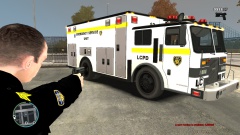 They're nice, but as Jewish_Banana said on your other picture: They look to basic. Try some challenging textures. But if this is your first time texturing, they do look good, but basic. 3/5 No disrespect intended here. :)
 -
I've downloaded a ped from here, with that earpiece and tried removing the texture for it, to see if that removed it from the OpenIV Model Viewer, and it didn't. Based on this result, I think ineseri is correct. The earpiece comes with that model, and can't be removed. I think it can be added and removed in-game, via the Simple Trainer. (Haven't tested this)
-
I have an update on this. I found the solution on the Google Product Forums, and here it is: Go to: C:UsersyourusernameAppDataLocalGoogleChrome and delete the User Data folder, or Cut & Paste it to your desktop. (Necessary, if you feel you may need later.) In my case it is: C:UsersAcerAppDataLocalGoogleChrome However, before deleting the User Data folder, search for Bookmarks. Two "Bookmarks" files should show up. One named Bookmarks, and the other Bookmarks.bak. Copy & Paste both of those to your desktop (shouldn't be necessary if you Cut & Paste the User Data folder, but doesn't hurt to do it anyways). If you have a Chrome Icon pinned to your taskbar, unpin it, and restart it using the Desktop Icon. It should bring you to the screen that prompts you to "Sign into Google". At that time, add a new bookmark, which should create a new Bookmarks file. Now Copy & Paste your Bookmarks and Bookmarks.bak to the following folder: C:UsersyourusernameAppDataLocalGoogleChromeUser DataDefault The folder where the Bookmarks files are located may vary between systems. In this case, just search for "Bookmarks", right click on the "Bookmarks" file and click "Open File Location" and Copy & Paste the Bookmarks and Bookmarks.bak to that folder. Restart Chrome and you should have all your previous Bookmarks, and it shouldn't open in a new taskbar icon anymore. (Please note, this has only been tested by closing and re-opening Chrome, multiple times. If this fix stays after a PC restart, currently has not been tested.) If you didn't understand anything I said above, here is the video I followed. (
-
Doing the fix I mentioned above doesn't last. I closed Google Chrome after doing the fix, opened it again, and it opened on the same icon. I then closed Chrome again, and opened it, and it opened at the other end of the taskbar again.
-
I tried those, and I found what Fix # 2 said to do, and tried it. I selected "Run as Administrator" and click Apply, then Okay. But I clicked the taskbar icon and it didn't even open. I had to right click the desktop icon and click Run as Administrator, and it worked fine. but opened in a new window. So, I tried right clicking on the taskbar icon, right clicking on Google Chrome in the menu, and click Unpin From Taskbar. I then moved the open window to where I wanted it, right clicked and clicked "Pin to Taskbar". So far, it appears to have solved it. But only repeated testing of it (closing and re-opening will tell) I'll post back what the results are.

