




KN1IGHT
Members
-
Joined
Everything posted by KN1IGHT
-
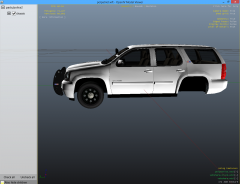
From the album: GTA IV/ LCPDFR Photos
Just a Chevy Tahoe Thoughts? -
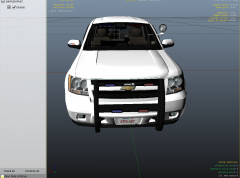
From the album: GTA IV/ LCPDFR Photos
Just a Chevy Tahoe Thoughts? -
Thank you The Whelen 295 I already have is >this one, but the one you linked me to, is the correct one. Thank you, again
-
I normally drive this Declasse Granger, with a rambar on the front, but my vehicle varies, depending on what I'm doing at the time. Though, I think the Sheriff or a Sheriff Deputy has a problem with me driving this. This is the 5th time in 3 days I've been pulled over, with no ticket being given....
-
Car alarm mod link says the mod doesn't exist
-
1. By reading your first post, it sounds like you did get LCPDFR installed and working, before installing GTA in a different location (Apologies if I misunderstood). Did you by chance save while on duty? If yes, you'll have to delete your saved game and start over. Save files are located in: Users%username%AppDataLocalRockstar GamesGTA IVsavegames AppDataLocal can be accessed by using the Run command: 1. Press Windows Logo key + R 2. Type in %localappdata% 3. Press Enter or OK If you did not save while on duty, I'm unfortunately out of ideas man, and apologize I couldn't have been of more assistance.
-
Hi guys, Does anyone know the siren being used in this video? I feel it might be a Whelen, but I'm just guessing there
-
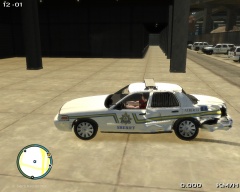 Yeah, I am. :P Still surprised me though, as I didn't realize the vehicle was close to exploding until the actual explosion. xD
 -
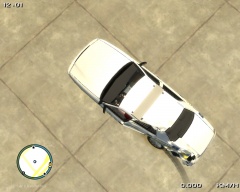
From the album: GTA IV/ LCPDFR Photos
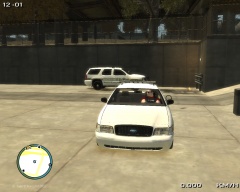
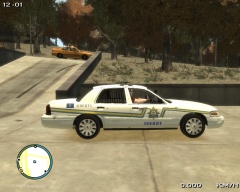
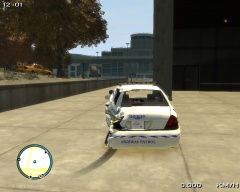
This is what happens when, after a pursuit, you're driving by the suspect's vehicle, and it explodes The car barely made it to the FIA Police Station. Anywhere below 50 KM the rear left wheel still actually turned, but then at around 55 KM, the rear left wheel started skidding, instead of turning. The car was determined to be a write-off, and Officer Knight will receive a new car within a few days, or upon starting his next shift. -
From the album: GTA IV/ LCPDFR Photos
This is what happens when, after a pursuit, you're driving by the suspect's vehicle, and it explodes The car barely made it to the FIA Police Station. Anywhere below 50 KM the rear left wheel still actually turned, but then at around 55 KM, the rear left wheel started skidding, instead of turning. The car was determined to be a write-off, and Officer Knight will receive a new car within a few days, or upon starting his next shift. -
From the album: GTA IV/ LCPDFR Photos
This is what happens when, after a pursuit, you're driving by the suspect's vehicle, and it explodes The car barely made it to the FIA Police Station. Anywhere below 50 KM the rear left wheel still actually turned, but then at around 55 KM, the rear left wheel started skidding, instead of turning. The car was determined to be a write-off, and Officer Knight will receive a new car within a few days, or upon starting his next shift. -
From the album: GTA IV/ LCPDFR Photos
This is what happens when, after a pursuit, you're driving by the suspect's vehicle, and it explodes The car barely made it to the FIA Police Station. Anywhere below 50 KM the rear left wheel still actually turned, but then at around 55 KM, the rear left wheel started skidding, instead of turning. The car was determined to be a write-off, and Officer Knight will receive a new car within a few days, or upon starting his next shift. -
From the album: GTA IV/ LCPDFR Photos
This is what happens when, after a pursuit, you're driving by the suspect's vehicle, and it explodes The car barely made it to the FIA Police Station. Anywhere below 50 KM the rear left wheel still actually turned, but then at around 55 KM, the rear left wheel started skidding, instead of turning. The car was determined to be a write-off, and Officer Knight will receive a new car within a few days, or upon starting his next shift. -
Okay, I tried that image link, and it gives me Imgur's "Not Found" page. Do you have GTAPolicingTools installed? If yes, that error was mentioned >here, as a known issue with GTAPolicingTools, and is ignorable.
-
That SMPA60 error is related to vehicle mods. >Here is a post regarding the SMPA60 Error.
-
Let me guess, top left corner it says something like "Error in IVDashCam"? If yes, I get that error too, and have gotten it since I installed IVDashCam awhile ago. For me, if that error doesn't appear once I'm in the apartment, none of my scripts are working, including trainer, ELS, and even the GTA Console.
-
I noticed in ScriptHook.log text file that it shows the VCF each vehicle is using, and even though the WRNL is set to "halo" in the VCF, it says in the log file, that WRNL Type is set to LEDs Either way it still crashes my game. Any thoughts? Edit: Made a copy of my GTA with my clan pack in it, and installed ELS V8. Started game, without a problem zero errors, and no crashing. Idk what I did. But, to anyone who had or has the same problem with ELS V8 (ELS.asi crashes your game, and game works without ELS.asi). Make a copy of your GTA, with an older ELS Version in it, and then install ELS V8, extracting all the files from the .rar file, but don't add any custom VCF's, yet. Run your game, with ELS 8, and make sure everything works first.
-
Lol, I was hoping it would as I originally thought those were set to "On", but remembered they were set to "Off" :P There is a _SLOTCONTROL file in the ELS Folder, along with config files for each vehicle. It's a copy of my clan's pack, so we only use the default police vehicle slots, including police3, police4, and policeb. We use Bobcat slot as well, but there is a config file for bobcat as well I will try again
-
Crime Stats has been offline for a while now Trying to view your crime stats gives you this message: "This feature of LCPDFR Online Services will return shortly." Been like that for a while now
-
Those were both already turned off, at the time I attempted playing GTA with ELS 8
-
As you see in AdvancedHook.log "C:Program Files (x86)Rockstar GamesGrand Theft Auto IV ELS V8ELS.asi" I have ELS 8 installed in a separate directory, to prevent possibly messing up my primary GTA Directory, which I use for Multiplayer with my clan. asilog.txt.... AdvancedHook.log ScriptHook.log
-
Hi guys, Since ELS 8 came out, I have tried to install it, but have failed multiple times. Yesterday, I finally decided to try again, so, I tried installing it using the provided ScriptHook and AdvancedHook in the download. My game got running, and right before it would go to game after "Loading ... The Cousins Bellec" screen, it crashes. I ran a test, by taking ELS.asi for ELS 8 out of the game, and the game started perfectly. No crashing, nothing, and obviously no working ELS. I quit the game, put the ELS 8 ELS.asi back in my directory, and restarted the game, and the same thing happened: it crashed before it would go to the actual game (Loading ... The Cousins Bellec screen) Any thoughts? Edit: Read the edit to my last post in this topic.
-
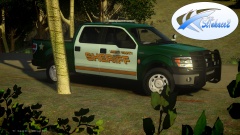 Like ErinLindsay said, maybe add some sort of mirror lighting. Whelen Ions maybe, or Sound Off Mirror Intersectors
 -
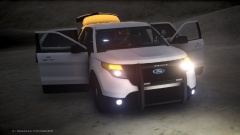 If you mean the two on the bumper, they're fog lights :P If you didn't mean those two, you'll have to be more specific Best, KRI
 -
Contains Alberta Sheriff and Commercial Vehicle Enforcement textures for the 2015 Chevy Tahoe Slicktop PPV. These are vehicle textures only, not vehicle models. Re-upload anywhere without my permission is not allowed. Editing, ripping or claiming is not allowed. Failure to to follow the two above terms will result in punishment No one mentioned here is responsible for any damage to your game.


