




KN1IGHT
Members
-
Joined
Everything posted by KN1IGHT
-
Hi guys, Of the lightbars I have with Zmodeler, only one has an ELS Mapping file. Is it possible to use this one ELS Mapping, for any other lightbars I add to my vehicle model? Note: The one lightbar that had the ELS Mapping works fine in game. But, I'm having trouble adding more then 1 lightbar in Zmodeler. How can I add more then 1 lightbar? Current lightbar: Federal Signal Vista Want to add: Whelen Inner Edge TIR3
-
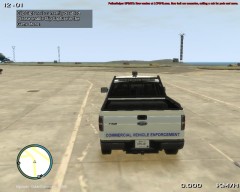
From the album: GTA IV/ LCPDFR Photos
A Commercial Vehicle Enforcement texture made by an EPS Member, for a Crown Vic, and transferred over to this F-150, by myself, due to the reason of our Main Texture Artist for EPS being away. Thoughts? Note: Any texture pics like this, that I upload will not be released publically -
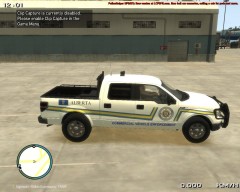
From the album: GTA IV/ LCPDFR Photos
A Commercial Vehicle Enforcement texture made by an EPS Member, for a Crown Vic, and transferred over to this F-150, by myself, due to the reason of our Main Texture Artist for EPS being away. Thoughts? Note: Any texture pics like this, that I upload will not be released publically -
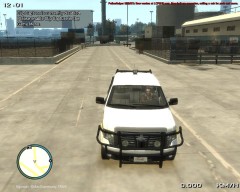
From the album: GTA IV/ LCPDFR Photos
A Commercial Vehicle Enforcement texture made by an EPS Member, for a Crown Vic, and transferred over to this F-150, by myself, due to the reason of our Main Texture Artist for EPS being away. Thoughts? Note: Any texture pics like this, that I upload will not be released publically -
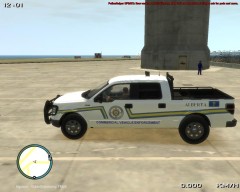
From the album: GTA IV/ LCPDFR Photos
A Commercial Vehicle Enforcement texture made by an EPS Member, for a Crown Vic, and transferred over to this F-150, by myself, due to the reason of our Main Texture Artist for EPS being away. Thoughts? Note: Any texture pics like this, that I upload will not be released publically -
Sorry, my bad. :P
-
I don't remember which video, but it was one of aVsG1rl's videos, and the vehicle she was using at the time, was a Dodge Charger with a Valor for the lightbar
-
This is a late reply, but I solved the MP Problem. I had to get a Static IP from my ISP.
-
I think it will, but I'm not that great with the PC Specs. My desktop specs are in my signature. There are many other people who are more knowledgeable then myself, as to whether GTA IV will work on your laptop or not. :P (Sorry, I could'nt be of more assistance) From my threads, I did learn that the recommended processor speed is 2.8 GHz to 3.2 GHz
-
It's recommended you have at least 2.8 GHz for Processor Speed (I believe) RAM looks okay. How about the Graphics Card?
-
LCPDFR Support should be posted here: http://www.lcpdfr.com/forum/20-support-requests/
-
I believe LCPDFR already has this: - Joining a pursuit - Random events that you encounter while on duty (represented by a white blip on the map) But I see what you mean..... I think Do you mean like: "[Radio] Support needed in pursuit of a green Declasse Merit" ?
-
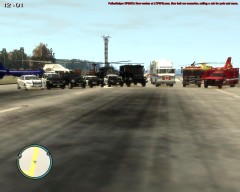
From the album: GTA IV/ LCPDFR Photos
-
That is related to a car model. That means you changed a modded car, that must have been saved at your apartment. The game tried to load the old model and crashed to desktop with SMPA60
-
Double check, to be sure you've forwarded all your Ports. Before doing this, be sure you've assigned a Local Static IP Address to your PC, as most routers require you to enter an IP when port forwarding. (In my case of Multiplayer issues, I had to get a Static IP from my ISP and enter it into my Router) 6672 - UDP 28900 - UDP 8001 - TCP 27900 - TCP Once you've done that/ checked to see if you have, go into your game, open up your GFWL Menu (Home Button), go to Settings (Above Sign Out) and click Network Information, and check what your NAT Type says. If you've configured everything correctly, your NAT Type should say Open, if it didn't already say Open before
-
That error is the same error you originally posted about. Like many other replies said, that is related to a car mod. You most likely saved a modded car at the safehouse, and then replaced it. I'd say put the car back in your game, remove it from the safehouse spot outside, go in and save the game, load the saved game, and it should work. When this happens to me, I just restart the game, save it right away, and load the saved game, and that usually fixes it. Best, KRI
-
Here's the screenshot of the .WTD file in OpenIV:
-
The Edmonton Police still has a car like that, and I see it rarely. Whenever I see it, usually it's pulled someone over. EPS' Car has the red light on top, but more lights as well, in the rear window, front windshield and on the mirrors, but the car is mainly used in festivities, such as parades, and other events like that. This car, is the only black and white car the Edmonton Police still have today. (I think :P I apologize if I'm incorrect)
-
I originally found the second video first, and like the Mustang, that's way to many lights for me. First one was/is better
-
The previous thread about to many lights on the Mustang, reminded me of two videos I watched featuring a Chevy Silverado Police Truck, one being a video that they say it needs more lights, and the second one being the truck after they added more lights. 1st video:
-
I am a person who doesn't mind lights on a vehicle, and am in fact planning on putting some sort of lighting setup on my '02 Ford Explorer, when I get a chance. But, that is just way to many lights. Whoever did the lighting, if you wanna blind me, just tell me, and I'll use a flashlight or something else, that can blind you temporarily at a short distance. You see that thing at night, like JAM-Justin said (in a way), it'd look like a friken UFO! Other than to many lights on the back, that'd be a great unmarked car.
-
In one of my threads about PC Specs, it was recommended to have at least 2.8GHz to 3.2GHz for GTA IV and LCPDFR. So with either of those processors would most likely be fine.
-
If you're using Simple Native Trainer, in the Options menu, look for "Enable/Disable Keys" and make it disabled. In the same menu look for "Save settings to trainer.ini" to save the Disabled Keys setting, along with any others, to trainer.ini so you don't always have to set it every time you play GTA
-
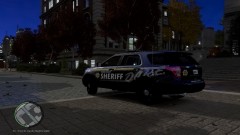 Looks great!
 -
Well, I apologize then..... We're all human, we make mistakes. But, if he wants to stay true to the real police vehicle, Integrity should only have one "e" in it.

