




KN1IGHT
Members
-
Joined
Everything posted by KN1IGHT
-
I had him add a normal test user, and then view his profile with that account, and it shows Private. Thanks Jay
-
He's tried that on his board (IP.Board latest version 3.4.6), but it still shows it when he views his profile. He's wanting it like my profile on here :P When I view my profile, my last active stat is labelled as "Private" even to myself. No worries if it can't be figured out.
-
Hi, This may seem like a dumb question :P But, how do you re-enable your online status being visible to others, or hide it from others? (Posting for a friend who is currently very busy in rl life, and wants to know) A friend of mine has created his own forum, using IP.Board, however he cannot, for the life of him figure out how to hide his online status, so it shows in his profile like mine does on here in my profile, as mine here even says Private for me. If anyone could help him and me out I'd appreciate it :) Best, KRI
-
I posted a topic a while ago about The download I got it from, per that topic I linked you to, is here. I'm running Norton 360 Premier Edition currently, and that download has never set off my Anti Virus in the few times I've had to re-download it. Hope that link works for you! Please note, per the topic I linked you to, only that download (as far as I know) will work with the GTA IV 1.0.7.0 patch
-
Hi guys, I'm wondering if someone could make me a Police F-150 Model. Please note, before considering this, details are very specific, such as lighting colors. (Ex: Red is on left of lightbar) I know there are different F-150 templates out there, but if possible I'd like it to utilize the Template linked below. Base Model Specs (If Possible): - Ability to change wheel rim color with Simple Trainer (Same as this F-150/ same F-150 model) - Same year F-150 as this one - Utilizing ">this template If you are willing to take on this request, please send me a PM. Please be sure to list your email in the PM, as I will be sending you the complete list for the vehicle via email. In my reply to your PM, I will list a TeamSpeak IP Address, and an email I will be sending the list from. I apologize if this description is a bit vague, but since it is a private request (No uploading anywhere after finished), major details have been withheld. Edit: Request has been Accepted
-
Hello guys, After a few weeks of just looking up this problem, I finally took the time (10 mins ago), unplugged my computer, carefully laid it down on the floor, took off the access cover, removed my RAM Sticks, and switched the slots they were in, and restarted. And, the result is.... I have my 8 GB of RAM back! Thank you to everyone who replied to this topic! :)
-
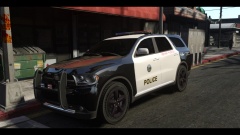 Loving those black rims on the wheels! -thumbs up-
 -
-
Hi guys, Does anyone have a link to the siren used in
-
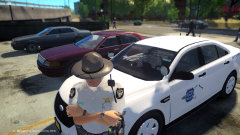 Download link for that FPI?
 -
Have you tried the I've forgotten my password link on the sign in pop-up?
-
Just ran that program, and..... no errors were detected Looks like I will have to dig a bit deeper into this.
-
The strange part is, just awhile ago (quite possibly a week) I showed a friend the same thing (not over join.me) and it displayed 8GB, which is what it should. The PC itself is in an enclosed desk, with doors on the front, and hasn't been bumped hard recently to possibly jolt a RAM stick enough to have it register as only 4GB installed. However, I will read through the replies so far, again, and try the advice I'm most comfortable with when I can.
-
Hi guys, As my signature says I have 8GB of DDR3 RAM on my PC. However, tonight I was showing a friend over join.me how to view his specs, like processor speed and Installed RAM. I opened it up on my PC, to show my friend over join.me and, for some reason, it now says I only have 4 GB of RAM installed. I have attached an image of my specs. The RAM is highlighted in a red rectangle. I am not comfortable with opening my PC and taking out the RAM Sticks, putting them back in, and then restarting (like one site suggested). Does anyone have any thoughts as to why this has happened?
-
Hi guys, I was wondering if there's a way for car models, that have a window template, to have different textures for the window as well. Ex: State Police Texture would have "State Police" on the front and/ or rear window. Say, I changed the car texture to a Sheriff texture. Normally the window text would stay as "State Police". Has any modder ever found a way to enable the window texture (if any) to change with the car's texture. - State Police = "State Police" on front and/ or rear window - Sheriff = "Sheriff" on front and/ or rear window This is something that just crossed my mind over the weekend, but I never got a chance to post. Anyone think this would be a good idea to attempt to add to cars with multiple liveries (even if it's only 2)?
-
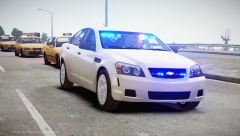 Where'd you download that model?
 -
I know that this reply, probably won't help you with ELS 8, but I feel it will help you with taking screenshots of your screen, so they're right side up. Download either Bandicam or Fraps and run it while your game is running. Set up an appropriate key to take a screenshot, and then press that key. It will automatically be saved to your Hard Drive, right side up, and clearer then taking it with your phone. Note: Free version of Fraps saves images in .BMP format by default.
-
SMPA60 has to do with Car MODs. is a post that should help you out with the SMPA60 error.
-
In my experience, having to press the primary lights button many times before they activate, and having to do the same to turn them off means, there is a MOD somewhere in your game, that is also "bound" to the primary lights key for ELS. I've never used an ENB, but it it has an .ini file, open it up and look if the primary lights key is "bound" somewhere in the .ini Go into the .ini file, and look for the key in there, and change it to something else. Source: Had this same problem with Simple Trainer having the primary light key "bound" to a feature of it. Opened trainer.ini and changed the key binding, and ELS 7 works light a hot damn
-
This happened a while ago in Edmonton (city near me) Honestly, if you can't handle losing online in the game, then there's a simple solution: Don't play online or, don't play at all The Edmonton news article can be read here
-
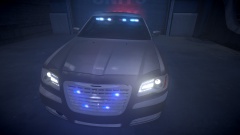 Nice! Will this be released?
 -
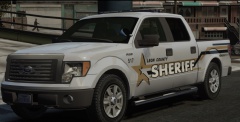 Download link for that F-150?
 -
My bad :P As for the stop light point, around here I've heard that they're getting stricter with Distracted Driving and you will still receive a ticket even if you're at a stop light.
-
This can happen as well: "Grim Reminder" to put your phone down while behind the wheel This incident happened just yesterday in Edmonton. Long story short, this woman posted on Facebook saying a song on the radio made her happy at 8:33 PM, and at 8:34 PM the call came in about the accident. “As sad as it is, it is a grim reminder for everyone… you just have to pay attention while you are in the car,”
-
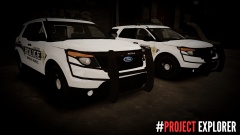 :P Come to think of it, I looked at the image again. I must have been hallucinating, because I don't see the guy anymore xD ;)


