




KN1IGHT
Members
-
Joined
Everything posted by KN1IGHT
-
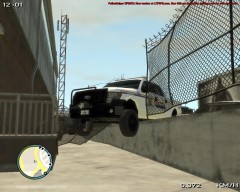
From the album: GTA IV/ LCPDFR Photos
Playing single player GTA, and I ended up in a pursuit with a Cavalcade (Not seen in photo) Taxi that stopped suddenly on the road, beside one on its left, forced me to veer to the right. (Not seen in photo) I ended up going over the barrier, and through the fence, effectively "hanging" my truck. (Slicktop CVPI, is an AI that came in for backup) Earlier on in Single Player, I totaled 2 CVPI's. (I didn't get a chance to take a screenshot of them) -
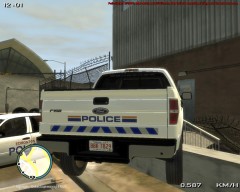
From the album: GTA IV/ LCPDFR Photos
Playing single player GTA, and I ended up in a pursuit with a Cavalcade (Not seen in photo) Taxi that stopped suddenly on the road, beside one on its left, forced me to veer to the right. (Not seen in photo) I ended up going over the barrier, and through the fence, effectively "hanging" my truck. (Slicktop CVPI, is an AI that came in for backup) Earlier on in Single Player, I totaled 2 CVPI's. (I didn't get a chance to take a screenshot of them) -
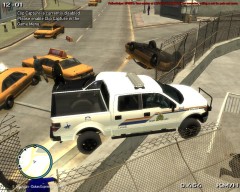
From the album: GTA IV/ LCPDFR Photos
Playing single player GTA, and I ended up in a pursuit with a Cavalcade (Not seen in photo) Taxi that stopped suddenly on the road, beside one on its left, forced me to veer to the right. (Not seen in photo) I ended up going over the barrier, and through the fence, effectively "hanging" my truck. (Slicktop CVPI, is an AI that came in for backup) Earlier on in Single Player, I totaled 2 CVPI's. (I didn't get a chance to take a screenshot of them) -
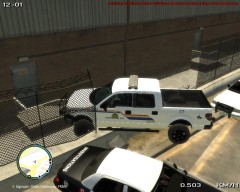
From the album: GTA IV/ LCPDFR Photos
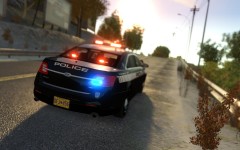
Playing single player GTA, and I ended up in a pursuit with a Cavalcade (Not seen in photo) Taxi that stopped suddenly on the road, beside one on its left, forced me to veer to the right. (Not seen in photo) I ended up going over the barrier, and through the fence, effectively "hanging" my truck. (Slicktop CVPI, is an AI that came in for backup) Earlier on in Single Player, I totaled 2 CVPI's. (I didn't get a chance to take a screenshot of them) -
-
Nice videos! Looking forward to seeing some more! -thumbs up-
-
I've downloaded 1-2 tahoes, that have two partitions, and it actually doesn't look bad. It also makes sense to have two partitions, however I have yet to see a real life Tahoe that has two partitions
- 17 comments
- 14 reviews
-
Here's a whole database of EPS Vehicles: http://policecanada.org/policeca/ab/edmontonps/index.html
-
Here's the answer to your error (Watch the video): '?do=embed' frameborder='0' data-embedContent>> I found it right at the top of the LCPDFR Support Requests forum.
-
 Will it be ELS Mapped with release, or will ELS Mapping be required?
 -
 If released to the Development section of Downloads, will it be ELS mapped already?
 -
So this means GTA IV MP will be no more? :|
-
The Clans Page is your friend, when looking for a clan: http://www.lcpdfr.com/page/clans/index.html/_/clans/ and: http://www.lcpdfr.com/page/clans/index.html
-
 Download link?
 -
Lol Not all Canadians are like that. But, I see how it's funny :P I'll be driving an '02 Ford Explorer, once I get my license Sorry, no pictures yet.....
-
 Download link?
 -
I normally like almost any vehicle model, but I'm sorry to say, I would not download that one. But, good try.... I guess?
-
-
He means the folder your GTA IV is installed in
-
It is most definitely the saving while on duty.
-
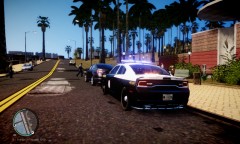 Charger looks awesome! From the back, it kinda looks like a car a street racer would be driving
 -
To install GTA IV on Windows 8, install the version you got, either from a CD, GameStop Online or Steam. Then find the 1.0.7.0 GTA IV patch, in the appropriate language. Download it, and run it. Find the latest GFWL, and download and install it. If GTA IV still doesn't work, run the patch again, and it should work. Source: Installing GTA IV on my Windows 8 PC. Worked for me Best, KRI
-
This may happen, if you haven't updated using the 1.0.7.0 patch, and are still using the outdated social club login. (Happened for me) Run the 1.0.7.0 patch once you've downloaded the appropriate language version (http://support.rockstargames.com/entries/484496-Grand-Theft-Auto-IV-Patch-7-Title-Update-v-1-0-7-0-English-1-0-6-1-Russian-1-0-5-2-Japanese-) and to be safe, download a copy of the latest Games for Windows LIVE, and run it. If you still get the Cmd Prompt error, try running the 1.0.7.0 patch again. The steps above, I mentioned, about installing latest GFWL, etc. was what I did to fix the problem on my PC, when I reinstalled GTA IV. Note: Below steps may not be in exact order - Install GTA IV - Install latest GFWL - Run 1.0.7.0 patch - Test (Didn't work) - Run 1.0.7.0 patch again - Works!
-
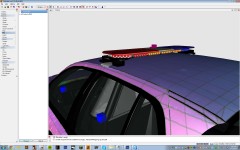
I'm just experimenting with the vehicles at the moment. They are both under the Chassis, and they are at the bottom of the hierarchy at the moment. I tried moving them, so they're under Chassis_L1 and Chassis_L2, saved it, exported it, viewed it in OpenIV Model Viewer, and still only one is visible And maybe a prisoner transport vehicle? (o.O)
-
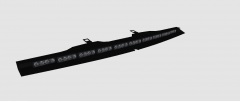
I'm currently working with two Federal Signal Vistas. In Zmodeler there's two on the model. 1 on the front of the roof, and one on the back. I export with no errors, and then open it up in OpenIV Model viewer. In the model viewer there's only one lightbar, yet in Zmodeler there's 2

