Skip to content
View in the app

A better way to browse. Learn more.

LCPDFR.com

A full-screen app on your home screen with push notifications, badges and more.

To install this app on iOS and iPadOS
  1. Tap the Share icon in Safari
  2. Scroll the menu and tap Add to Home Screen.
  3. Tap Add in the top-right corner.
To install this app on Android
  1. Tap the 3-dot menu (⋮) in the top-right corner of the browser.
  2. Tap Add to Home screen or Install app.
  3. Confirm by tapping Install.

Keith.

Members
  • Joined

  • Last visited

Everything posted by Keith.

  1. I'm not too sure what's happening with that particular pack bud. A few people have had problems with it. I don't have it on my comp anymore and I'm going to delete it from this site and re work it all when I get back from holiday.
  2. You could've told him seeing as you speak Russian. Instead of calling him an idiot.
  3. I'd change it to something else if it doesn't bud
  4. Actually, You have to set the spotlights light ID to either 14 (extralight_1) or 15 ( extralight_2) As you can see. The one on the left has the correct light ID (14). The one on the right is the authors original set up with the ID at 0. That's what gives it the centre steady burn for some reason.
  5. That's how I know they're mine dude. But in reality. That's how the spotlight was set up by the original author
  6. I don't have this pack anymore bud. The car disappearing is down to the lods If you download and install the vehicles.meta from this pack. It should fix that issue
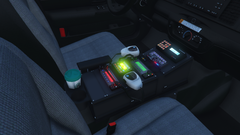
  7. Any ideas on what equipment on it ?
  8. Ah. We have a troll I see. Well. It's back under the bridge for you good sir. 🖕🏻
    • 3,567 downloads
    • Version 1.0.0
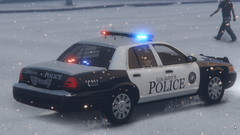
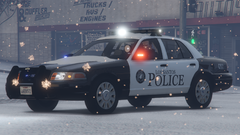
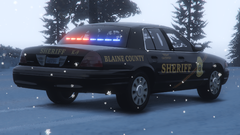
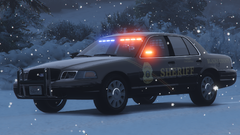
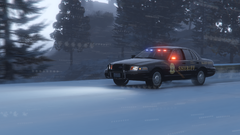
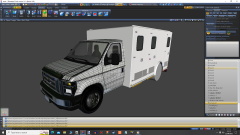
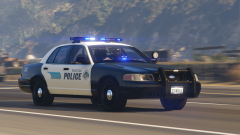
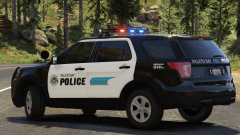
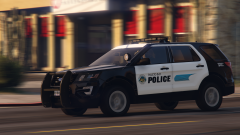
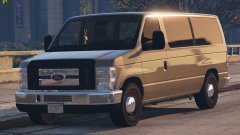
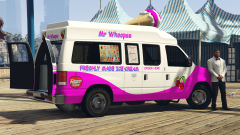
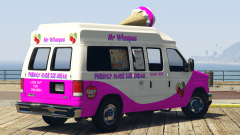
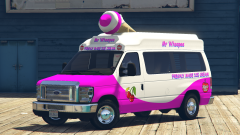
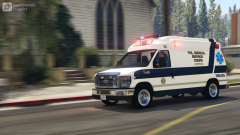
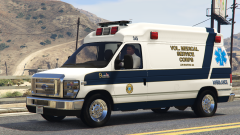
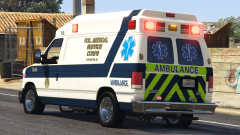
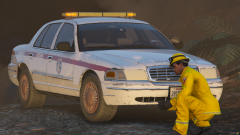
    It's been a while since I uploaded anything and I was messing about with these over the last couple of weeks. 4 models Put these in your latest patchday. Make a backup of your vehicles.meta and replace it with the one provided. I may add more models, but, that depends on how busy I get in work. I know there's a permanent light on in the centre of the spotlight. Enjoy
  9. You can't for some reason bud. Its the spotlight model itself. I'll have to re edit the spotlight next time I use it
  10. It depends what you're after really
  11. https://www.policecarwebsite.net/states.html
  12. Keith. commented on Keith.'s gallery image in GTA V Galleries
  13. Probably. But, It'll get finished when I get spare time to do it, so, not sure on any release dates yet.
  14. Might as well. I'm bored. I'm in the middle of setting up the lights I.D's. But I've already templated and dirt mapped it amongst other things
  15. HVY Insurgent Mapped Default-Style - Vehicle Models - LCPDFR.com
  16. It says in the video description, The link for the models in in his discord.
  17. Have a look in the VCF's bud. <!-- PRML --> <PRML LightingFormat= What does it say after the = symbol? Drot2 or DRO3 ?

Account

Navigation

Search

Search

Configure browser push notifications

Chrome (Android)
  1. Tap the lock icon next to the address bar.
  2. Tap Permissions → Notifications.
  3. Adjust your preference.
Chrome (Desktop)
  1. Click the padlock icon in the address bar.
  2. Select Site settings.
  3. Find Notifications and adjust your preference.