Creators: Due to background reprocessing of files, approvals and file security checks may be delayed. Thanks for your patience.

TreadRed
Members
-
Joined
-
Last visited
Everything posted by TreadRed
-
-
-
-
 Can I Use your agency configs in my mod as long as I point everyone to the download for the outfits xml's?
- 263 comments
- 20 reviews
-
-

- 1
-
-
[3/20/2019 8:12:27 PM.818] Failed to create D3D11 device for Grand Theft Auto V: 887a0001 1. Start rage, press settings In the general tab set the threshold to 50000 and tick disable text rendering in the advanced setting make sure nothing is ticked in the game setting>command line switches make sure the only things ticked are directx11 and forced windowed mode. Make sure these setting apply for rage and hopefully that will help you. If not [3/20/2019 8:25:41 PM.401] LSPD First Response: Origin: Game fiber "MenuBase". [3/20/2019 8:25:41 PM.401] LSPD First Response: ------------------------------ [3/20/2019 8:25:41 PM.401] LSPD First Response: Exception type: System.NullReferenceException [3/20/2019 8:25:41 PM.401] LSPD First Response: Exception message: Object reference not set to an instance of an object. You might have to reinstall LSPDFR. If I was you I would do the manual download, and copy the files over and replace the old Given that I installed the 0.4 update via the executable file. I don't have any plugins installed in the GTA folder, except I edit it. Idk what you mean by this, but in the manual download, you can try just copying the plugins folder over and replacing the one in your gta directory in it if you think you messed something up there
-
1. Start rage, press settings In the general tab set the threshold to 50000 and tick disable text rendering in the advanced setting make sure nothing is ticked in the game setting>command line switches make sure the only things ticked are directx11 and forced windowed mode.
-
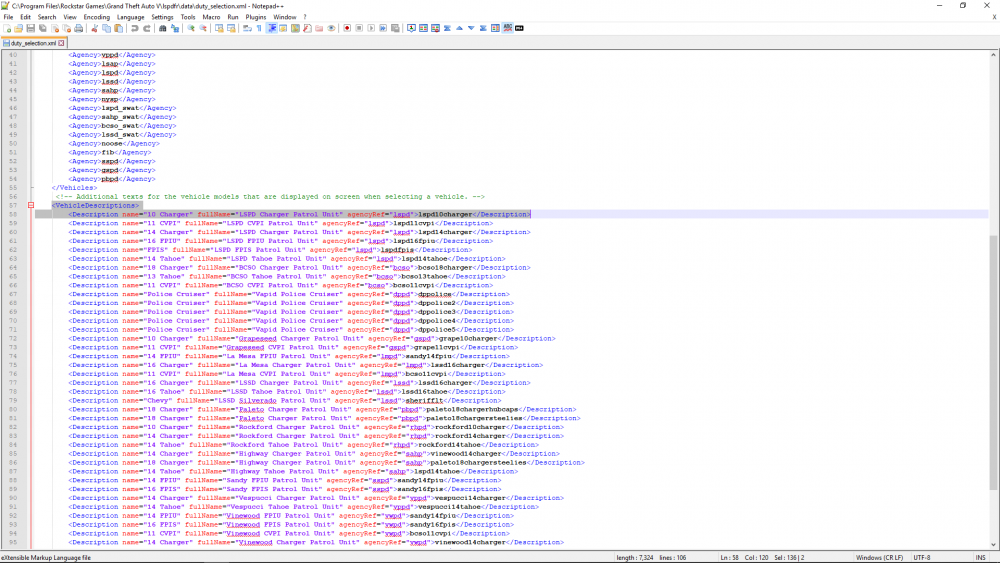
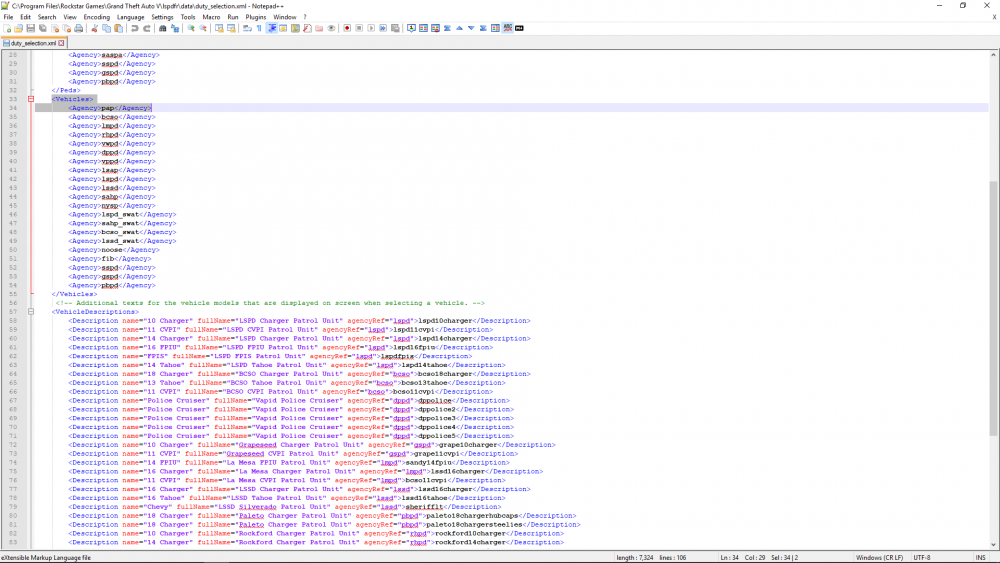
you can do it by going to lspdfr>data>duty_selection.xml, or if one is in the custom folder do it there. Go down to vehicle descriptions part and add it in, the name can be whatever, just make it short, the full name can be whatever. Make sure to match the agencyref with the sciptname of the agency police4 is in. also make sure the agency it is in is listed in between <Vehicles></Vehicles>, like the other agencies.
-
traffic policer crashed ya, maybe a reinstall of it would help
-
post log from GrandTehftAutoV>RagepluginHook (textdocument)
-
remove them from lspdfr>data>stations.xml
-
You can disable Sandy and Paleto police stations, Mission Row doesn't have one though so Im not sure if that's what you actually mean?
-
Ok, I wish they did that with GSD too
-
bump Also there is zones in the list provided here BANHAMC (Banham Canyon Dr) BHAMCA (Banham Canyon) But there is one provided in the download files that not in the list, its under LosSantosCounty region, along with the 2 above <Zone>BANHAMCA</Zone>
-
Your welcome
-
Yes its ctrl+R now and requires Traffic Policer mod
-
If you downloaded a bad gameconfig file then you go to the path, carefully, out of your mods folder and export the original gameconfig and import it into the mods folder path, or you can try this one. https://www.gta5-mods.com/misc/gameconfig-xml-dilapidated
-
You should perform the following, as your log is unhelpful 1Start rage, press settingsIn the general tab set the threshold to 50000 and tick disable text rendering in the advanced setting make sure nothing is ticked in the game setting>command line switches make sure the only things ticked are directx11 and forced windowed mode. 2. Be sure exceptions are made in Windows Defender and your Antivirus for both the Gta5 folder and RAgePluginHook.exe. Atleast the executable. 3. If you are still failing to load an dhave a mods folder, move it out of gta folder onto you rdesktop and try to load the game. 4. move your everything from the plugins>lspdfr folder into an folder on your desktop and try to load the game.
-
Also The vehicle chance for Los Santos City does not equal 100 in the default regions. Even if you do frsh install, your going to have to make sure chances equal up to 100 and you don't have multiple zones.
-
-
Well if you haven't started fresh, the issue is you have <Zone>SANCHIA</Zone> twice in the CustomRegions file. Its under San Andreas Parks and High Crime Areas. Remove one of em. Also The vehicle chance for High Crime Areas does not equal 100.
-
can you post your log
-
Yes, which means he is doing an update, have to wait it out
-
awesome, np
-
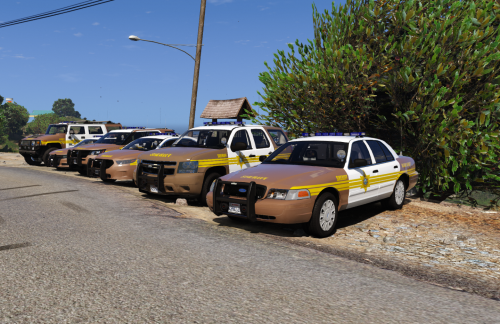 I don't know how the hell you made brown, yellow and blue work but you did, great job
- 43 comments
- 5 reviews
-
I don't see why the setting wouldn't work but you can also remove the <Flag>SpawnsAmbiently</Flag> from each agencys loadout in the agency.xml