


TreadRed
Members
-
Joined
-
Last visited
Everything posted by TreadRed
-
the "sheriff" slot.
-
Thanks, I don't see where the game preloaded vehicles did you turn that off? Looks to me that loading the sheriff unit for an ambient event crashed you, did you add a custom vehicle in that slot?
-
show me a screenshot of your lspdfr>data>custom folder content please
-
Well wilderness callouts hasn't been updated since 2015 so there is no way it can play on lspdfr .4 Remove it, it crashed ya
-
You need to update grand theft auto
-
Grand Theft Auto V>RagePluginHook (textdocument).. upload It here
-
your welcome have fun
-
welcome
-
You need to download the manual install of lspdfr.4 and copy and paste the data file in then. Idk how you didn't get one?? Comes with the game.
-
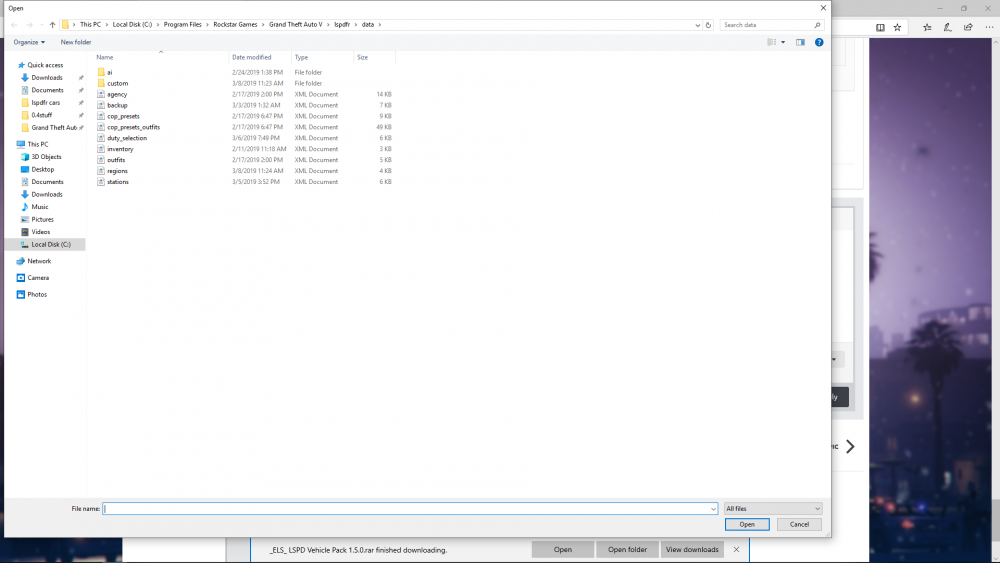
outfits.xml Says you don't have this file, download it and put it in lspdfr>data make sure you have the other files in there also
-
your welcome
-
Your welcome, be sure to add in eception for gta folder in any antivirus programs you have also.
-
Its probably an antivirus blocking then. Log shows nothings wrong.
-
probably, though Ive never heard of that happening so I cant be of any help, hopefully someone else can
-
Lawd how did your disablecustomloading screen get check Please Start Rage, press the settings button. In General tab, Set threshold to 40000, and check disable text rendering. In Advanced setting make sure nothing is ticked, you have something ticked. in Game settings>command line switches, tick Directx11 and Forced Windowed Mode, make sure nothing else is. If that doesn't work post updated log
-
k go back into rage setting and set the threshold to 40000
-
post the log from Grand Theft Auto V>RagePluginHook the text document
-
If its called Inventroy.xml then that's the issue
-
Start Rage and press the setting button. Go to advanced setting and untick disable custom loading screen [3/8/2019 2:18:05 PM.712] Command line option -disableCustomLoadingScreen is specified; disabling custom loading screen rendering. Also make sure nothing else is ticked there. In Game Settings>Command Line Switches make sure the only things ticked are Directx11 and Forced Windowed Mode.
-
You need to go into Rage's settings>advanced settings and untick Enable Loading Custom Backgrounds for Loading Screen [03/03/2019 17:17:41.876] Command line option -enableCustomLoadingBackgrounds is specified; enabling custom loading screen backgrounds. also make sure nothing else is ticked, and in games settings>command line switches make sure the only things ticked are Directx11 and Forced Windowed Mode.
-
The game crashed when trying to access your backup.xml file to gather information for Vinewood Hills. Something is wrong with that file. lspdfr>data>backup.xml Is there one in lspdfr>data>custom?
-
Whats its saying is, you have not defined an agency for the region paletoforest is in, for statepatrol. This would be defined in a backup.xml file located in lspdfr data or lspdfr>data>custom. upload your region.xml and your backup.xml and Ill help you fix it
-
ok
-
Go to Grand Theft Auto V>RagePluginHook (textdocument) and post the contents here
-
Yea up to the point where you can drive around and do whatever you want

