


TreadRed
Members
-
Joined
-
Last visited
Everything posted by TreadRed
-
Kaspersky? out of date or not its still a working anti virus
-
Yea I can see them, no unblock option is good, means it is not blocked. Just drag and drop the folders onto your desktop Grand Theft Auto V>mods Grand Theft Auto V>plugins>lspdfr
-
since 4 hours ago when you created this? or before? If before..regardless, something is wrong with your agency file specifically, the agency_eup file in lspdfr>data>custom
-
Ok are you sure you don't have AVAST or some other anti-virus? right Click on the ragepluginhook.exe in the gta directory and go to properties, look in the general tab, do you see a Unblock button anywhere?
-
no, there is suppose to be a lspdfr folder in the gta main directory, and one in the plugins folder. If you don't have one there that's fine though. have you not installed any plugins?
-
Try moving the lspdfr folder out of the plugins folder
-
Do you have a mods folder? Try moving it out and launching if that don't work move the lspdfr file out of plugins folder and launch
-
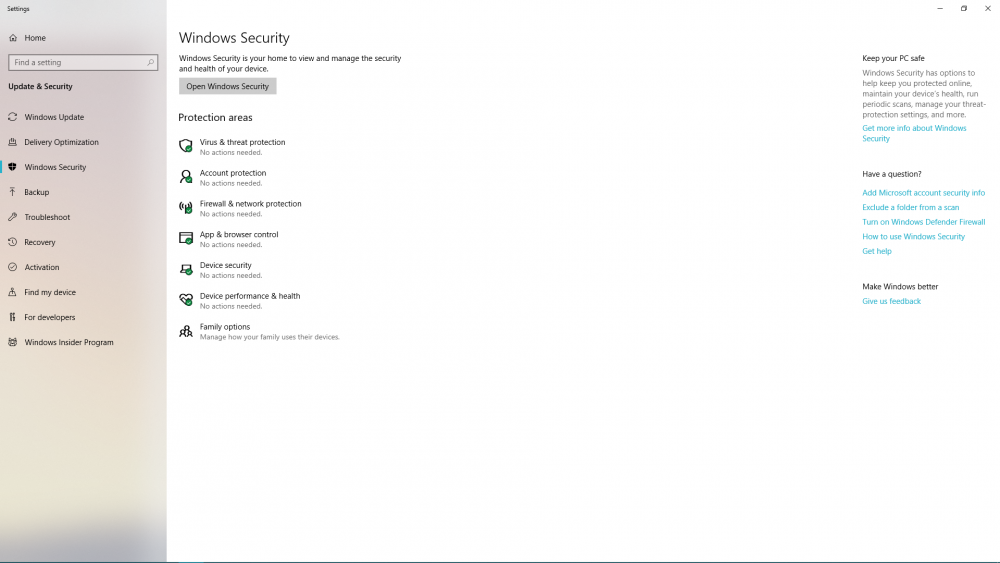
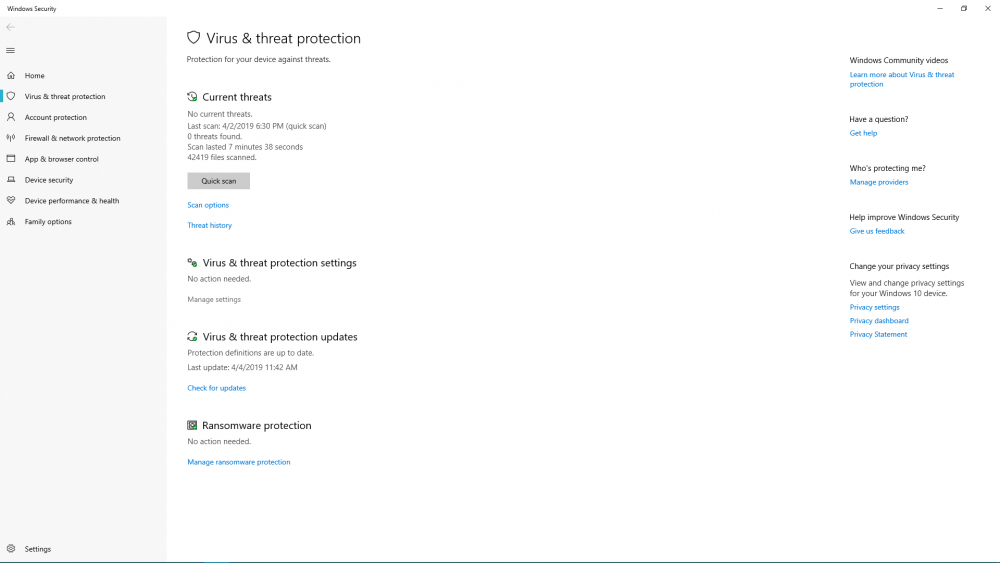
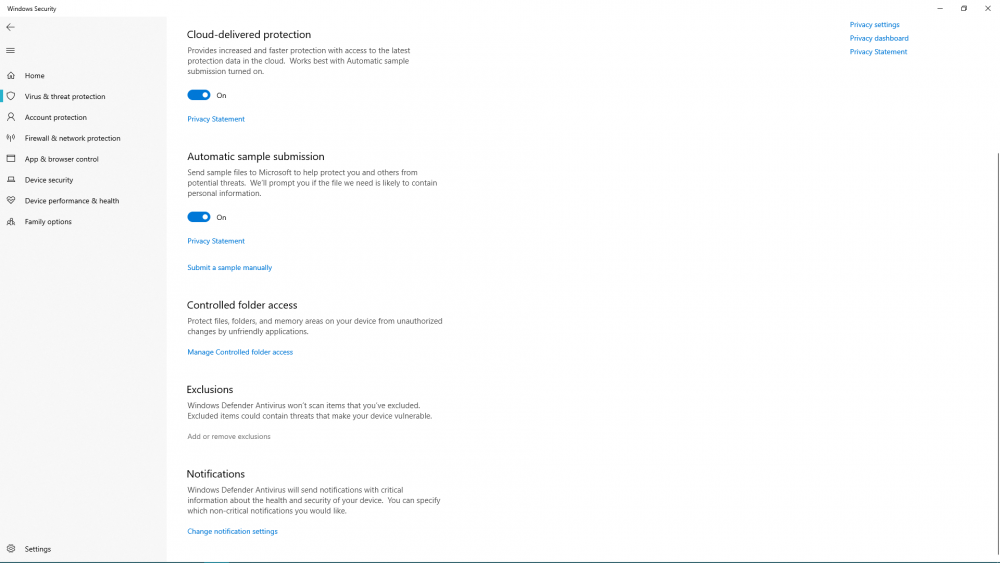
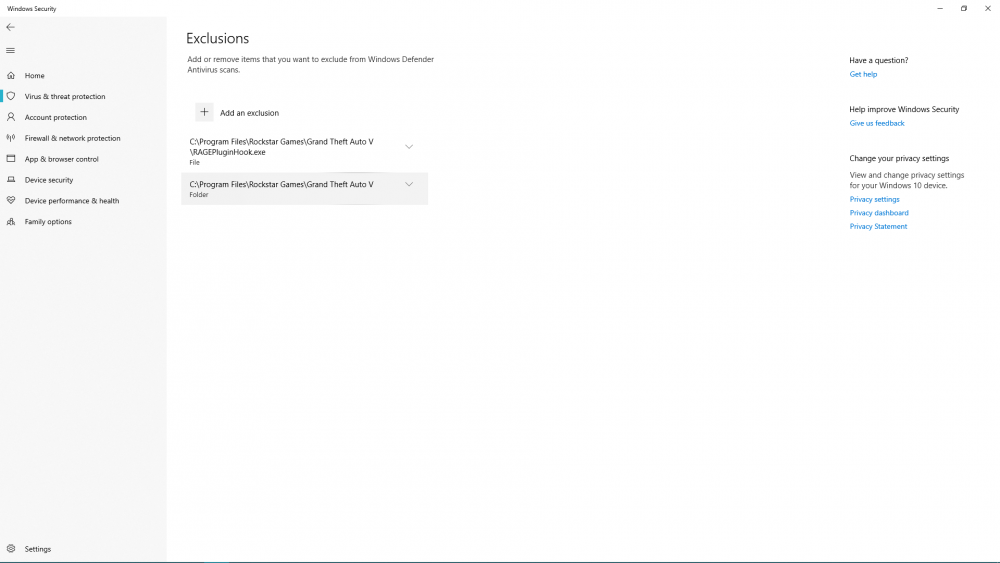
Lol Find Windows Security Click Virus and threat CLick manage settings Then add or remove exclusions add exclusions
-
Start rage, press settings In the general tab set the threshold to 50000 and tick disable text rendering in the advanced setting make sure nothing is ticked in the game setting>command line switches make sure the only things ticked are directx11 and forced windowed mode.
-
well you cannot uninstall windows defender
-
You can try moving the mods folder out of the directory and onto your desktop and launch rage
-
yea, its outdated anyways, or update it, read its help files to learn how to make an exception for a program
-
why don't you try uninstalling it, or disabling it
-
Probably your antivirus blocking it, have you made exceptions?
-
Have you made exceptions in your antivirus for gta folder and maybe even as far as the rage executable itself?
-
You said gta will not load by itself either?
-
post the file from Grand Theft Auto V>RagePluginHook (textdocument)
-
sure screen shot it all make sure you have exceptions in your anytivirus
-
error of death
-
according to your log the POLICE vehicle is not installed properly
-
 @Narobic Is there not a perfect setup that removes all the non-essential gta keybindings to free the buttons for plugin menus? I see all your options you have made, but my brain is having a time figuring out which one I need. I basically wanna be able to drive around in vehicle, and nothing else but access menus and lights preferably and on foot have the combat options and menus
- 161 comments
- 23 reviews
-
use stop the ped and/or interaction+
-
Adding these to lspdfr>lspdfr.ini may help Networking.DisableServerCommunication = True Networking.DisableDiscordRichPresence = True
-
Well it didn't work so well, undo it
-
have you made any changes to siren sounds?




