




Yasd
Community Team
-
Joined
-
Last visited
-
Currently
Viewing Topic: Coastal Callouts Out of Game Memory
Everything posted by Yasd
-
You're welcome!
-
Update Scripthookvdotnet nightly: https://github.com/scripthookvdotnet/scripthookvdotnet-nightly/releases
-
You have a slim.dx error in combination with riskier traffic stops. If you have edited anything in the riskiertrafficstop settings, I would replace those with the Default. if you still having issues, there a some steps you can try, but is not 100% guaranteed to work. - make an antivirus exception for the whole gta folder. - reinstall Ragepluginhook. - update or reinstall audio & graphic drivers. - run the .net framework repair tool. - complete windows updates
-
 I think it would be a good idea to add RageNativeUI to your download. So users do not have to download it separately.
- 22 comments
- 1 review
-
Please remove moreradiochatter, ist outdated. You can replace it with xscanner.
-
You are missing CalloutInterfaceAPI in the main gta folder. Remove those because they are outdated and may cause your game to crash: Callout Manager Code 3 Callouts ComputerPlus Copper Callouts High Priority Callouts Update DeryllCallouts.
-
Install pyrocommon from supercallouts in the main gta folder disable ambient game blips in the lspdfr.ini by editing Main.DisableGameBlipHiding = true
-
For the get money: the money from the player is not the money from the story mode peds. the players money is then treated as a normal npc ped and the maximum money you can have is 65536 -> 16^4 if you go on duty this value might be set to 0, so if you give yourself money then, it should return the new value then. for the weapon stuff pls provide another screenshot how you’ve done that
-
Install a gameconfig, heap adjuster and packfile limit adjuster.
-
Post the Ragepluginhook.log from the main gta folder
-
You are playing on very old versions of Ragepluginhook, lspdfr and gta pls update those and try again.
-
You don’t need to rename anything, if you verify the game files the mods folder isn’t affected.
-
Post the Ragepluginhook.log from the main gta folder
-
Remove scripthookv.dll and try again. if it still crashes, verify your game files. keep your mods folder renamed to _mods then and try to start your game
-
Post the Ragepluginhook.log from the main gta folder
-
Cntrl + P opens the ELS panel. Make sure your vehicle is ELS compatible and the vehicle.xml config file is in gtav/ELS/pack_default
-
Unhandled exception occurred in console command "ForceDuty" Exception type: System.InvalidOperationException Exception message: Cannot load an invalid weapon asset. Rename the mods folder to _ mods and try again.
-
For elssirenextender you are missing liteconfig. Remove computerplus & wilderness callouts, those are outdated and may cause the issues. Can’t accept callouts means you are getting random ones, but once you press y for accept it doesn’t work?
-
First rename the mods folder to _mods and see if your game works correctly
-
I assume this was just a one time problem. A simple game restart solves random problems.
-
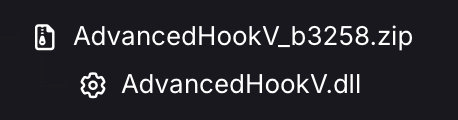
Update AdvancedHook.dll from the ELS download site. You need to download it separately.
-
I assume it’s a mods folder issue. For that, just start gta alone without Ragepluginhook. if it still crashes, it would likely be a mods folder issue.
-
Install Pyro.common from Super Callouts in the main GTA folder Install RagenativeUI in the main gta folder.
-
Add your gta folder as an exception in your antivirus. And: Rockstar recently introduced the BattlEye anti-cheat system. To use mods like Scripthook V, RPH, and LSPDFR, you'll need to disable it. A new setting in the launcher allows this. To disable BattlEye, open the Rockstar Launcher, navigate to the 'SETTINGS' tab and uncheck the BattlEye setting, which is by default checked. If using third party launchers like Steam or Epic and these instructions do not work for you, you may need to create a commandline.txt file, with the contents -nobattleye or insert it into the command line arguments of the launcher. For more information, visit the Rockstar Games BattlEye FAQ.
-
Remove because outdated and may cause crashes: Officerstatusplugin Policesmartradio trafficpolicer



