0taku
Friends of LSPDFR
-
Joined
Everything posted by 0taku
-
.png.520d5ce202da6ee40879131a75348ed1.png) Needs more lens flare
Needs more lens flare -
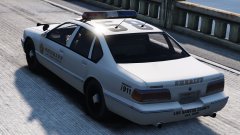
 Custom burn map?
 -
@bur587 Looking at the specs of the MB on the Gigabyte site and cross checking some things over on Nivida site. I believe it should work, however my knowledge of Motherboards isn't the best. If you have a local computer parts retail I would suggest asking them because they might know alot more then I do.
-
I believe since you are currently using a GXT 960 you should be able to fit and use a GTX 1070. I use a 1070 and here are my specs to compare I5 6500 MSI GTX 1070 8GB 16GB RAM 500W PSU Asus Z170-AR.
-
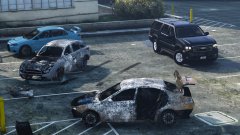
 Wheels are black it's just spec map issue
 -
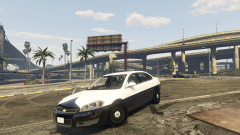
From the album: 0taku media
The 2016 Chevy Impala I'm working is coming along nicely, biggest issue right now is the COL's aren't working right -
This covers the basic of Zmod3 for GTA V,
-
![[WIP] NSW Rescue pumper](//s3-gallery.int-cdn.lcpdfrusercontent.com/monthly_2016_08/small.14037527_1743491855968324_259255543_o.png.37021961110168aeea39fe1ea97db16c.png) It's all right, I was just making a NSW/QLD joke
It's all right, I was just making a NSW/QLD joke -
could be dust build up,
-
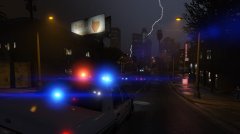
From the album: 0taku media
A LSPD unit responding to a call in a Thunder storm. -
Ewww. Needs to be a QLD one
-
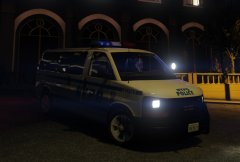 They GMC Savanna rims are the same ones as the Chevy Expresses, just different center caps
 -
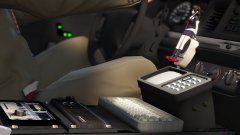 Take me a good 40 seconds to notice something was out of place
 -
![[UNLOCKED] Code 3 Defender(US)](//s3-gallery.int-cdn.lcpdfrusercontent.com/gallery/album_999/sml_gallery_34991_999_41399.png) From my memory it was released on another site which is no longer up. There is still this one for gta iv, but is the AU version which has a message board in it: If your after one for GTA V. I have one but it is the newer 'QuadCore' model they have and does need some work to it as it is a BYO, much like the real life one. As far as I know these are the only two public ones as of typing this
From my memory it was released on another site which is no longer up. There is still this one for gta iv, but is the AU version which has a message board in it: If your after one for GTA V. I have one but it is the newer 'QuadCore' model they have and does need some work to it as it is a BYO, much like the real life one. As far as I know these are the only two public ones as of typing this -
From what I've seen on the forums this is something to do with LSPDFR/Ragehook
-
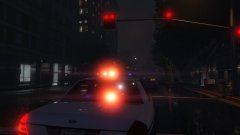
From the album: 0taku media
Got GTA V installed on my new rig and one of my modded cars back in and it looks beautiful. I should be back into making mods soon -
Ok I've think I've got it working. I don't know how I did it but I mange tranfer my whole GTA V folder from my old computer to my new one and that worked
-
-
I've started it, I've been busy installing other things in the mean time
-
It's a my new computer this is the first time GTA is being Installed.
-
So I'm not even 5 minutes into installing GTA V onto my new rig and I get this error Did a google search and people are saying it has to do with corrupted installer disc, or is it because I'm installing it to my secondary (non OS) Drive. Note the I set the file path.
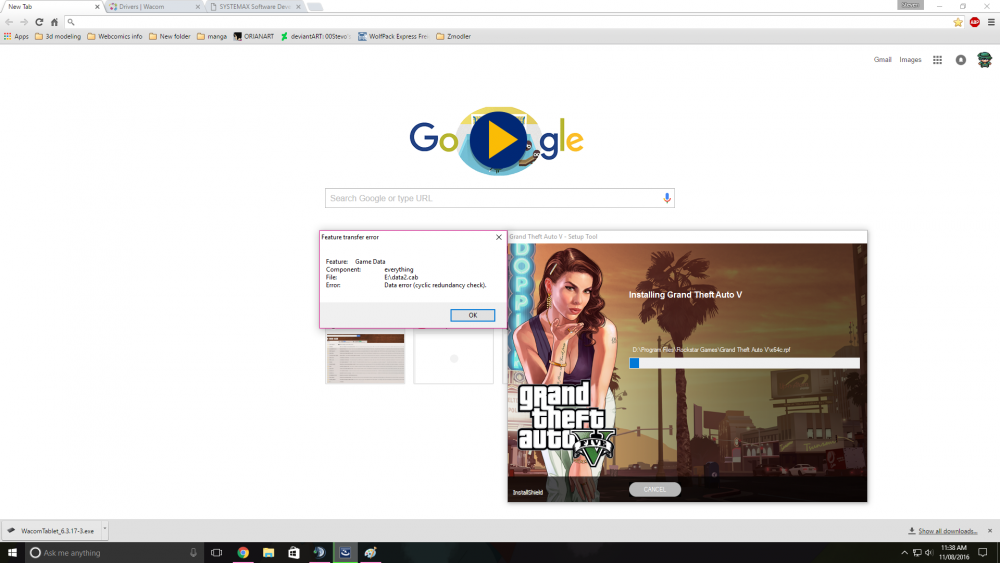
-
 "That Mic on the desk, because it looks like it would work great for YouTube videos"
 -
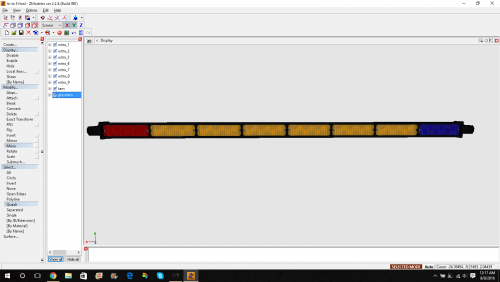 looks good, nice job
 -
As I'm getting a new Rig soon I and I'm going to be transferring all my games over to it I'm concerned about GTA V since it is the only Non-steam Game I play. I have 2 questions 1. Can I just Installed GTA V (Retail) on the New Rig or do I have to un-install and de-activate the one on my 'current' rig? 2. Once GTA is installed can I just transfer all the DLC from the my 'current' to my new rig and not have top download them?
-

.png.520d5ce202da6ee40879131a75348ed1.png)

![[WIP] NSW Rescue pumper](http://s3-gallery.int-cdn.lcpdfrusercontent.com/monthly_2016_08/small.14037527_1743491855968324_259255543_o.png.37021961110168aeea39fe1ea97db16c.png)
![[UNLOCKED] Code 3 Defender(US)](http://s3-gallery.int-cdn.lcpdfrusercontent.com/gallery/album_999/sml_gallery_34991_999_41399.png)