0taku
Friends of LSPDFR
-
Joined
Everything posted by 0taku
-
 Yeah that should be fine.
 -
 Man I love that lightbar,.
 -
 Send me a message an we can talk
 -
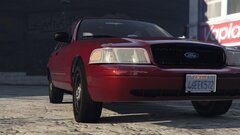
From the album: 0taku media
Been doing a rework of my Crown vic I made a while back, expect it soon -
GTA V shoot's from Zmod W.I.P to messing around
-
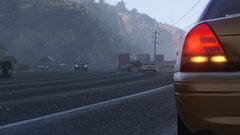
From the album: 0taku media
Been doing a rework of my Crown vic I made a while back, expect it soon -
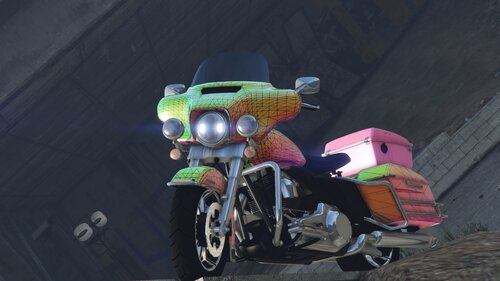 Did you change the dials in the vehicals meta?
 -
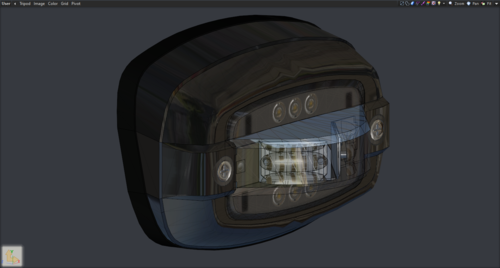 Mmm. Very nice, very nice.
 -
.png.ff82dc0e7023f8ae1f0ce244bb61dff9.png) Very nice, Had no idea LASD used the Expedition
Very nice, Had no idea LASD used the Expedition -
I was having a small issue like this after the rencent update. Remaking my DLC rpf seemed to fix it.
-
-
Next project isn't a caprice, but is something that has needed some love.
-
So a while back I wanted to do make a police bike and I notoiced Hurks old Harley was missing, so since it was missing I took it apon myself to make another Harley dev release that we can all use. And after along time working on it, it is released. I though sevral times about doing a WIP thread like I did with my Experdtion, but I was unsure if this project would have worked out or not so. But work out it did and here it is
-
This is something I know we have needed for a long time and a model I have been working on for a while, I intedned to have it relased alot sooner but real life got in the way and the time just got away from me. If you like my work don't hesiate to give me a dontaion, even $1 can help with future projects. ====File info===== L0 87k polys (depending on options) L1 44k polys (depending on options) L2 20k polys (depending on options) L3 8.5k polys (depending on options) Textures 16 Materials 20 --- 2 front light options, 1 halogen, 1 LED =======Terms of Use============ 1. Do not claim model as your own 2. Do not convert to other games without checking with me first. 3. When releasing file must be in a locked state. 4. You MAY Only sell once you have proir contacted me about it first. 5.Have fun with it. Violating any of these terms at any point voids the license to use, at which any and all copies need to be destroyed =========Dislaimer=========== The people listed in the credits are in no way repsoable for any damage that may happen from using this file. =========Extra Info=========== Due to have the sitting animtaion is done for bikes, the player ride position isn't correct to real life. To my know knowledge Lights moutned to the front handels bars and fender have to be setup a little diffrently, please look at the vanila police bike to set how this is. This genrally only applys to people useing non-ELS.
-
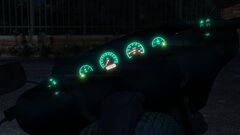
From the album: 0taku media
Just a little project that I've been working hard on the last couple of months. Expect a dev release soon. -
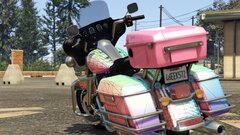
From the album: 0taku media
Just a little project that I've been working hard on the last couple of months. Expect a dev release soon. -
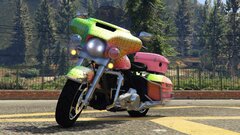
From the album: 0taku media
Just a little project that I've been working hard on the last couple of months. Expect a dev release soon. -
Build Name: Coming soon Operating System: Windows 10 Case: Coasir 275r Motherboard: Ausu Prime B550 Processor: Ryzen 5 5600x Memory: 4x8gb Cosair Graphics Card(s): MSI RTX 3070 Storage Drive(s): Samsung 970 Evo 500gb (OS) Samsung 870 Evo 1tb (Storage) WD 2tb HDD (storage) Power Supply: GIGABYTE 850w 80+gold
-
'Simple native Trainer' has an option to toggle 'SNOW' under weather. It's that same weather effect that R* uses for the Xmas Stuff with Online
-
-
-
-
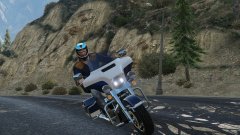
From the album: 0taku media
A little something I have cooking -
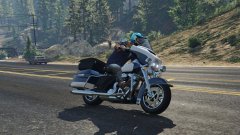
From the album: 0taku media
A little something I have cooking -
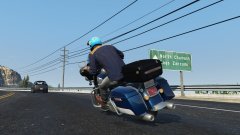
From the album: 0taku media
A little something I have cooking





.png.ff82dc0e7023f8ae1f0ce244bb61dff9.png)