


0taku
Friends of LSPDFR
-
Joined
Everything posted by 0taku
-
 It was just a thought because I know back with IV depending on what you used it could cause crashing. I use the trainer by sjaak327 to spawn my models.
- 47 comments
- 4 reviews
-
-
-
I never had model crashing issues while testing it. Where by are you installing it?
- 47 comments
- 4 reviews
-
Yes, it it a DEV model I don't get how it would be crashing. maybe just try it with the Vanilla .meta settings
- 47 comments
- 4 reviews
-
who's rims are those? they look like the ones from DFS
-
 If I could rate DEV stuff I would give this 4.5 stars because it's almost perfect. The UV normal's could use a small fix up but other then that, Great job.
 -
I currently have no police version planed. However since it is a Unlocked model someone else might make one.
- 47 comments
- 4 reviews
-
Is it working now?
-
Yuuko Aioi Not much of a Waifu, but there is also: Miyasako Aida


-
-
Looking good so far.
-
 Just make sure your in the right gear when driving off, other wise you'll have a whole other problem to worry about
 -
@OfficerFive0 Í don't like mixing vanilla models with real life ones. I belive I did use the optimizer to lower to poly count a little with each level. But model still worked fine for me and I have a chappy computer (I only get 23-30 Fps) and like I said, it works fine for me. Also á few other modders also do the same way I do mine with the loss.
- 47 comments
- 4 reviews
-
Strange, I've had this in my game for ages and it works fine, Polycount should be fine because it's no biger then most Vanaila models, I'll also looking into it when I'm next on my computer Woops must have mapped something worng there, if you can't I'll fix and update the model
- 47 comments
- 4 reviews
-
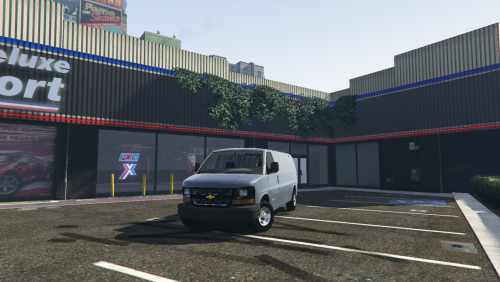
Here it is, the 2016 Chevy Express I've been working on. ----------Overview--------- Model was made for use with the 'Speedo' but it was tested in the early stages with PoliceT and worked fine Version is 1.1.0 Currently only has 1 extra which it the tow-ball ---------------Installation-------------- vehicles.meta installed: Grand Theft Auto V\mods (if used)\update\update.rpf\common\data\levels\gta5\vehicles.meta Model: Grand Theft Auto V\mods (if used)\update\x64\dlcpacks\patchday9ng\dlc.rpf\x64\levels\gta5\vehicles.rpf\ (For the .Meta line see the Readme) ===========Notes ======== Model is based of the 3500 Class, Extended Chassis with no back windows. This model requires the use of Radiance V for the light-up dash See read-me for full credits and other info Model can be re-edited, re-uploaded and/or re-converted but ONLY if proper credits have been given. This is File is Brought to you by
- 47 comments
- 4 reviews
-
-

- 12
-
-
-
Damn that's nice, good thing most new phones (and some tablets) that run Android or Windows, Will make a great add on for your phone photo's and apps
-
Could count as cheating but eh. This one is done by me.
.thumb.png.4fb374ce14a1e66da34ded709a0fc268.png)
-
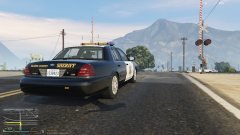 Yes and on, the hubcaps are but you have to add them to a wheel
 -
Well can I complete turn off the 'apps' like weather that are always online? Because thoses things are a data killer with a cap plan
-
Most of the people I've talked to have had issues getting games to work. Some of them they even get alot less frames then they did with 7/8
-
Windows 10 is bad for AAA title or high power games anyway. I'm sticking with 7.
-
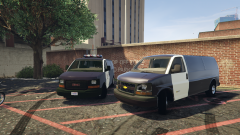 It's a 3d grill, I just have crap graphics, I'm also going round and fixing discoloured meshes
 -
From the album: 0taku media
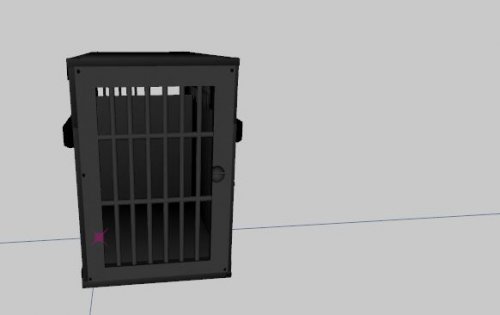
The LSPD are considering replace their old outdated 2005 Savana's with newer 2016 Express's. The Express model they are considering is the 3500 extended chaises and will be lager then the current Savana's . The lager newer van will be able to carry more officers on Raid and other high stakes tasks, and can carry more prisoners when doing transport to the prison. ------------ DISCLAIMER I DO NOT mean any offence to GlitchGamer with his Savana model, I'm just noting facts about the real life specs Currently I have no Transport Van release planed



.png.5864cfc5c877f4301301c41fe8aa303d.png)
