




HazyTube
Members
-
Joined
-
Last visited
Everything posted by HazyTube
-
-
-
I think so, There isn't really a thing in the SDK to do this automaticly, this is the easiest way i gues. And I don't know how albo does it, since he is a very, very experienced developer.
-
I don't think there is something already built in for this, I think you should just spawn 2 cars (Police car and suspect's vehicle) and the 2 peds and make them stand still and then you can do whatever you want
-
Je moet de resident.rpf vanuit je originele bestanden in je mods folder plaatsen.
-
Dude, you should read the readme first next time, and then ask for support. The VCFs are included in the download, and installing them in GTAV\ELS\pack_default
-
Did you install the ELS VCF Files? And also are the lights on top black?
-
So I'm using this car for a long time now, and haven't made any changes to my files. And randomly my police slot is like this, it's only in the police slot. Anyone a solution for this?
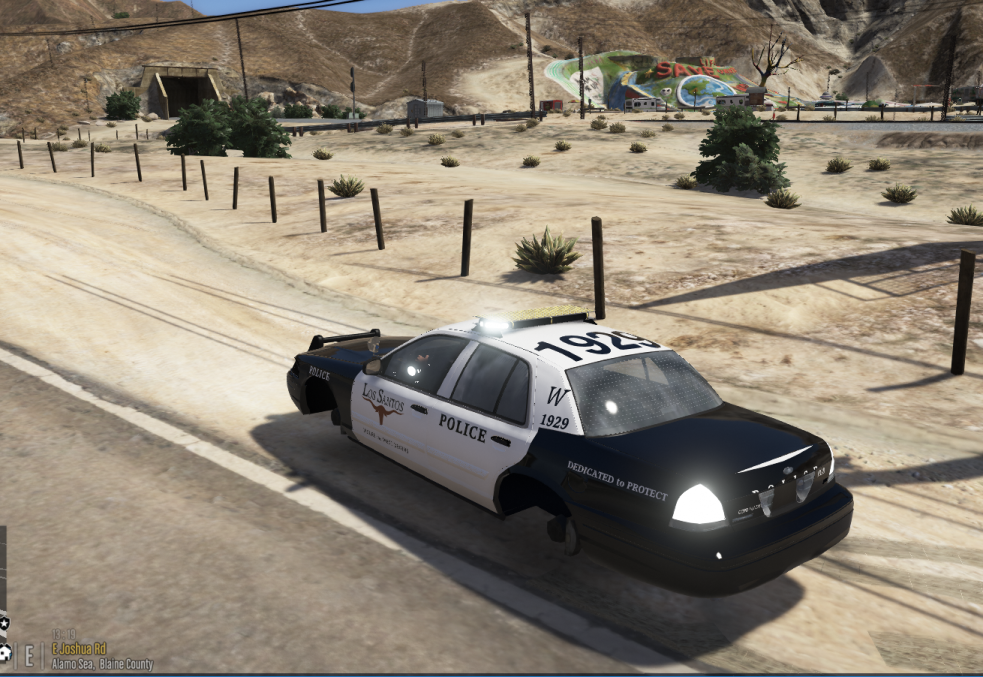
-
This isn't possible, the one that made the mods has to make ik specially for EUP, and also don't post things like this in GTA V support, this is more a request for a mod
-
Then you shouldn't put this topic in GTA V support, but I don't have a solution for this then
-
So you have vanilla gta 5 with only RPH in it? You don't have a mods folder. You should post this in RPH support then, not GTA V Support. But, if you have LSPDFR installed, you have to install lspdfr first and then RPH again. If this isn't the case, I don't know a solution
-
You are not reading what I said huh? 'tell us if you have scripts/plugins or if you have mods folder with vehicles and stuff in it.'
-
Oh okay, maybe you had something that didn't work with the latest patch then, hope it will work when you upgrade one day!
-
Dude did you read what I said?
-
Yes it is your gameconfig file, maybe this one will work, I haven't used him because I'm still on the previous patch but I think this one's good
-
Only addon vehicles right? Maybe check the vehicles.meta and see if there is something wrong with the lights. Only suggestion I have for now. Maybe provide a screenshot?
-
You should post a more detailed description of your error, no one can find anything in this right now, tell us if you have scripts/plugins or if you have mods folder with vehicles and stuff in it.
-
I think you should ask him, he made te vehicles and the handling
-
So let me understand your problem, you turn on the ELS lights, and only the back lights are flashing and none of your other lights work?
-
You have to launch Rage and click the settings icon, then go to plugins and click on 'load all plugins on startup' or you can choose wich ones you want to launch at start
-
Dude, that just says that it cannot detect updates, if you press enter and just play it works, it's pretty straight forward.
-
-
You have to copy the new update.rpf to your mods folder, if that doesn't work try naming your mods folder like 'mods1' and then start the game, if that works your mods folder is the problem. The last thing you can do is reversing your game version, good luck!
-
It should work, just play gta and it should work
-
No problem!

.thumb.png.ccb0302957ee78eebc9b6db9b98a38d2.png)

