




HazyTube
Members
-
Joined
-
Last visited
Everything posted by HazyTube
-
if (Game.LocalPlayer.Character.Position) thats how you call in the player
-
I think you have to put this in the code itself, I don't think there is a method or something for it, I have never used this so I could have it wrong
-
It's probably the vehicle itself, do you have a link of what vehicles you use?
-
Download a visual settings with bright lights, or download natural vision remastered. Also, the openIV asi loader has nothing to do with this. And are your particle effects and everything on high or above?
-
You posted this in support, this is for people having problems with GTA and need help, I think you should post this in modding or something
-
You have to download a mod, but if you want to revert to the old settings, did you use the mods folder? if so, just replace the one in the mods folder with the original one
-
Do you use a 'mods' folder? if so, just delete the vehicles in the 'mods' folder and it should work
-
Try restoring the weapons.meta file with the original one
-
Have you messed with any files?
-
OpenIV is not the problem, OpenIV is just a program to view and edit those files, it doesn't edit the files. So there is something wrong with your files, and also if you have updated the game i recommend replacing the old update.rpf with the new one and don't install your old vehicles.meta and stuff in there, just install them in the new one
-
Dude, I don't say they are in the wrong patchday I say there is an error in 1 of the edited files
-
It is probably your x64 dlcpacks folder, do you have any vehicle mods isntalled?
-
 Done that about 3 times now, no succes tho even in the button setup menu it doesn't ask for a dismiss or statement function
- 1,196 comments
- 127 reviews
-
For some weird reason I do not have the 'Statement' and 'Dismiss Ped' buttons in my PoliceSmartRadio, I have installed almost every mod of albo and the smart radio offcourse. Does anyone have a solution for this?
- 1,196 comments
- 127 reviews
-
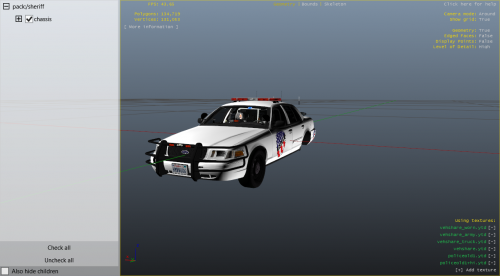 For your first skin it's nice, but here are some tips for the future: try adding some more details to it, and also it looks a bit messy try not to just put things on it but think about the placing and line ups, like the 1 side has to be even to the other side, but overhaul for your first skin it's great!
- 3 comments
- 2 reviews
-
-
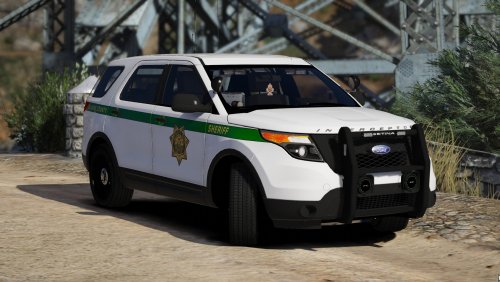 Great pack, will be in my standard car setup. I really like the HoldMyGun feature aswell. I recommend this to anyone
- 60 comments
- 23 reviews
-
-

- 1
-
-
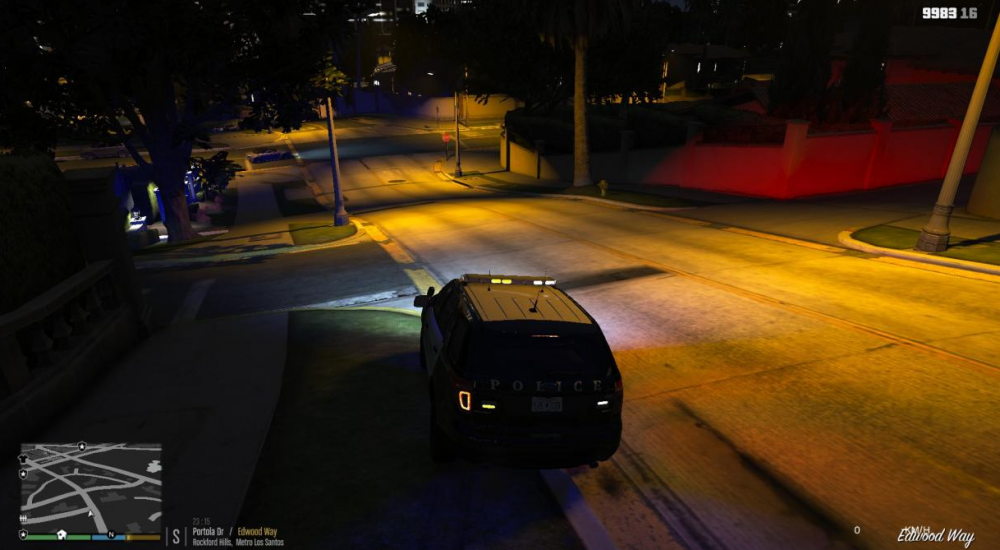
My emergency lights are randomly really dim (screenshot below) I don't know how this happend, I have the natural vision remastered and the brighter emergency lights option inside the nvr mod. I changed some ingame graphic settings tho, does this have anything to do with it? EDIT: (SOLUTION) I fixed the issue, It was my PostFX, shader quality and particle effects (in the ingame graphic settings)
-
 Dude, you have to put it in lspdfr folder I'm not a noob, however this location doesn't do anything with the mod itself, it's just a bug and the installation doesn't have to do anything with that.
- 338 comments
- 46 reviews
-
Uhh lol I'm on that version too because of the same reasons but for me it's not working? did you download the stealth.common separately ?
- 338 comments
- 46 reviews
-
-
huh I used a way diffrent method, lol if I would know this method before, should have saved me alot of time haha
-
Uploading the answer is wayy to much work, you have to make 2 new classes and a bunch of code. I have included a simple solution know.
-
No I dont think so, everyone has this, I think you are lucky 🙂 But, if you press on stop all traffic does that work? For me the cars still drive threw. And also wich version of the game are you on?
- 338 comments
- 46 reviews
-


.thumb.png.49e3e73b78c056fdfd0f2c5b02a704b6.png)