




HazyTube
Members
-
Joined
-
Last visited
Everything posted by HazyTube
-
Thank you!
-
Do you know how to fix that? Do I stop the task or the "give new weapon to ped" tasks? EDIT: if i put // before the tasks, i can arrest him. How do I stop the task when I try to arrest him?
-
.thumb.png.ccb0302957ee78eebc9b6db9b98a38d2.png) Really nice callout pack, will probably be more nice in the feature. I really like the new fatal car crash one, nice job and keep up the good work. Will use this in my game
Really nice callout pack, will probably be more nice in the feature. I really like the new fatal car crash one, nice job and keep up the good work. Will use this in my game- 68 comments
- 14 reviews
-
-

- 1
-
-
I'm working on a callout and whenever I arrest the Ped, he keeps shaking weird and nog going to the ground, he puts his hands up over and over again. I think it may happens because I gave him a task: Suspect.Tasks.FightAgainst(Game.LocalPlayer.Character, 5000); Do I need to end the task? and how?
-
Suspect.Tasks.LeaveVehicle(LeaveVehicleFlags.None); just replace 'suspect' with your ped's name edit: if you want them to leave the door open, change the None LeaveDoorOpen. Other Possibilities: .BailOut, .LeaveDoorOpen, None, WarpOut.
-
What do you mean? //LOAD A LIST OF SPAWNS FROM A FILE ListOfSpawns = Serialization.LoadFromXML<ExtendedSpawnPoint>("FirearmLSTCoords"); //GET A RANDOM INDEX int randIndex = MathHelper.GetRandomInteger(0, ListOfSpawns.Count - 1); ExtendedSpawnPoint espSpawn = ListOfSpawns[randIndex]; //GET A SPAWN FROM THE LIST SpawnPoint = ListOfSpawns[randIndex].Position; this is my code, I want the callout only to apear when the player is in a certain range of the spawns
-
I have this issue too, but I load all my locations from a XML file, how do I make them spawn when you are in a certain range only?
-
 Yeah sure, will be in the next big update
 -
 No problem 🙂 btw if you can try the freeze drivers option in the make peds calm again mod, this will stop traffic too
- 338 comments
- 46 reviews
-
no.
-
Hello everyone, I was wondering how i could make a conversation with a witness for a callout? I tried it alot of times but still not working. Here is my code that I use for the conversation: if (Game.LocalPlayer.Character.DistanceTo(StoreOwner.Position) < 2f) { Game.DisplayHelp("Press Y to begin speaking to the Store Owner"); if (Game.IsKeyDown(Keys.Y)) { Game.DisplaySubtitle("Store Owner: Hey officer! I'm the store owner."); Game.DisplaySubtitle("You: Hello, did you see what happend?"); Game.DisplaySubtitle("Store Owner: This guy here put some weird stuff in her food."); Game.DisplaySubtitle("Store Owner: Now she is unconscious."); Game.DisplaySubtitle("Store Owner: That's everything I can tell you officer."); } } I hope someone can help EDIT: I dont need help anymore! For a simple conversation, put a duration behind the text and pause the gamefiber after every line
-
-
Oh yeah! that's an really good idea, will implement that, I'm working on a really cool callout now too.
-
Thanks you! I will be updating the plugin soon! Probably with some things that are in the 'Planned:' section
-
 Perfect callout pack! Absolutely a must have! I like the sholifting in the clothing store the most, really original and also fun to do. Keep up the good work
- 58 comments
- 12 reviews
-
-
- 2
-
-
Thank you man! Really apreciate the support, updates will be coming soon
-
I don't impede him, I only give an answer to him, and also he didn't leave review too
-
Yeah i understand that, but I don't only publish it for people to download it, it is to see my progression too, just like a portfolio or something.
-
Introduction This plugin adds callouts to the LSPDFR plugin. You can find a list of currently available callouts below. It also comes with a feature to repair any vehicle with a dead engine. Features - Adds 6 callouts to the LSPDFR plugin. - Repair any vehicle's engine if it's broken. - A Quick Panic Button to quickly tell dispatch you're in trouble! Press the key 3 times. - A lot of customization in the included .ini file. Using the plugin The callouts will appear randomly while you are on duty. You can also start a callout by typing “StartCallout (Callout Name here)” without the quotes and brackets in the RPH console. If you are near a vehicle with a dead engine, a help box will appear in the upper left corner of your screen. Stand in front of the vehicle (Or wherever the engine and hood is) and press T by default to repair the engine. There is a 50% chance that the repair will be successful. Installation Drag and drop everything inside the “Grand Theft Auto V” folder to your main GTA V directory. Default GTA V directory locations: Steam: C:\Program Files (x86)\Steam\steamapps\common\Grand Theft Auto V\ Retail: C:\Program Files\Rockstar Games\Grand Theft Auto V\ Dependencies The things listed below are required to use the plugin, some may be included. - RAGEPluginHook (Not included) https://ragepluginhook.net/ - LSPDFR (Not included) https://www.lcpdfr.com/files/file/7792-lspd-first-response Current Callouts - Broken Down Vehicle - Gang Shootout - Poisoned Customer - Stolen Vehicle Spotted - Weapon Found in Suitcase - Person With a Firearm in Public Transport Integrations These are not needed, but highly recommended - StopThePed - Ultimate Backup Bugs and Support If you would like to report a bug or ask for support, you can post it in the comments section below. Please don't ask for support in the reviews section. I also have a discord server where you can report bugs and ask for support. I recommend joining the server, I will most likely respond faster and there are also other people that can help you. My discord server: https://discord.gg/TVmdApq Known bugs If a bug is in this list, I am working on fixing it. If you have encountered a bug but it isn't in this list, I most likely don't know about it. - There are some performance issues due to some features. I am working on this. If you are really experiencing severe FPS loss due to First Callouts, you can disable the vehicle repair feature. This will improve the performance a little bit. - A rare crash in the gang shootout callout. You can disable the callout in the .ini file, or if you're living on the edge keep it enabled, it might crash.
-
-
 I can change the window tint via a trainer but when I change the DefuseTint nothing happens, anyone got a solution for this?
- 206 comments
- 94 reviews
-
-
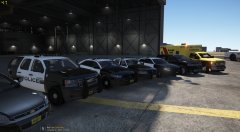 This are the links to the vehicles. Sheriff Pack: LSPD Pack: Ambulance and firetruck: Police bike (it's in a pack): Prisoner transport van:
 -
-
-

.thumb.png.ccb0302957ee78eebc9b6db9b98a38d2.png)


