
HazyTube
Members
-
Joined
-
Last visited
Everything posted by HazyTube
-
 Introduction Do you also miss that feature from LSPDFR 0.3 where you had a keybinding to start a random callout? This plugin brings it back! Now you don't need to go to the interaction menu to start a callout anymore. You can also change your availability by pressing Z by default. Features - Start a random callout by pressing a key - Force end a callout by pressing a key - Set your callout availability to available and unavailable by pressing a key - An on-screen text box that tells you if you are available for calls or not (You can disable this. if you disable this you will get a notification instead) - Player Location Display compatibility so they don't overlap (You can set this to true in the ini file) - Police SmartRadio integration to change your availability via the radio, and also starting a callout via the radio Using the plugin You can start a random callout while on duty by pressing X by default. Set your availability by pressing Z by default. There are also some settings you can change in the included .ini file. If you installed the plugin and go on duty, a little box will show on your screen from Police SmartRadio. Here you can add the 2 buttons this plugin adds to the radio. Installation Drag and drop everything inside the “Grand Theft Auto V” folder to your main GTA V directory. Default GTA V directory locations: Steam: C:\Program Files (x86)\Steam\steamapps\common\Grand Theft Auto V\ Retail: C:\Program Files\Rockstar Games\Grand Theft Auto V\ Dependencies - RagePluginHook (Not included) - LSPDFR (Not included) - RageNativeUI (Included) Integrations These are not needed, but highly recommended Police SmartRadio by Albo1125: Open source This plugin is open source! Feel free to use some of its code in your own projects. I only ask for some credits, that's it. You can find the source code here: https://github.com/HazyTube/ForceACallout Bugs and Support If you would like to report a bug or ask for support, you can post it in the comments section below. Please don't ask for support in the reviews section. I also have a discord server where you can report bugs and ask for support. I recommend joining the server, I will most likely respond faster and there are also other people that can help you. My discord server: https://discord.gg/TVmdApq Known bugs If a bug is in this list, I am working on fixing it. If you have encountered a bug but it isn't in this list, I most likely don't know about it. No bugs at this time
- 117 comments
- 19 reviews
-
-

- 16
-
-
Thanks for the reply, this will help.
-
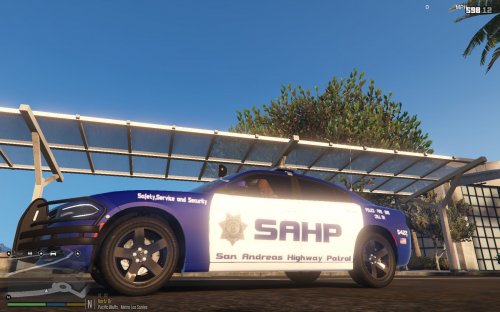 This is goob
 -
 That's probably because of 0.4 itself, It's known to have more fps drop than 0.3
- 68 comments
- 12 reviews
-
How can I let LSPDFR start a random callout? Something like Functions.StartCallout(); But then that it starts a random callout, and that I don't have to specify one.
-
-
 I suggest putting all the files in a zip and then upload it, include a readme with some instructions.
 -
-
-
I was in rome for vacation for a few days, I will update all my plugins as soon as possible
- 68 comments
- 12 reviews
-
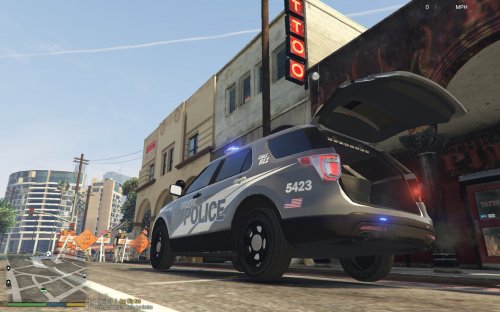 Simply works!
 -
How can you open scripthook? that's not even possible lol. But if you use a mods folder, just copy the patchdays into your mods folder from the original files.
-
You always have to install vehicles in the latest patchday.
-
Vocal dispatch is really outdated, don't use it
-
You have to change everything in the .ini files. If it's not working check if your loadout names are correct in the easyloadout.ini BTW, The discord link is now updated
- 68 comments
- 12 reviews
-
-
Can you send me your RagePluginHook.log? I talked to Gray and he told me he missed some DLC packs, I read the log and it was trying to load weapon models that didn't exist in his GTA install. So if you send me your log I can help you
- 68 comments
- 12 reviews
-
-
https://www.youtube.com/watch?v=s6ERd0QiFIU watch this video and use albo's modding dlc pack. and watch this one to add the vehicles an the meta's; https://www.youtube.com/watch?v=_ZMbZolbtYw&t=108s
-
Replace the edited visualsettings.dat with the original one then download MakeVisualsGreatAgain for better lights; https://www.ausgamer.net/files/file/30-make-visuals-great-again/
-
-
-
I currently have only updated it for the new ragehook version, I don’t know if I will add new features. I will definitely add the new weapons from the dlc’s
- 68 comments
- 12 reviews
-
I don't think it doesn't have them at the moment, I only updated it for the newest ragehook and V update. I will add the new weapons soon
- 68 comments
- 12 reviews
-
-
- 1
-
-
Introduction This is the continuation of the plugin Easy Loadout originally developed by @sr7066 From now on, I will be maintaining and updating this plugin. This plugin allows you to define several different loadouts that you can quickly and easily use while on duty. This plugin was made with the goal of eliminating the long process of giving appropriate weapons after going on duty. This has an easy to use menu that you can use to swap between Loadouts and set which one is active, as well as a quick keybind to refresh your loadout! Features - An easy to use menu to switch between loadouts. - A keybind to quickly give yourself the active loadout that has been set in the menu or the default loadout. - Automatically get your default loadout when going on duty. Using the plugin You can open the menu with the keybind you have set in the included .ini file (Default F8). You can press F7 by default to automatically get the active or default loadout quickly. There is a lot of customization available in the included .ini files, you can very precisely configure all your loadouts and give them a name. Installation Drag and drop everything inside the “Grand Theft Auto V” folder to your main GTA V directory. Default GTA V directory locations: Steam: C:\Program Files (x86)\Steam\steamapps\common\Grand Theft Auto V\ Retail: C:\Program Files\Rockstar Games\Grand Theft Auto V\ Dependencies The things listed below are required to use the plugin, some may be included. - RageNativeUI (Included) - RagePluginHook (Not included) - LSPDFR (Not included) Bugs and Support If you would like to report a bug or ask for support, you can post it in the comments section below. Please don't ask for support in the reviews section. I also have a discord server where you can report bugs and ask for support. I recommend joining the server, I will most likely respond faster and there are also other people that can help you. My discord server: https://discord.gg/TVmdApq Known bugs If a bug is in this list, I am working on fixing it. If you have encountered a bug but it isn't in this list, I most likely don't know about it. No bugs at this time
- 68 comments
- 12 reviews
-
-
-

- 11
-