jb431
Members
-
Joined
-
Last visited
Everything posted by jb431
-
-
I tried that, but it wouldn't overwrite the vanilla cars
-
So, it is always a mods folder issue? If my cars are also installed in patchday 17 (I'm using the previous version of the game, so that's my latest patchday), do I need to delete it also? My backup copy is working fine so far, and I've added the cars I wanted but removed some unnecessary files like an ELS coroner van, etc to decrease the folder sizes.
-
I am having that issue as well and I have only replaced cars recently. I have a backup copy of the game and when I receive this message I delete the current version of the game, then copy my backup, and it plays. Prior to the crash issues I temporarily installed each of the vehicles to set up their ELS VCF's and didn't have an issue when I started the game. After I have the VCF set up and place them in the spots where I want to use them it crashes. Is there any way to find the issue without having to delete the whole GTA V folder?
-
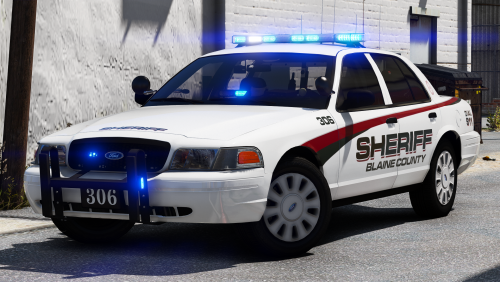 Is that the Bling Bling P.D. livery? Pimpin ain't easy. They are still better looking than anything I could make.
- 43 comments
- 16 reviews
-
-

- 1
-
-
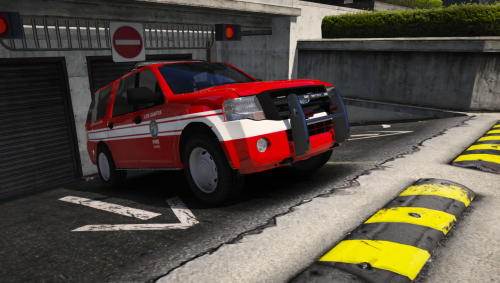 Hmm, I'll give that a shot. I've never actually copied a vehicle meta into the game because I was concerned it may lead to issues later on if I swap the model out and forget what needs to be changed back. Any thoughts on what might help the ELS issue? I would like to get it fixed because I would like to use it both for fire and police since it is a good Expedition model, and they're rare.
- 30 comments
- 2 reviews
-
Good model, but the ELS file only lights up one side of the lightbar in stage 2 and it rolls over very easily (using handling line that I've used for Tahoe's).
- 30 comments
- 2 reviews
-
 HAHA, it works! I chased a guy on foot halfway across the city to make sure I got close enough to attempt a tackle and it does work. You have to be very close, and I ended up holding down shift with my left hand so I could keep sprinting and reach the E key, while trying to run straight with the controller in my right hand, but it worked.
- 1,915 comments
- 242 reviews
-
 The last time it was updated was prior to the release of the latest version of GTA V. So, unless you have access to the previous version the mod doesn't appear to be working for pretty much everyone.
- 3,646 comments
- 306 reviews
-
-
- 1
-
-
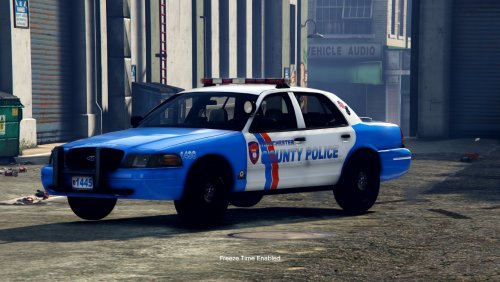 Good looking car, and maybe I messed up the install in some way, but I can walk through the vehicle.
- 14 comments
- 4 reviews
-
-
How do you adjust that setting? Sorry, not very familiar with adjustments like that.
-
I have not ever been able to figure that out myself. Hopefully someone knows.
- 1,915 comments
- 242 reviews
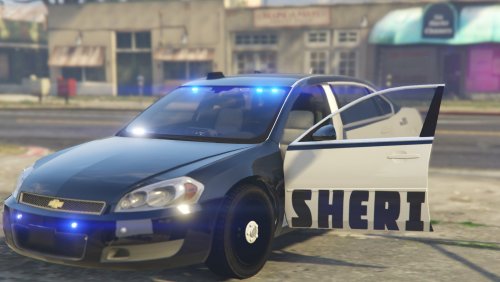 Cool car and light placement. VCF strobes were a little odd, but that is a simple fix. Only real issue is the takedowns shine backwards.
- 5 comments
- 3 reviews
 Check your ini, it's already included. ; Open Computer+ while on foot ; This will open Computer+ using tablet OpenComputerPlusOnFootKey=NumPad0 OpenComputerPlusOnFootModifierKey=LControlKey OpenComputerPlusOnFootControllerButton=None OpenComputerPlusOnFootControllerModifierButton=None
- 1,743 comments
- 172 reviews
This pack has at least one also. I believe Alt+1 is wig wags Alt+2 is tail lights +3 is front indicator +4 is rear indicator ans +5 is the reverse lights
- 2,677 comments
- 235 reviews
The WW does stand for wig wags and the pattern can be changed in stage 3 by pressing Alt+1- 2,677 comments
- 235 reviews
 I might be missing it in the ini file, but does anyone know of a way to stop the pop up notification from appearing on screen when a court case is heard?
- 1,178 comments
- 137 reviews
When you attach an ELS file to an non ELS model, is there a way to keep the car parts from flashing? I tried adding ELS to the model attached, but the bumpers and various parts of the car started flashing as well.