jb431
Members
-
Joined
-
Last visited
Everything posted by jb431
-
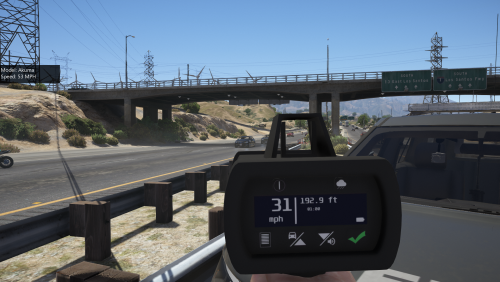 I don't think it works anymore because it is supposed to accompany the 'Traffic Policer' mod which hasn't been updated after the last two GTA updates, and no longer works.
- 79 comments
- 17 reviews
-
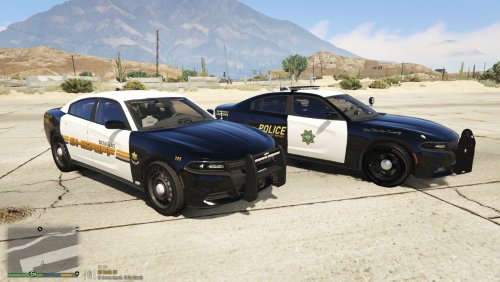 Douglas Co, NV and Reno PD skins (WIP). Font isn't exactly correct for the new Reno PD livery (apologies), but I only have limited font editing options.
- 8 comments
- 1 review
-
 No problem
 -
I'm about to upload a possible fix for this skin on the model you're using. If it doesn't work, it should work with the CVPI in this pack, I just tested it.
-
It doesn't matter if it's an ELS model or not, the templates just have to match. The photo attached is the template used to make the skin superimposed over the template for the car you're using. As you can see they don't line up correctly and the one for the car you're using is smaller than the other template. They are pretty similar though, and that is why it looks better than the other version. If you don't want to use an ELS pack, I think the CVPI in the links below will match the skin.
-
Try using a different template. It looks like the skin you are using is for a different version of the Crown Vic. If you let me know what template you are using I probably have a skin for it. The rear plate should be a Tennessee license plate, while the front has a plate showing the car number. The skin you are using is for the car in the file I have attached, or any other CVPI with that template. The template you're applying it to also does not match up the coverage on the trunk where it should be all black instead of black and white. Trunk= no bueno. What it should look like. File with correct template, although there are multiple files using that template. If that isn't correct, let me know. I may have created a skin with the same unit numbers for multiple vehicle models.
-
 I don't think so. There have been 2 updates to GTA since this was last updated.
- 3,646 comments
- 306 reviews
-
-
-
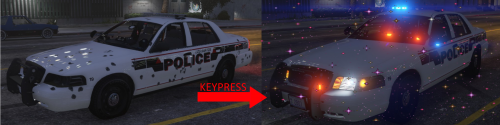 10 stars. The ability to clean and fix the car by simply pressing one button, and without opening the trainer is great. Just wish the was an option to clean player clothes as well.
- 21 comments
- 21 reviews
-
We need one for ped clothes, or an option in the ini file. Awesome mod though, got tired of opening up the trainer all of the time.
- 21 comments
- 21 reviews
-
 That little mod is one of the best I have ever found. Now I just wish there was one for your peds clothes, without opening the trainer. I completed one, but the different textures made one portion of the car look matte, and the other glossy.
- 253 comments
- 53 reviews
-
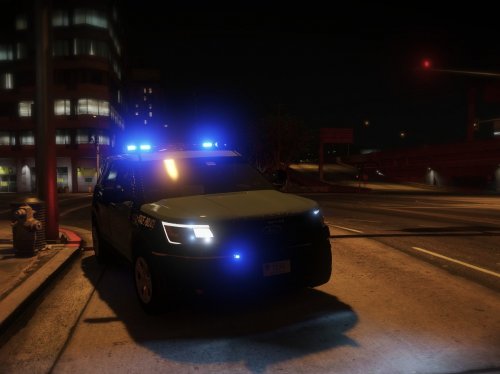 So you guys are saying you have this car, with this lightbar? But you want this??
- 5 comments
- 4 reviews
-
Good deal. Are you going to post it when you finish? I am trying to put a Sheriff livery on it as well.
- 253 comments
- 53 reviews
-
-
How do you get the reflective textures to activate (for lack of a better term)? I spawned it at the airstrip near Route 68 and illuminated it from various distances with another vehicles headlights, but I couldn't tell any difference.
- 253 comments
- 53 reviews
-
-
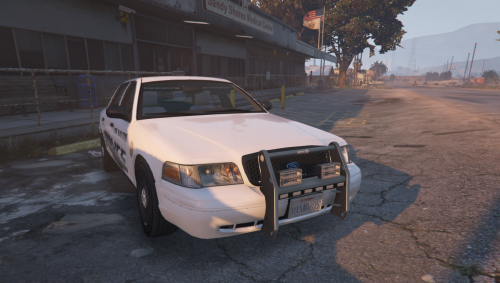 Are the Charger and Explorer wheels gray? Checked out the youtube preview and it looked like they had an odd color.
- 11 comments
- 2 reviews
-
Might break my game, but I'm going to risk it. Car looks great, crazy amount of lights and antennas but for some reason it just works. The different LED/DRL wig wag you have on this are the cherry on top.
- 253 comments
- 53 reviews
-
-

- 1
-
-
Agree. Still going to be put to use though. Don't normally use christmas trees, but this one is going to be the exception. Good job.
- 253 comments
- 53 reviews
-
-
- 1
-
-
No I don't, but if you want to just attach them in an dm on here I can check them out.
-
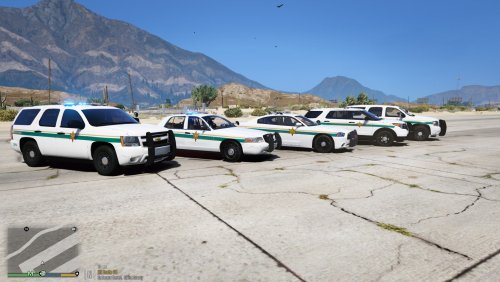
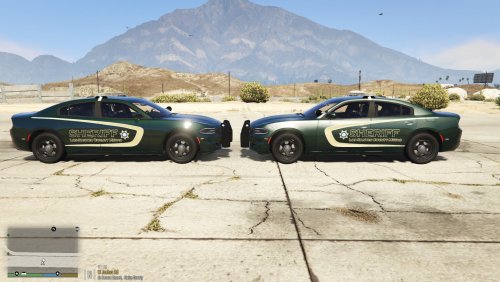 Just felt like creating a different skin for this model since I couldn't find many to fit the template. I was hoping for a more metallic look, but I'm not sure how to create that as an original texture. There are two vehicles pictured, but they have the same livery equipped. The one with the more metallic look has dark green metallic primary and secondary colors set using the trainer. 2K and 4K version included.
 -
Don't know what the ones on youtube looked like, but maybe one of these might work?
-
This might save you some time. Don't know if it fits the exact template you want, but maybe you can edit it to your liking.
-
I was checking online the other day and came across this beauty. It would definitely be unique, and as far as I know it would be a first.