


Kalleboston
Members
-
Joined
-
Last visited
Everything posted by Kalleboston
-
-
We all have to install the mods that go into update.rpf every update. It’s the way it is. The cars can still be where they are though. My suggestion: copy the new fresh update.rpf into mods\ and start over. You can do it! I always keep my old non-working update.rpf until I see that the game is working fine and that it looks the way I want.
-
That tells you that the problem is within your mods folder. My guess is that your update,rpf is from 1180 version of the game? :)
-
Yea it’s active bestefar! It can be caused by so many things. 1. Do you use a mods folder? If so, rename it to _mods and try launching your game. 2. Attach your ragepluginhook log in a spoiler so we can read it. GL!
-
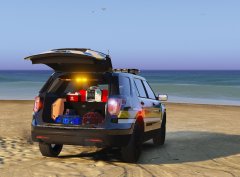 Loaded!
 -
Do you install them in patchday3? You must use the latest patchday. I think it’s like 20 now or something. Try to install them in the patchday with the highest number and report back. GL.
-
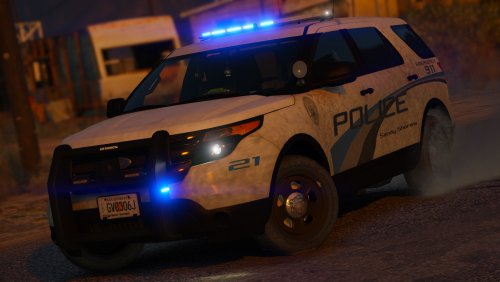 This one is really good. Great lods, great lighting patterns and great looks. It fits really nice in Sandy Shores, Grapeseed etc. Thanks!
- 27 comments
- 27 reviews
-
I've tried all tips in this thread and I didn't work for me. However I found a tip on another site that has worked for me so far. Maybe it can help someone else too. I just pressed the panic button and got 10+ vehicles swarming at the same time and no texture loss :D https://rog.asus.com/forum/showthread.php?90794-ASUS-ROG-G752VT-Overheating-issues
-
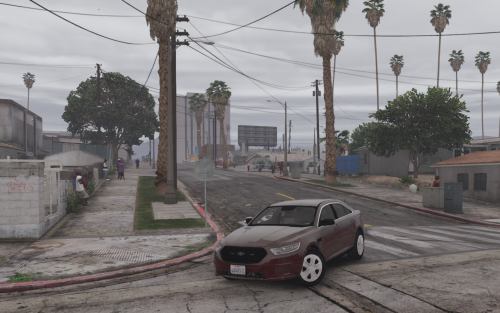 Yea thx. It seems to be the dirt. Because when I ‘wash’ it the paint job looks fine.
- 39 comments
- 11 reviews
-
AFAIK only with a sound editor. Extract, edit and replace.
-
 No he does not. :) Follow the info @Kal74 gave the other guy above and you will be fine.
- 266 comments
- 36 reviews
-
@amarano001 do you use a MODS folder? If so, it’s easy to grab the stock vehicle.meta from the original files. A quick google gives you the info on where it’s located.
-
I’d like a whelen xcutor :)
-
Check this out partner,
-
 I got stuck in the video. Quite hypnotizing! Great work.
 -
I'm having a problem with the paint job on the suburban (Fbi2). It is striped. What have I done wrong?
- 39 comments
- 11 reviews
-
 How big is the stock one? It must have been changed if it’s over the magic limit.
- 851 comments
- 108 reviews
-
I suggest you replace your modded vehicles.awc with the stock, and start over.
- 851 comments
- 108 reviews
-
-
-
-
@RogersHornsby have you installed a custom gameconfig so you can have all of those extra slots?
-
Yes non-els cars works with albis mod if you have followed the instructions. It doesn’t matter id they’re els or not. What vcf files have you copied if I may ask?
- 266 comments
- 36 reviews
-
Dodge durango for gta v.
-





