Kalleboston
Members
-
Joined
-
Last visited
Everything posted by Kalleboston
-
 Thanks. Yea it was my first skin pack. I learned a few lessons from it. I can’t promise you anything, I don’t have much time for this hobby. Please send a pm with your request :)
- 4 comments
- 1 review
-
-

- 1
-
-
Hi! The value you are looking for is in the carvariations.meta. It’s called lightsetting and is in the end of every entry.. Here is some good reading for you freund. http://gtaforums.com/topic/857958-vehicles-light-and-siren-setting-ids-explained/
-
 Nice wheels! I haven’t seen them before. Which car is it @ALLENjr12? It looks really nice :D
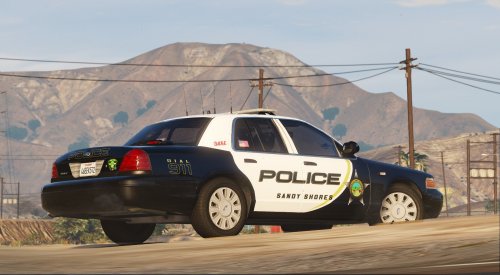 You can act more humble @billiarboy. The model the skin is made for doesn't use skinned plates. That's why it has no plates on the skin. I have updated it now, thanks for letting me know about it since I don't use any other cvpi than izick's.
- 13 comments
- 4 reviews
You can add your peds in the ini so you can just select them from a list.Eup does that. You can’t combine the two. I think you must chose only one of them. If I understand you correctly.You can use them yourself if you have a trainer. That’s how I do it. Simple trainer-spawn model and type in your model name for example.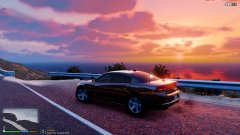 Great shot. This really makes me want to go for a traffic patrol!Yea sir! You looks for a menu option called “vehicle components”. And in that menu you change the values with 4 and 6 and choose with 5 I believe (the keys at described on screen). The extra (alpr cams) can have any number between 1-12 so I usually hammer 5 when I go through the extras, and keep an eye on the screen so I see when the cameras pop up. Make sure your model has the cams before you start, so you don’t end up hairless! Good luck!They usually spawn, but it depends on what it says in the vehicle.meta for that vehicle. If they are not spawning however, you can easily turn them in with a trainer like Simple trainer.Hi. Did you install them in the actual latest patchday, or the latest patchday according to the instructions that came with the vehicles?It depends on the car model itself, if it has the cameras or not. The plugin doesn’t give you the physical cameras. Just the ability to read plates. I hope you understand what I mean.Hi, you are right. It doesn’t work. Here you have an excellent explanation :)
 Have you changed the light setting in carvariations.meta from default to 13 (I think it’s 13) Because if it’s rotating lights it needs another setting than LED.
- 952 comments
- 158 reviews
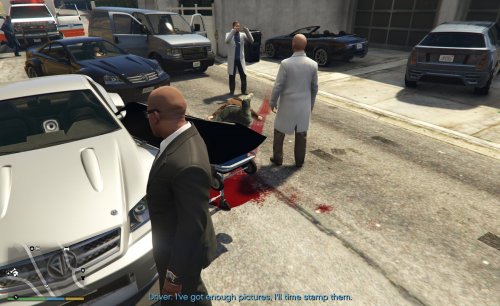 I’ve also waited for this, and to get rid of the trash bags. This looks much better and adds to the immersion. Thanks for the upload!
- 27 comments
- 22 reviews
Okay. I didnt know you got a notification if I just edited my post.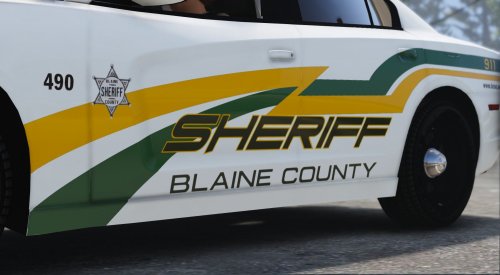 Sure! My plan was to make the chargers next. How about that? Any other suggestions?
- 11 comments
- 4 reviews