


Kalleboston
Members
-
Joined
-
Last visited
Everything posted by Kalleboston
-
 If you want it to be silver and don't want to change in the trainer; Edit your second carvariations entry for the specific car to this: <indices content="char_array"> 18 18 156 156 </indices> It gives you 'Util silver' colored cars. Works for me!
- 206 comments
- 94 reviews
-
-

-

- 2
-
-
Hi @officialbran what I guess they mean is “export to open formats” and then they fiddle around with the files in that exported folder (replacing some of the sounds with other sirens) After that you choose in openiv, “import from open formats”. I’m not 100% sure about the exact phrases , but I think you will know what I mean if you are running openiv. That is usually the way to rebuild for example vehicles.oaw.
-
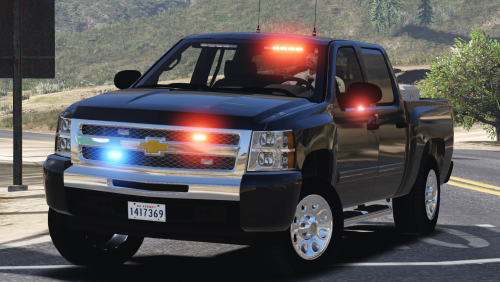
.thumb.png.9dd2be69445f5a3691dc96cbdefc33b2.png) I was looking for a skin to make my fleet have more continuity and I found this. Perfect! Looks really good. And you have done a great job to make it fit lots of cars so it makes things easy for us.
I was looking for a skin to make my fleet have more continuity and I found this. Perfect! Looks really good. And you have done a great job to make it fit lots of cars so it makes things easy for us.- 1 comment
- 4 reviews
-
-
-
Great! Anytime partner.
-
I didn’t say that! ;) What makes you think it’s the gameconfigs fault?
-
@sheepdog6024 and a zero means it is not disabled. Change it to “1” and see what happens.
-
This one works well for me at least. I’m on the latest version of gta. https://www.gta5-mods.com/misc/gameconfig-for-addons-600
-
@Jersecop I believe that vehicles.meta is overwritten in the new update. The one in update-update.rpf-common-data. Can this info be of use?
-
-
-
 Sounds like your antivirus is involved. Check if it has put them in quarantine.
- 3,646 comments
- 306 reviews
-
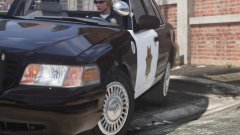 That’s some nice stuff! Great pics, thanks.
 -
 @Sgt.Pickle you shouldn't feel like that. I dunno why, maybe they forget about it sometimes? :)
- 2,656 comments
- 234 reviews
-
Which vehicle.meta did you change?
-
-
Yea you can go hardcore on it. But you can also start easy. Maybe a patrol spawning in paleto bay or something. But that's another thread :)
-
Hi, I use this script. They aren't actually performing traffic stop. But u can set them to patrol certain areas, with or without sirens, and spawn at certain locations. It's really nice and adds more life to the game. The ai officers aren't easy on the gas pedal though! 😁 Give it a shot. http://www.lcpdfr.com/files/file/10094-law-enforcement-jurisdiction-script/
-
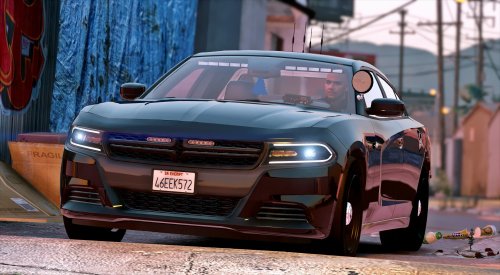 This is my favorite unmarked charger. It's perfect! If I only could figure out how to put a sheriff skin on it.. it would be a perfect slicktop out on the country side.
- 47 comments
- 26 reviews
-
-
-
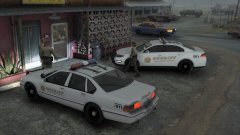 Great mix of the old and new.
 -
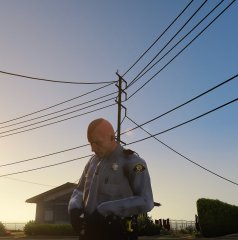 Cool officer! Never seen him before.
 -
Yes, it adds so much to the game! There are some good maps out there, which shows the jurisdictions. And the scripts comes with good instructions. My best advice is to have patience. :)

.thumb.png.9dd2be69445f5a3691dc96cbdefc33b2.png)


.thumb.png.2940318389c3ca0fbd792e4b5145f917.png)

